Skip to Content
Corsair
Corsair
  • CORSAIR: EXPLORER

    Browse how-to guides, support articles, and other content related to CORSAIR products.

  • CORSAIR PRO

    Enterprise workstations and servers, configured to your exact requirements.

  1. 홈
  2. / Gaming Mice
  3. / Wireless Gaming Mice
  4. / ...
재고 있음
베스트 셀러

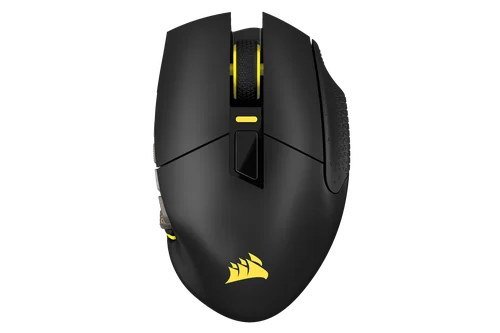
SCIMITAR ELITE WIRELESS SE MMO 게이밍 마우스 – 건메탈

커스터마이징 가능 버튼 16개, 조정 가능 Key Slider, 놀라울 정도로 정확한 MARKSMAN S 33K 센서, 초저지연 SLIPSTREAM WIRELESS가 탑재된 CORSAIR SCIMITAR ELITE WIRELESS SE MMO 게이밍 마우스는 역대 최고의 MMO 게이밍 장비입니다.
Current price: US$139.99 - Original price: US$139.99 - 할인: US$0.00$139.99
이 제품은 무료 배송 대상입니다.
오늘 주문하시면 예상 배송일은 07/29/2026-07/30/2026
위험 부담 없이 구매 후 60일까지 반품 가능

Mice Color

Black Yellow
Gun Metal
흰색

색상:

추가 고려 사항

VIRTUOSO RGB WIRELESS 고성능 게이밍 헤드셋 — 카본

Current price: US$199.99 - Original price: US$199.99 - 할인: US$0.00$199.99

MM350 PRO Premium Spill-Proof Cloth Gaming Mouse Pad – Extended XL, Black

Current price: US$39.99 - Original price: US$39.99 - 할인: US$0.00$39.99

iCUE NEXUS Companion Touch Screen

Current price: US$59.99 - Original price: US$99.99 - 할인: US$40.00$59.99$99.99

절약US$40.00

VANGUARD PRO 96 Hall Effect Gaming Keyboard

Current price: US$179.99 - Original price: US$229.99 - 할인: US$50.00$179.99$229.99

절약US$50.00

  • No charger | Charging icon

  • 2.5 - 10 | Charging icon

SKU: CH-9314014-WW
Current price: US$139.99 - Original price: US$139.99 - 할인: US$0.00$139.99
이 제품은 무료 배송 대상입니다.
오늘 주문하시면 예상 배송일은 07/29/2026-07/30/2026
위험 부담 없이 구매 후 60일까지 반품 가능
  • 개요
  • 기술 사양
  • 다운로드
  • 가이드
  • 자주 묻는 질문

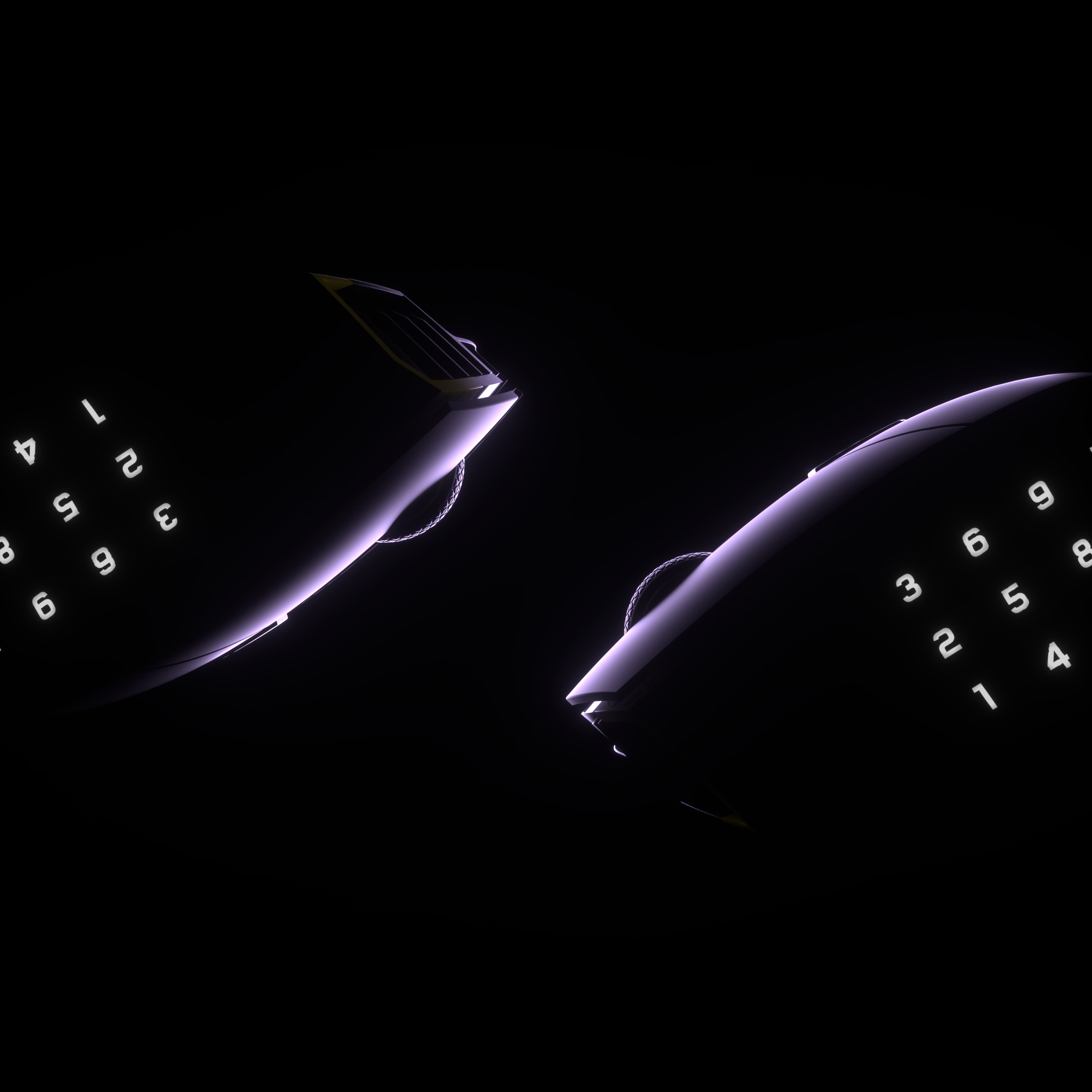
새로운 역사를 쓰기

SCIMITAR ELITE WIRELESS SE
디자인과 성능의 결합

Elgato Virtual Stream Deck의 강력한 기능을 활용하여 여러 개의 가상 데크를 만들 수 있으며, 12개의 버튼 각각에 그 어느 때보다 많은 기능을 할당할 수 있습니다.
자세히 알아보기

ELGATO STREAM DECK 통합

네이티브 Elgato Stream Deck 통합을 통해 Stream Deck 앱에서 Stream Deck 기능을 SCIMITAR ELITE WIRELESS SE에 직접 매핑할 수 있습니다.
자세히 알아보기

놀라운 정확성

MARKSMAN S 33k DPI 광 센서를 통해 크리티컬을 적중시키고, 맵을 스캔하고, 팀원에게 놀라운 정확도로 신호를 보낼 수 있습니다. 이전 세대보다 전력 소모량은 적으면서도 750 IPS의 속도로 트래킹하고 최대 50G까지 가속할 수 있습니다.

최대
50G
가속
750 IPS
추적 속도
33,000 DPI
광 센서

즉각적인 반응

광 스위치는 디바운스 지연을 제거하여 최대 1억 회의 클릭까지 놀라운 속도로 공격을 수행할 수 있도록 해줍니다.

혁신적인 iCUE

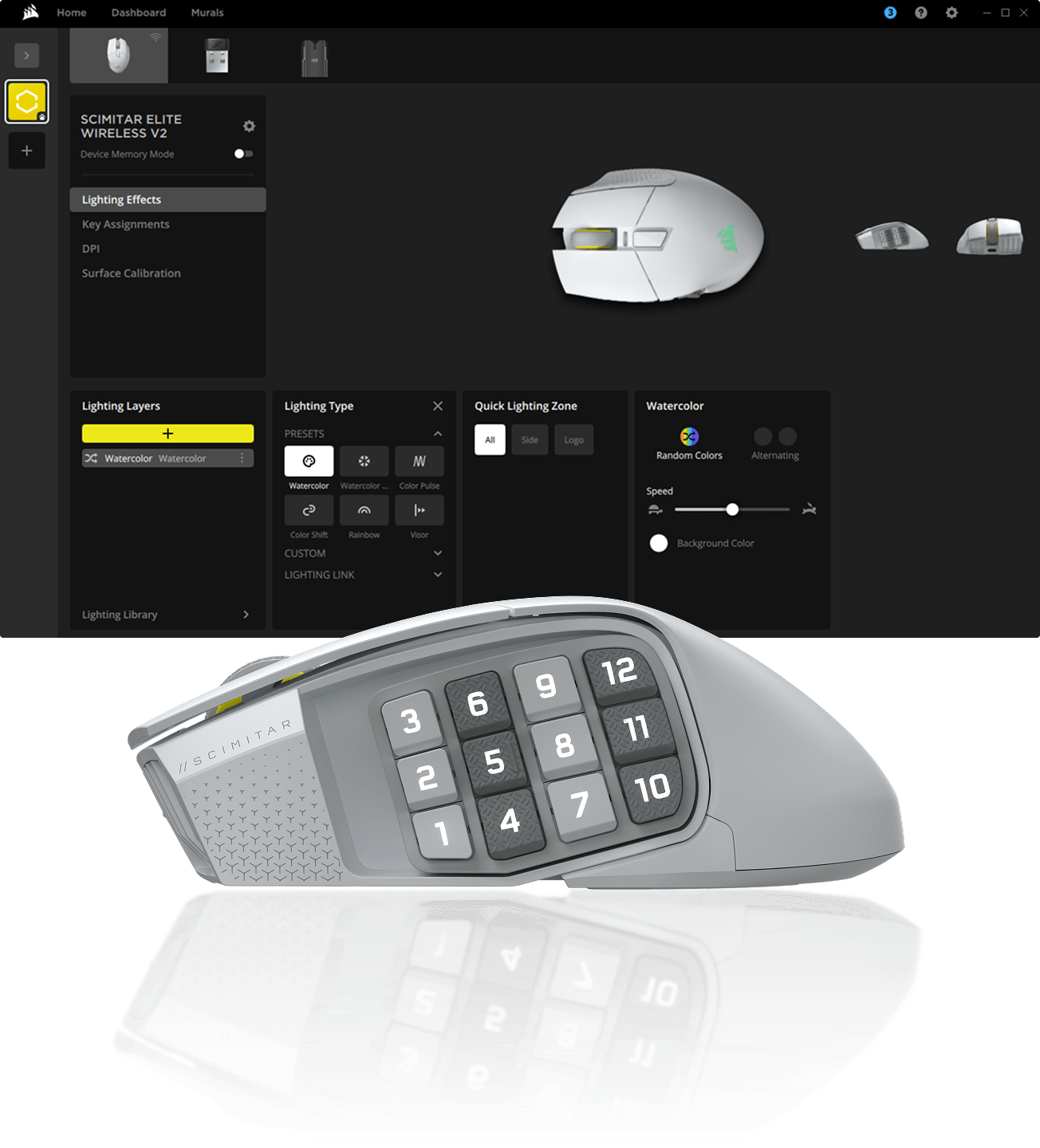
CORSAIR iCUE 소프트웨어를 사용하여 매크로 프로그래밍, 버튼 재매핑, 센서 교정, RGB 조명 사용자 정의 등의 작업을 수행할 수 있습니다.

SCIMITAR ELITE WIRELESS SE 만나보기

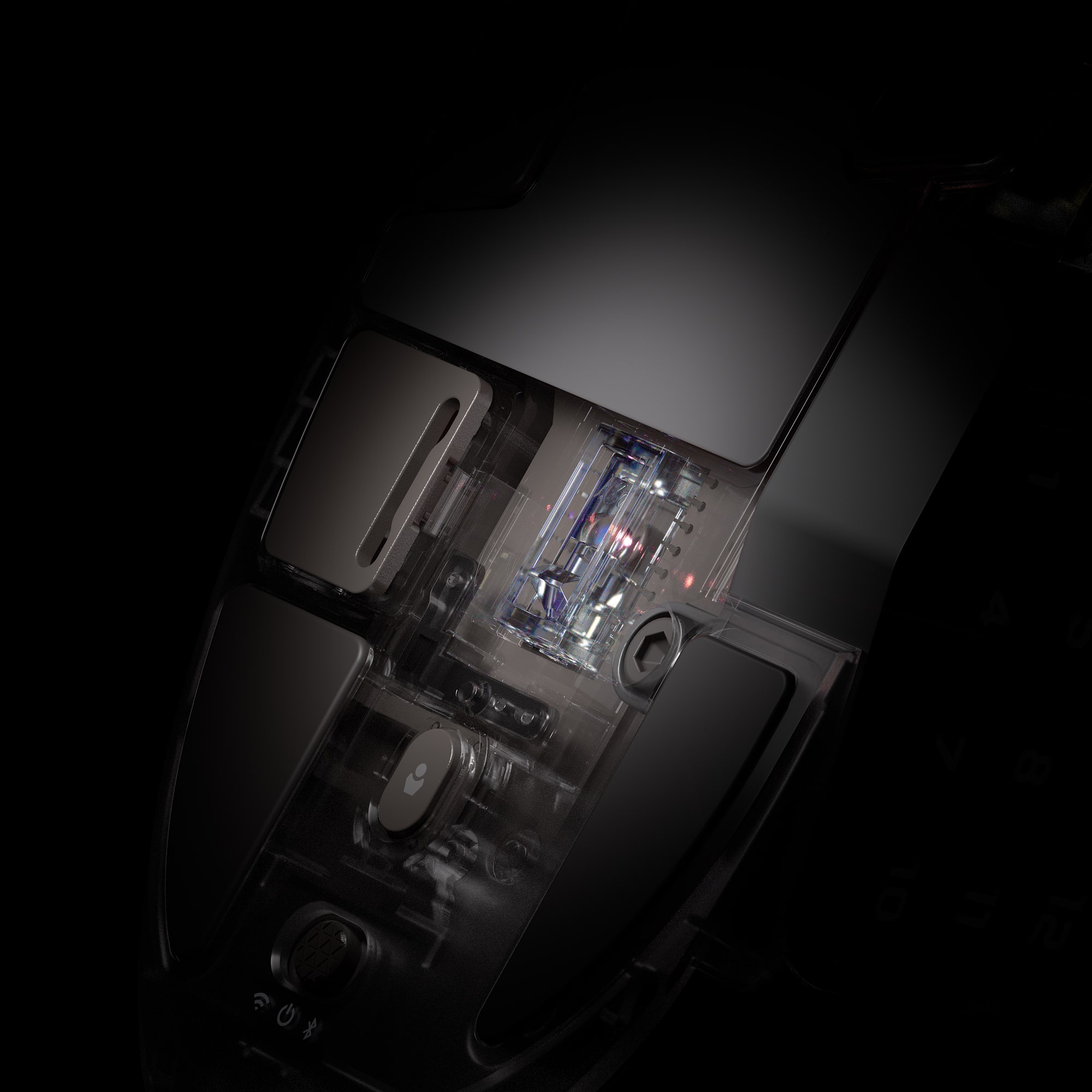
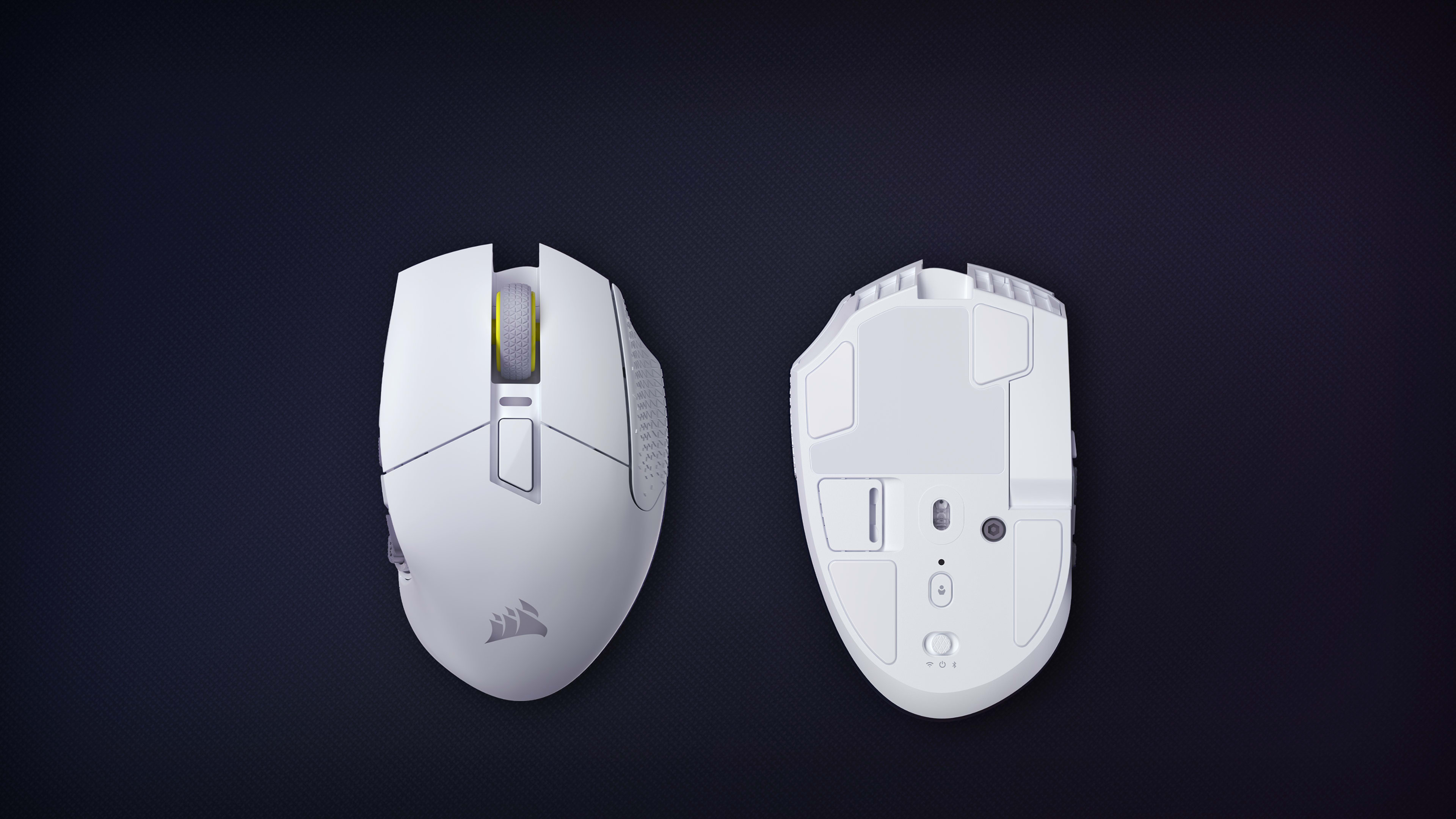
무선 및 Bluetooth 스위치
무선 모드, Bluetooth 또는 전원 끄기 모드 사이의 손쉬운 전환
광 스위치
즉시 반응하는 샷 및 주문, 1억 회 클릭 보장
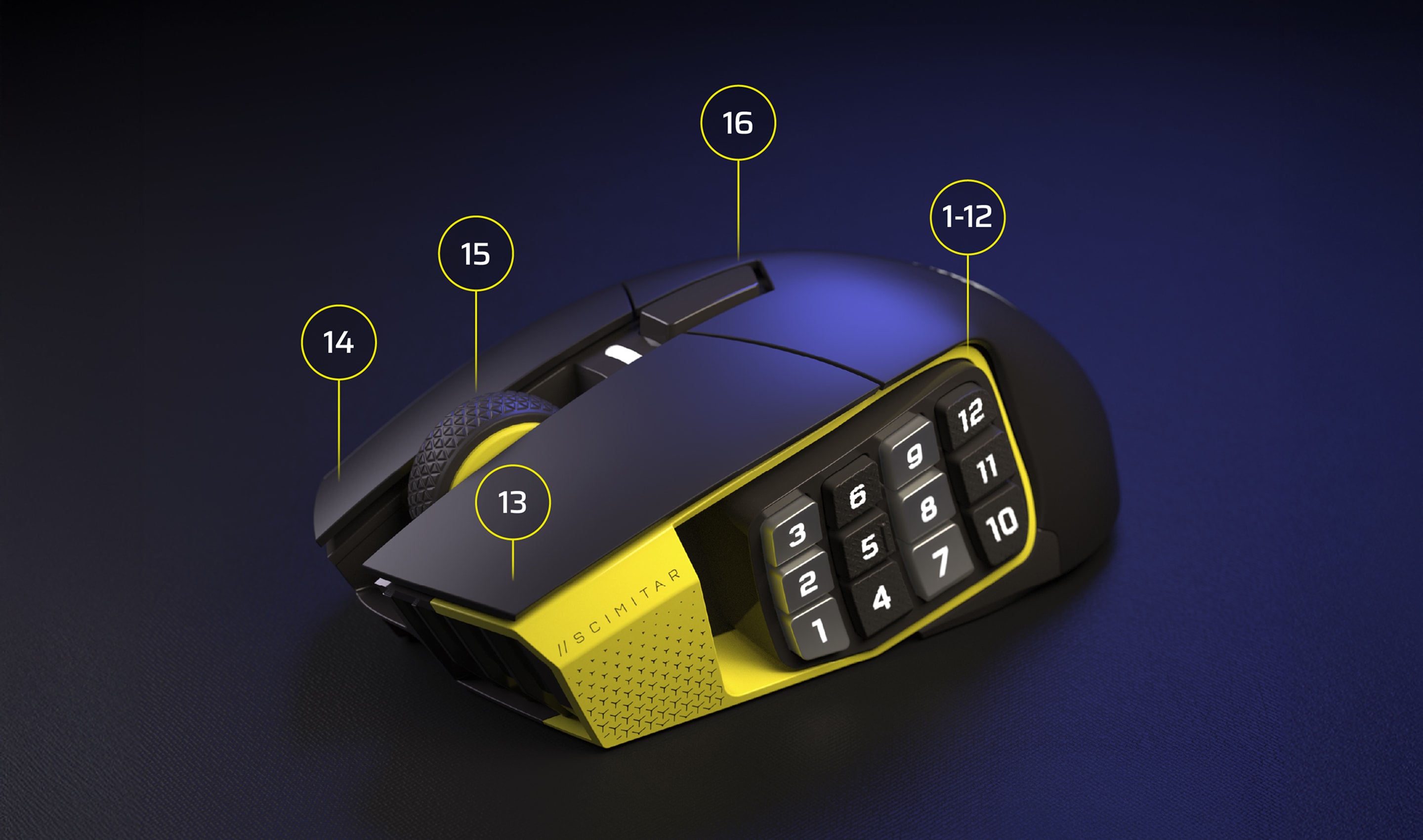
CORSAIR QUICKSTRIKE 버튼
초고속 동작을 위한 기본 버튼 사이의 제로 갭
프로그래밍 가능 버튼
상상할 수 있는 모든 동작을 프로그래밍
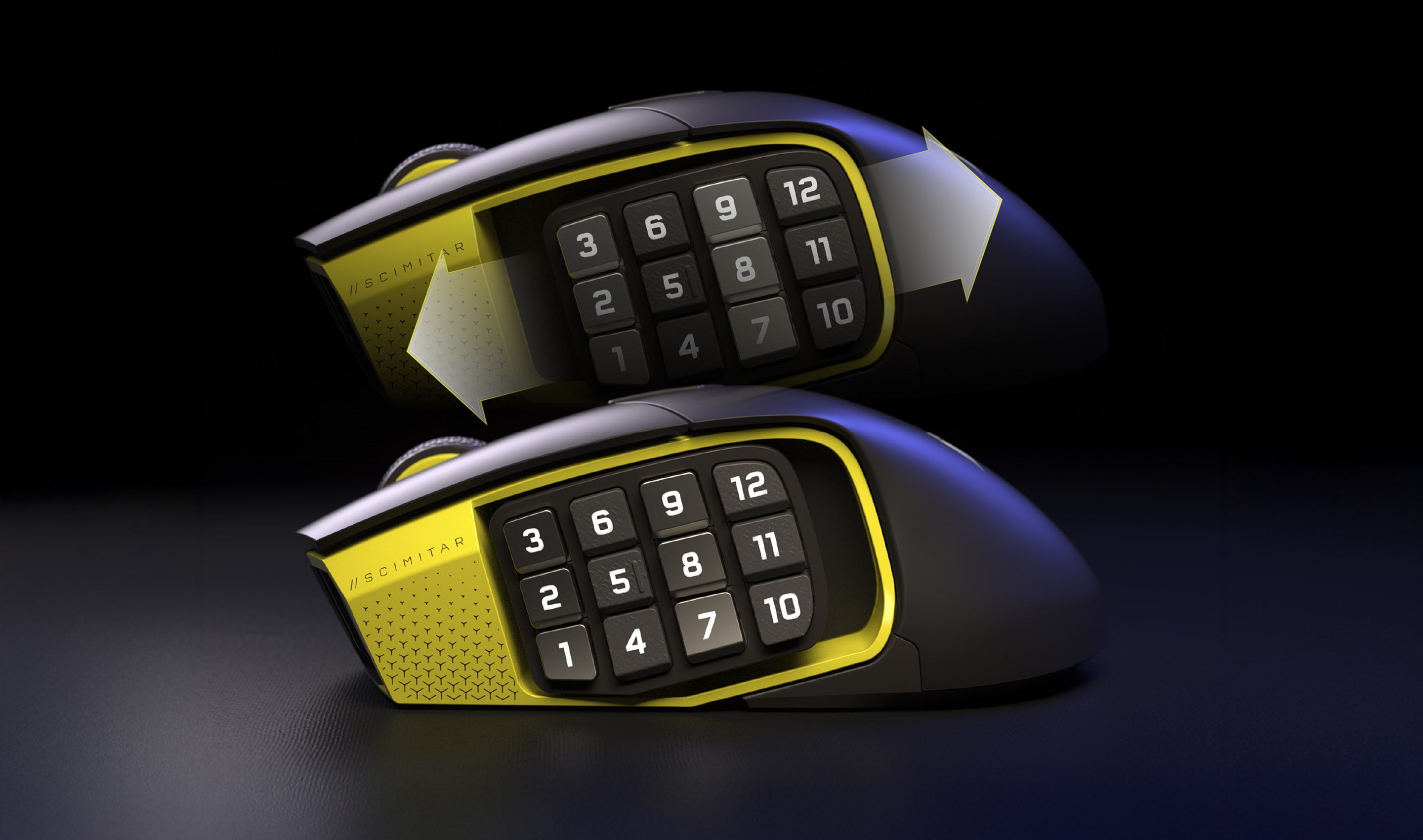
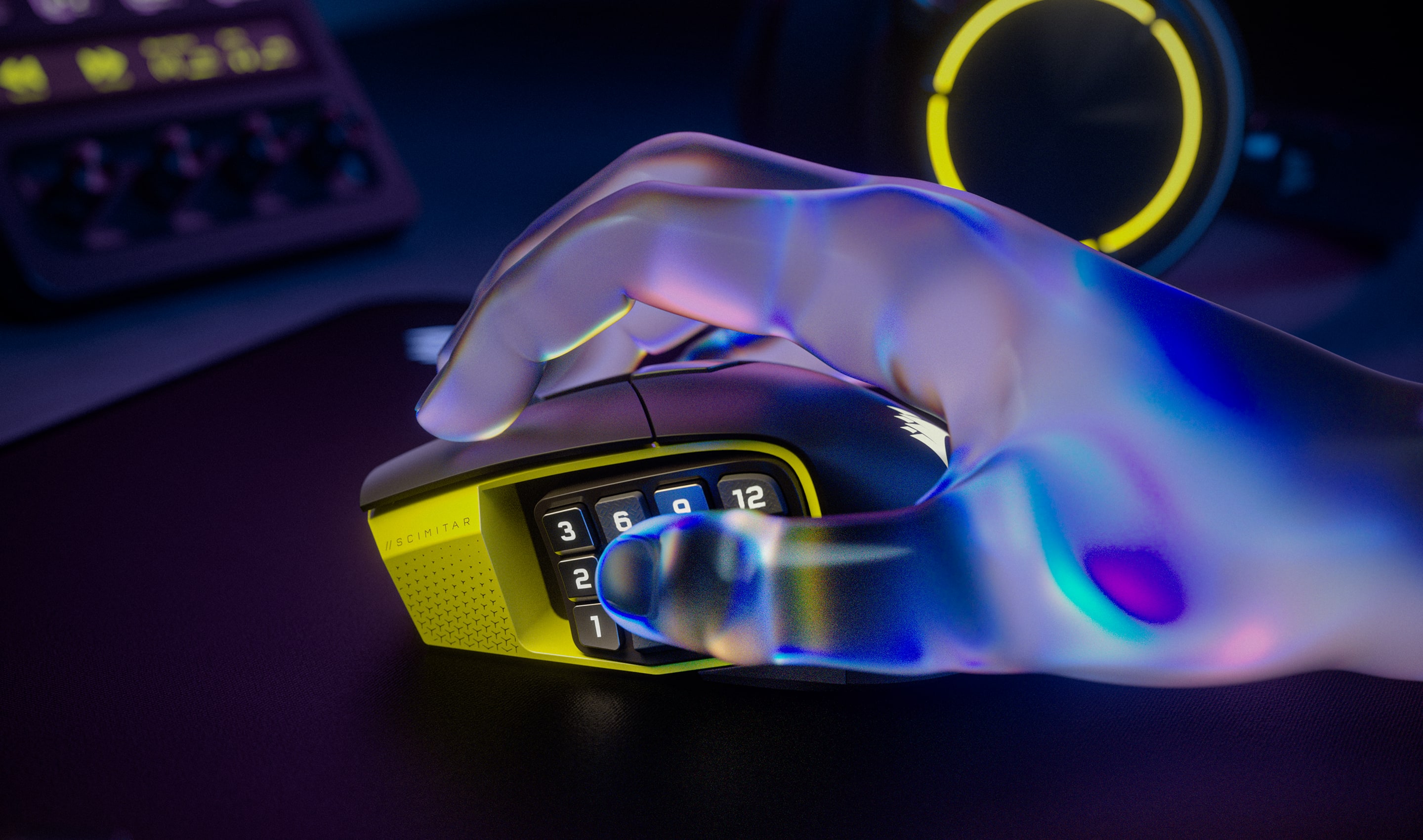
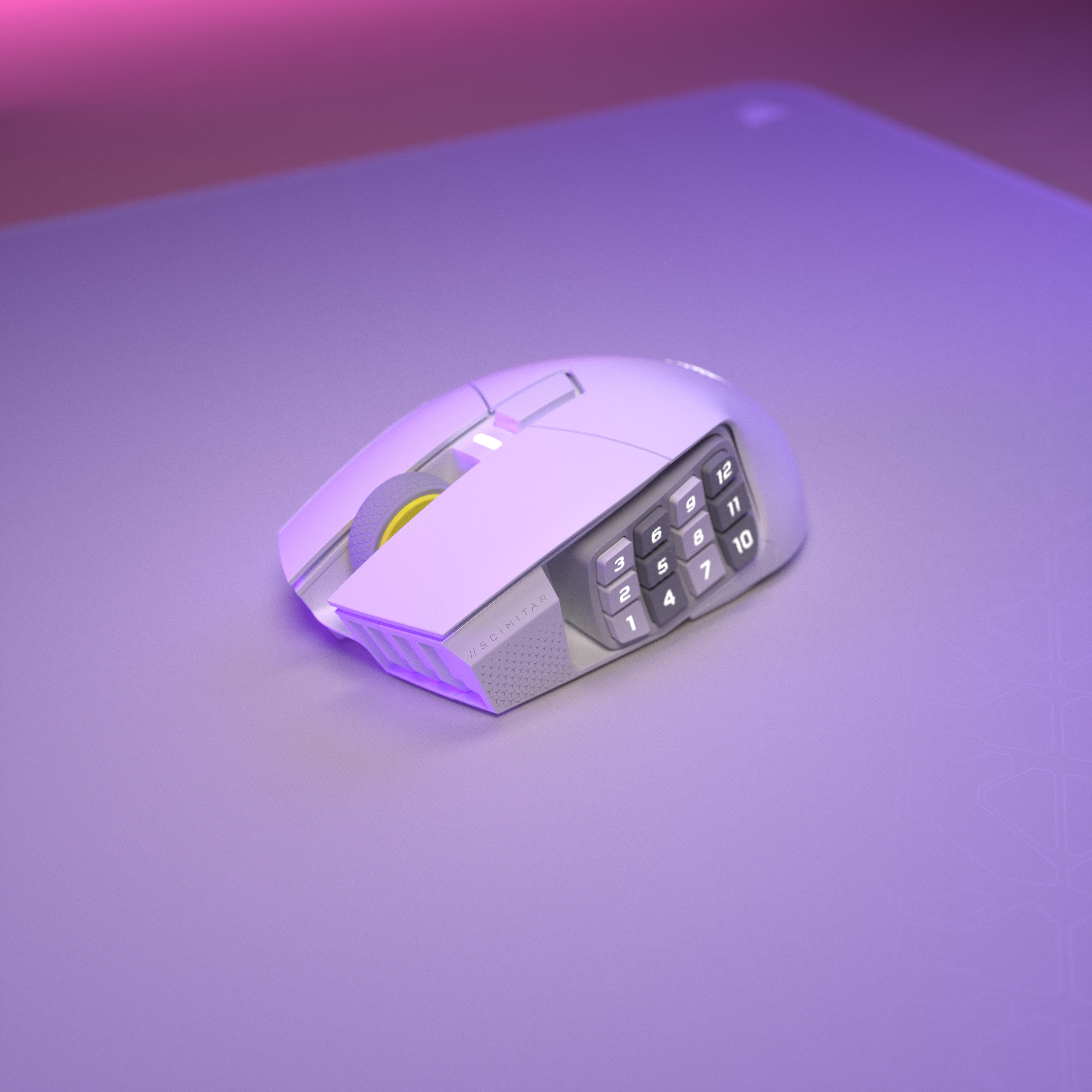
조절 가능 12버튼 KEY SLIDER 사이드 패널
모든 손 크기에 맞춰 재조정
2존 RGB 조명
iCUE에서 생동감 넘치는 RGB 조명 사용자 정의
온보드 프로필 스토리지
최대 3개의 사용자 지정 프로필을 저장해 사용할 수 있습니다.
100% PTFE 마우스 피트
마찰이 매우 적은 마우스 움직임을 경험해 보세요.
USB 수신기 스토리지
마우스 아래에 있는 편리한 USB 수신기 스토리지
CORSAIR MARKSMAN S 33K DPI 광 센서
모든 움직임을 매우 정밀하게 등록
SLIPTREAM WIRELESS 및 Bluetooth
1,000Hz 하이퍼 폴링 및
RGB를 끈 상태에서 Bluetooth 사용 시 150시간의 배터리 수명
무선 및 Bluetooth 스위치
무선 모드, Bluetooth 또는 전원 끄기 모드 사이의 손쉬운 전환
광 스위치
즉시 반응하는 샷 및 주문, 1억 회 클릭 보장
CORSAIR QUICKSTRIKE 버튼
초고속 동작을 위한 기본 버튼 사이의 제로 갭
프로그래밍 가능 버튼
상상할 수 있는 모든 동작을 프로그래밍
조절 가능 12버튼 KEY SLIDER 사이드 패널
모든 손 크기에 맞춰 재조정
2존 RGB 조명
iCUE에서 생동감 넘치는 RGB 조명 사용자 정의
온보드 프로필 스토리지
최대 3개의 사용자 지정 프로필을 저장해 사용할 수 있습니다.
100% PTFE 마우스 피트
마찰이 매우 적은 마우스 움직임을 경험해 보세요.
USB 수신기 스토리지
마우스 아래에 있는 편리한 USB 수신기 스토리지
CORSAIR MARKSMAN S 33K DPI 광 센서
모든 움직임을 매우 정밀하게 등록
SLIPTREAM WIRELESS 및 Bluetooth
1,000Hz 하이퍼 폴링 및
RGB를 끈 상태에서 Bluetooth 사용 시 150시간의 배터리 수명
무선 및 Bluetooth 스위치
무선 모드, Bluetooth 또는 전원 끄기 모드 사이의 손쉬운 전환

환경 통합

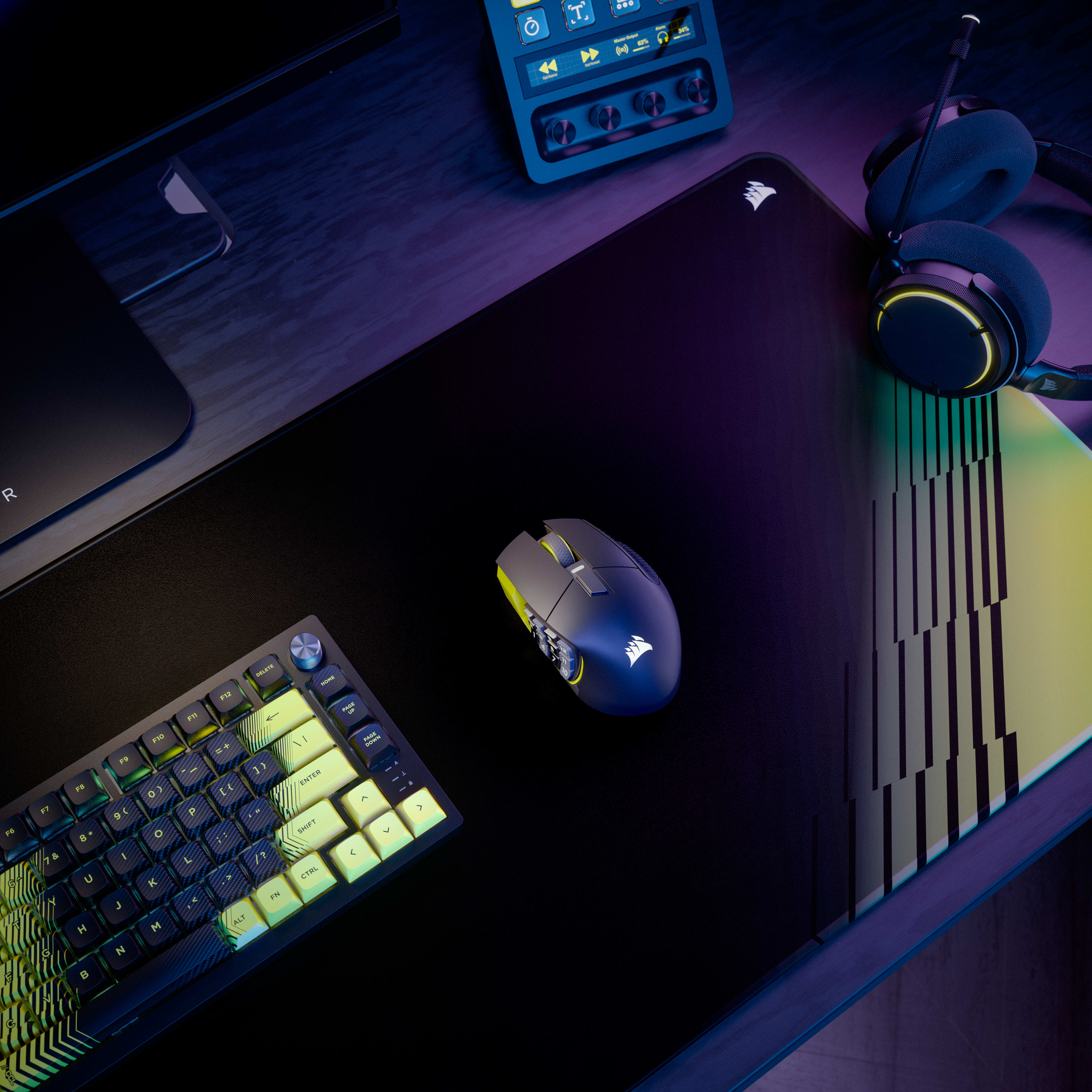
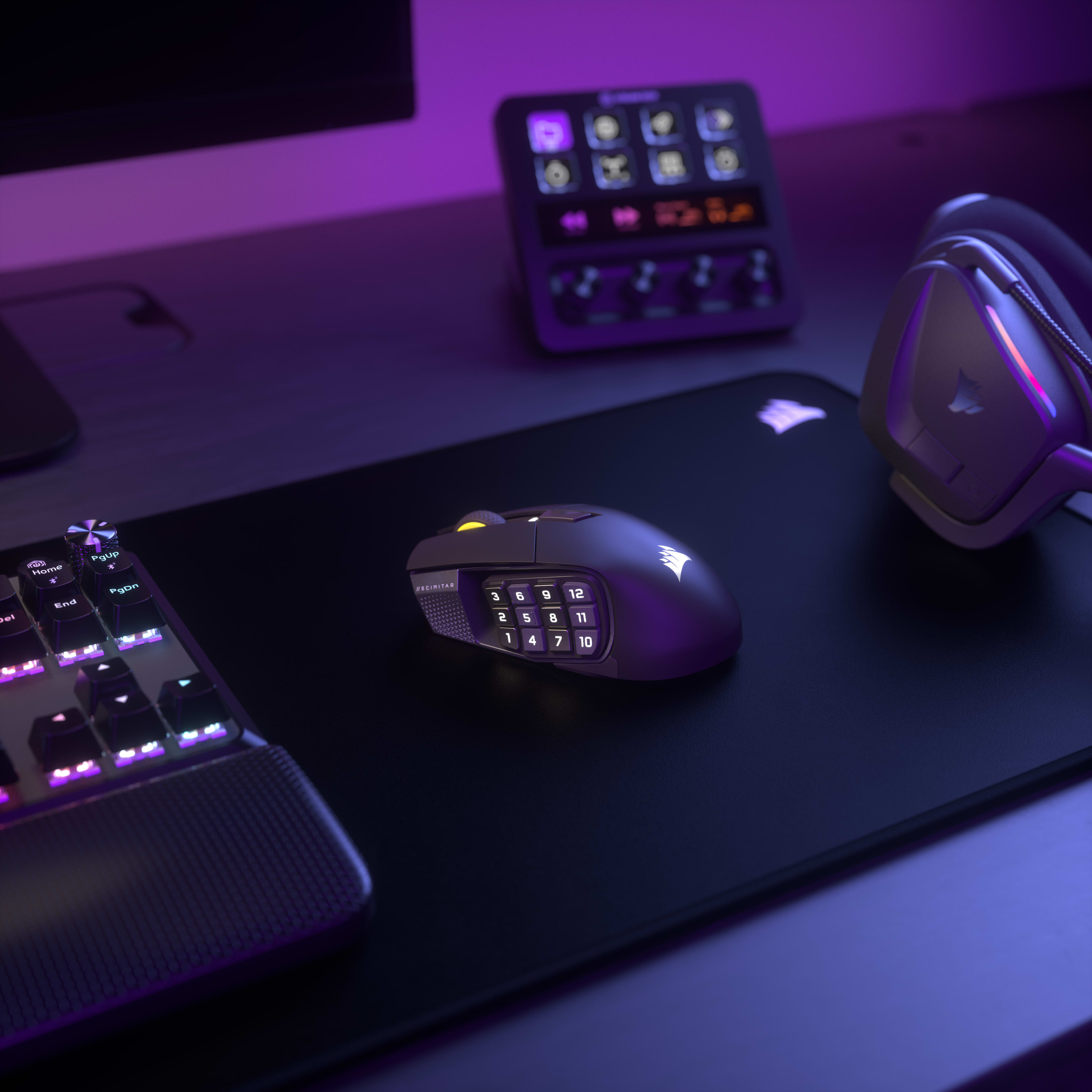
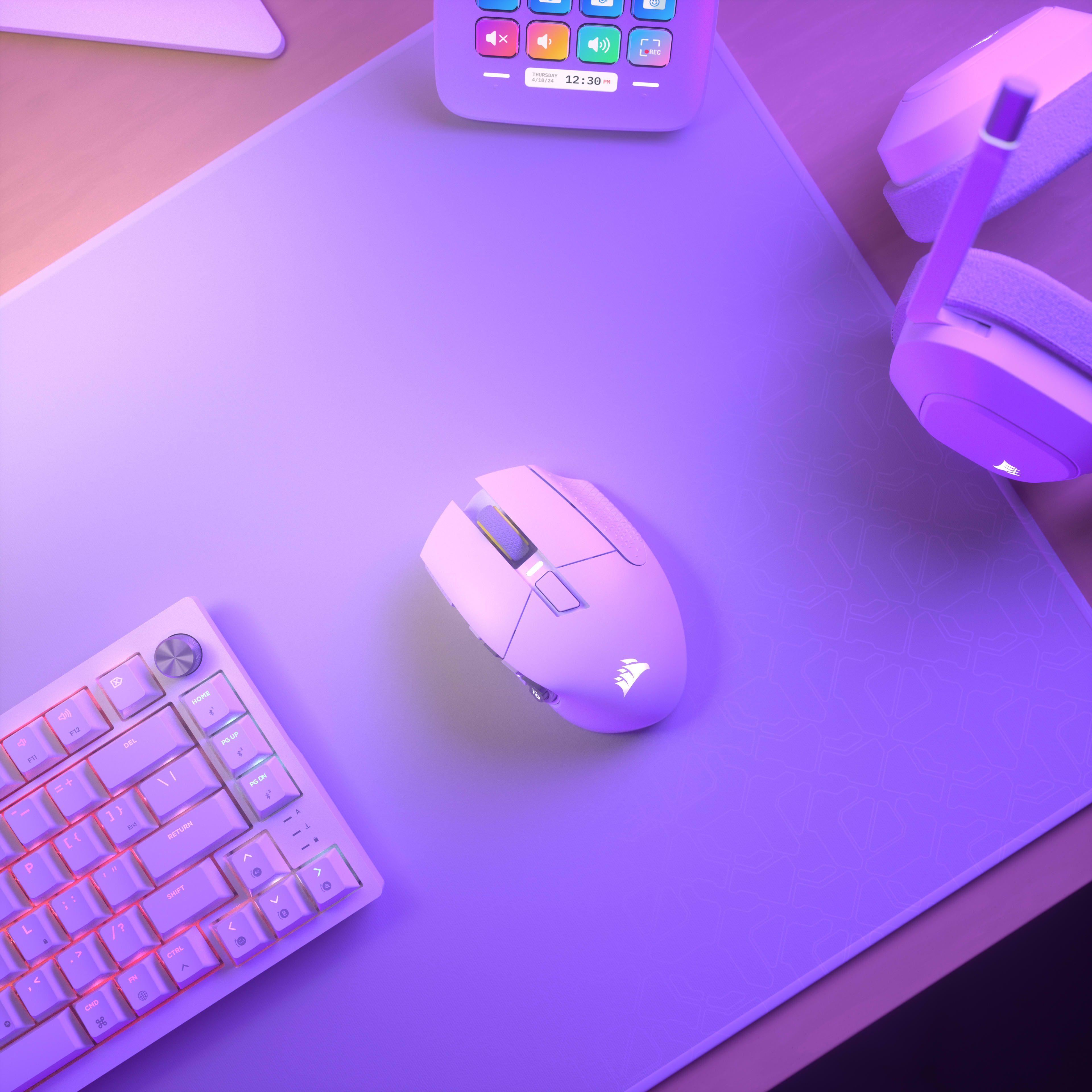
CORSAIR iCUE 소프트웨어로 전체 설정을 통합해 직관적으로 관리할 수 있는 매우 몰입감 넘치는 에코시스템을 구축할 수 있습니다.
자세히 알아보기

Overview

Key Features

  • 16 Programmable Buttons with Adjustable Key Slider
    Features 16 fully programmable buttons including a 12-button side panel positioned on an adjustable Key Slider mechanism that moves forward/backward to match thumb reach. Each button can be assigned to macros, abilities, or keybinds through iCUE software for MMO rotations, MOBA combos, or productivity shortcuts.
  • Elgato Virtual Stream Deck
    Hit the dedicated launch button to summon a Virtual Stream Deck—clickable on-screen shortcuts for launching apps, executing macros, managing streams, and even controlling smart home devices. This gives you Stream Deck functionality without buying separate hardware, maximizing your space and keeping you focused on the screen.
  • MARKSMAN S 33K DPI Optical Sensor
    The MARKSMAN S sensor provides 33,000 DPI maximum sensitivity with 750 inches-per-second tracking speed and 50G acceleration tolerance. This optical sensor maintains accuracy during rapid mouse movements while consuming less power than previous generation sensors for extended wireless battery life.
  • Dual Wireless Connectivity (SLIPSTREAM + Bluetooth)
    Supports both SLIPSTREAM WIRELESS 2.4GHz (1000Hz polling for gaming) and Bluetooth connectivity (multi-device compatibility). Battery lasts up to 150 hours on 2.4GHz with RGB off, or up to 500 hours on Bluetooth with RGB off, with physical switch on bottom to toggle between modes.
  • Optical Switches with QuickStrike Buttons
    Optical switches eliminate mechanical debounce delay for instant click registration, rated for 100 million clicks. QuickStrike button design removes the gap between left/right mouse buttons and switches, reducing the distance fingers travel for faster consecutive clicks.

Use Cases

  • MMO and MOBA Gaming with Complex Rotations
    The 16 programmable buttons enable mapping entire ability rotations, item slots, and communication commands without keyboard dependency. The adjustable Key Slider positions 12 side buttons within comfortable thumb reach, while optical switches ensure instant ability activation without click delay.
  • Wireless Multi-Device Productivity
    Bluetooth connectivity enables switching between gaming PC and work laptop without cable swapping or dongle repositioning. The 500-hour Bluetooth battery life (RGB off) provides weeks of use between charges, while 16 programmable buttons can store productivity macros for applications like Photoshop or Excel.
  • Palm Grip Gamers with Large Hands
    The 114g weight and contoured palm-grip shape provide stability for precision aiming during extended sessions. The adjustable Key Slider accommodates larger thumb reach spans, while the 33K DPI sensor enables high-sensitivity settings without lift-off issues on larger mousepads.
  • Stream Deck Integration for Content Creation
    Native Elgato Stream Deck integration maps streaming controls directly to the 12 side buttons without separate Stream Deck hardware. Virtual Stream Deck functionality enables multiple virtual decks, multiplying available functions per button through mode switching for scene transitions, audio control, and social media posting.

기술 사양

Weight In Grams114
Sensor TypeOptical
Grip TypePalm
Cable1.8m Braided Fiber

설명서

Declaration of Conformity (DoC) document - CE-000584
UKCA Declaration of Conformity (DoC) document - UKCA-000306
SCIMITAR ELITE WIRELESS SE

QUICK START GUIDE

SCIMITAR ELITE WIRELESS SE
iCUE에서 자동 클릭 매크로를 만드는 방법

HOW TO

iCUE에서 자동 클릭 매크로를 만드는 방법

마우스나 키보드로 버튼을 계속 눌러대는 데 지치셨나요? iCUE 소프트웨어를 사용하여 자동 클릭 매크로를 설정해 보세요.
원격 근무 환경 최적화하기 – 홈 오피스를 효율적으로 꾸리는 방법

HOW TO

원격 근무 환경 최적화하기 – 홈 오피스를 효율적으로 꾸리는 방법

재택근무를 편안하고 생산적이며 효율적으로 만들어 줄 몇 가지 기술을 살펴보세요.
마우스 그립 살펴보기: 핑거팁 그립 VS 팜 그립 VS 클로 그립

BLOG

마우스 그립 살펴보기: 핑거팁 그립 VS 팜 그립 VS 클로 그립

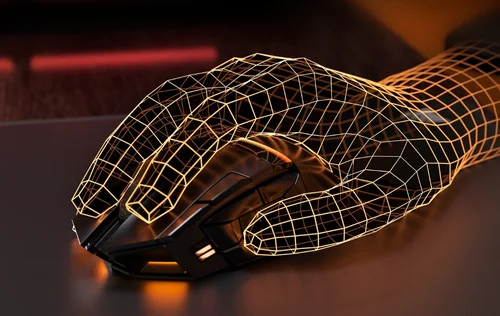
세 가지 주요 마우스 그립 유형의 차이점 설명
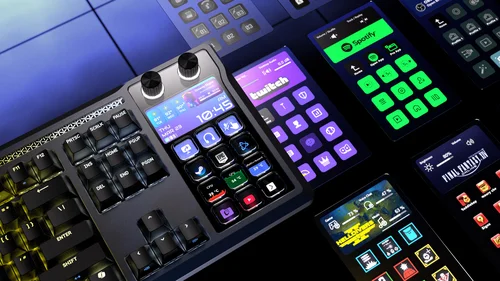
스트림 덱 통합의 다양한 이점

BLOG

스트림 덱 통합의 다양한 이점

스트림 덱 생태계의 일부가 된다는 것이 제품에 어떤 의미를 지니는지 알아보고, 가상 스트림 덱이 어떻게 강력한 효율성 향상 기능을 제공하는지 확인하세요.
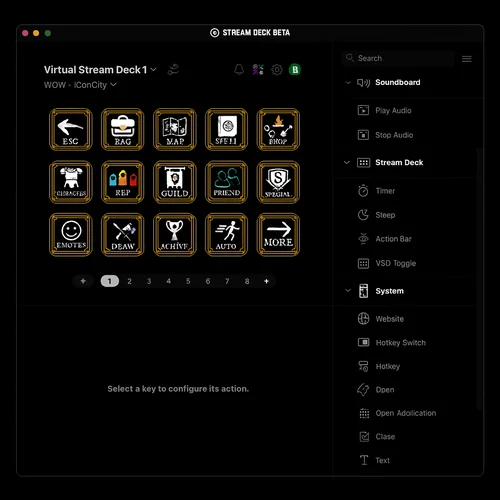
Elgato Virtual Stream Deck를 Scimitar Elite Wireless SE와 함께 사용하는 방법

HOW TO

Elgato Virtual Stream Deck를 Scimitar Elite Wireless SE와 함께 사용하는 방법

Elgato의 Virtual Stream Deck과 Scimitar Elite Wireless SE 마우스를 사용한 실용적인 가이드
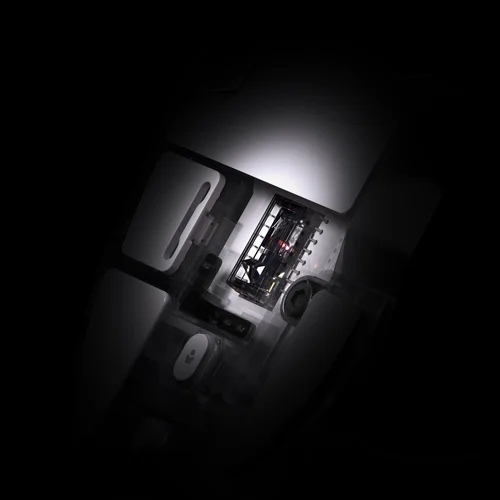
CORSAIR Marksman S 33K DPI 센서를 알아보세요

BLOG

CORSAIR Marksman S 33K DPI 센서를 알아보세요

새로운 Marksman S 센서의 기능과 장점을 설명합니다.
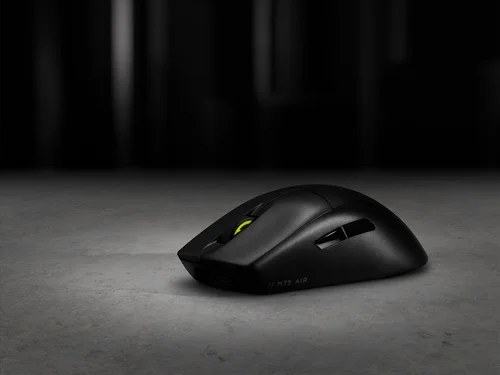
NVIDIA Reflex란 무엇이며 활성화해야 할까요?

BLOG

NVIDIA Reflex란 무엇이며 활성화해야 할까요?

NVIDIA Reflex가 무엇인지, 어떻게 작동하는지, 그리고 경쟁형 게이밍 경험에 어떤 이점을 제공할 수 있는지 설명합니다.

FAQ

The MARKSMAN S 33K optical sensor supports up to 33,000 DPI, adjustable in 1 DPI resolution steps, with a tracking speed of 750 IPS and up to 50G of acceleration. The mouse reports at 1,000Hz (1ms) polling over 2.4GHz SLIPSTREAM wireless. The previous-generation MARKSMAN sensor topped out at 26,000 DPI at 650 IPS — the MARKSMAN S represents a 26% DPI increase and a 25% speed increase over its predecessor, while also using less energy.
The Scimitar Elite Wireless SE delivers up to 150 hours of battery life via 2.4GHz SLIPSTREAM wireless with RGB lighting off, and up to 500 hours via Bluetooth with RGB lighting off. Activating RGB lighting will reduce these figures. The Scimitar Elite Wireless offers up to 120 hours on 2.4GHz and up to 150 hours using Bluetooth, making the SE a significant improvement on both counts.
A full recharge of the SCIMITAR ELITE WIRELESS SE will take 60 minutes or less. The mouse charges via the included USB-C to USB-A cable connected to any USB 2.0 or 3.0 port. SCIMITAR ELITE WIRELESS SE’s multi-purpose LED indicator pulses green while it is charging and changes to a solid green when it is fully charged.
The Key Slider™ is a patented repositionable side-button cluster that holds all 12 side-panel buttons. Using the included Allen key (2.5mm hex), you loosen the screw on the underside, slide the cluster to your preferred position along 8mm of total travel range (with no predefined increments), then retighten to lock it in place. This lets players of any hand size position the buttons exactly where their thumb naturally rests, without changing grip.
Out of the box, the five DPI stages are: 400 (Red LED), 800 (White LED), 1200 (Green LED), 1600 (Purple LED), and 3200 DPI (Capri LED). Each stage is indicated by the color of the multi-purpose LED indicator when you press the DPI Toggle Button. All five stages can be fully reconfigured to any value within the 1–33,000 DPI range using iCUE software and saved to one of three onboard profiles.
The mouse stores three onboard profile slots — identified by Red, Green, and Blue indicator colors — each holding their own DPI settings, button assignments, and lighting effects. You cycle through profiles by pressing the Profile Button on the underside of the mouse. The default profile assignments map the 12 side buttons to keyboard keys 1–0 and minus/equals. All three profiles work without iCUE installed once they've been configured; iCUE is only required to customize them.
Yes. The mouse supports Bluetooth 4.0 or higher for use with laptops, tablets, or any Bluetooth-enabled device. To pair, hold the DPI Toggle Button while toggling the Power/Wireless Mode switch to the "BT" position — the LED turns solid blue when connected. Corsair notes that Bluetooth mode is best suited for everyday computing tasks and productivity, while 2.4GHz SLIPSTREAM wireless is recommended for optimal gaming performance.
Yes. SLIPSTREAM Multipoint allows up to three compatible devices to share one USB dongle simultaneously. Supported pairings (2:1) include Mouse + Keyboard, Mouse + Headset, and Keyboard + Headset. For 3:1 pairing, all three device types can connect together. Setup is handled through iCUE version 4.10.273 or newer. Note: you cannot pair two devices of the same type (e.g., two mice) on the same receiver.
CORSAIR QUICKSTRIKE buttons are designed with zero gap between the primary click buttons and their switches, eliminating the tiny travel distance required to engage a standard mechanical switch. This means the click registers the instant your finger makes contact with the button, enabling faster reaction times. The Scimitar Elite Wireless SE uses optical switches (not mechanical) for the primary buttons, which are rated for up to 100 million clicks and eliminate debounce delay.
The Scimitar Elite Wireless SE is part of the Stream Deck ecosystem, meaning that it can unlock Elgato's Virtual Stream Deck functionality. This software-based feature allows users to create on-screen panels of shortcuts for triggering actions, launching apps, and automating tasks — without owning a physical Elgato Stream Deck hardware device. Simply connect the mouse and install Stream Deck 7.0 software (available from Elgato's website) and the Virtual Stream Deck is automatically enabled. Mouse buttons can then be mapped directly to Virtual Stream Deck actions from within the Stream Deck app. The Virtual Stream Deck requires the mouse to have been connected at least once within the past 30 days to remain active.
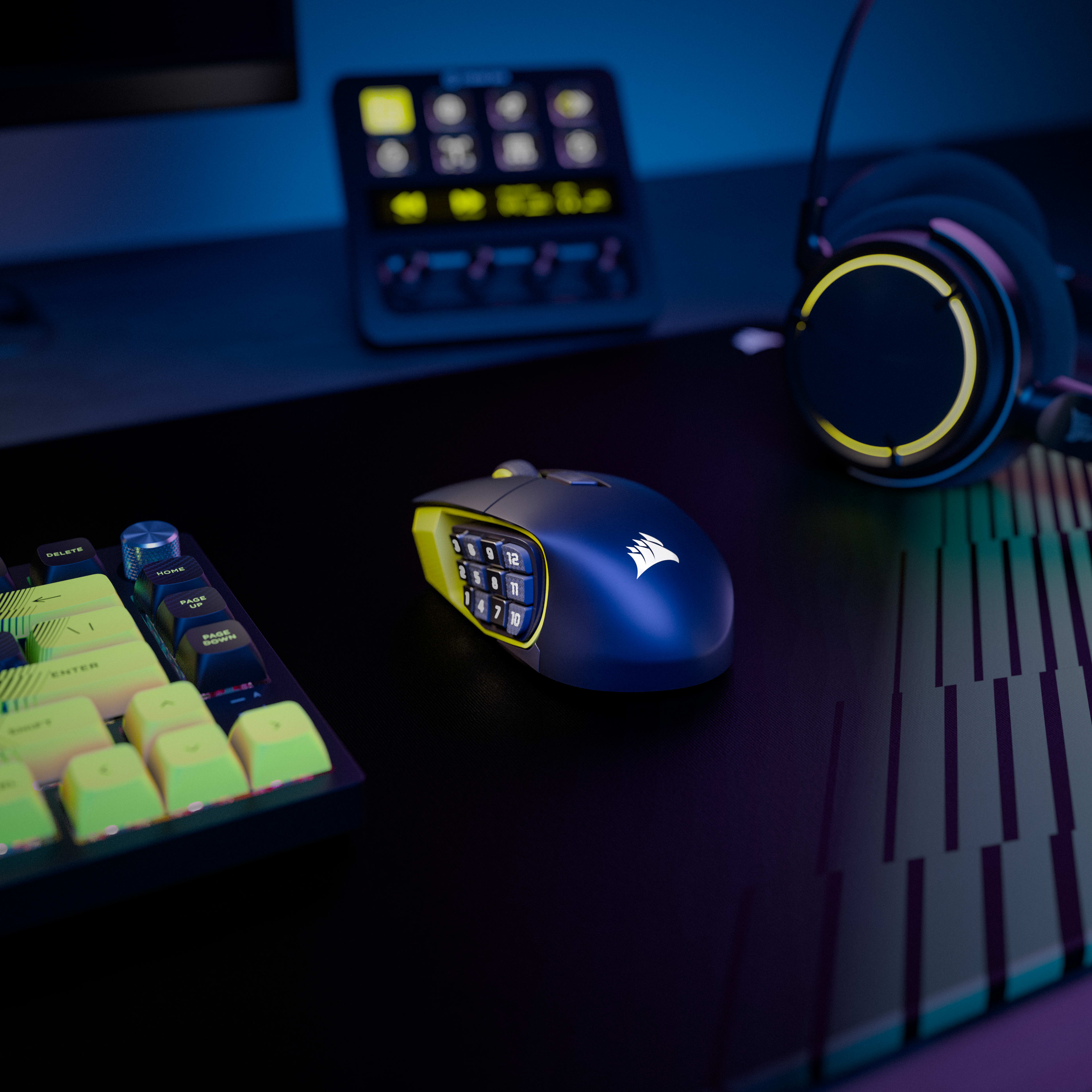
The SE (Special Edition) upgrades the sensor from the MARKSMAN (26,000 DPI, 650 IPS) to the newer MARKSMAN S (33,000 DPI, 750 IPS), and dramatically improves battery life — from 120 hours on 2.4GHz to 150 hours, and from 150 hours on Bluetooth to 500 hours. The SE version is also available in a unique Yellow/Black colorway. The SE also adds the Elgato Virtual Stream Deck integration and Elgato Stream Deck native button mapping, which the original Scimitar Elite Wireless does not have. Both share the same Key Slider™ side panel, 16 programmable buttons, optical switches, SLIPSTREAM wireless, and overall design.
Both mice share SLIPSTREAM wireless connectivity, Bluetooth 4.2, 100% PTFE feet, and optical switches, but differ in key areas. The Scimitar Elite Wireless SE (SE version) has the newer MARKSMAN S 33K sensor and superior battery life (150 hrs / 500 hrs), while the DARKSTAR uses the previous MARKSMAN sensor at 26,000 DPI and lasts up to 65 hours on 2.4GHz. The Scimitar Elite Wireless SE has 16 programmable buttons in a traditional 3x4 grid with the KeySlider™, making it ideal for dedicated MMO players; the DARKSTAR has 15 programmable buttons in a more multipurpose layout and weighs less at 96g vs 114g. Corsair recommends the Scimitar Elite Wireless SE for dedicated MMO/MOBA players and the DARKSTAR for those who want one versatile mouse for all game types.
Yes. Corsair's iCUE software includes a Surface Calibration Utility that can be used with the Scimitar Elite Wireless SE to optimize the sensor's precision and responsiveness for your specific mousepad or desk surface. This involves moving the mouse in a spiral pattern until calibration completes. Corsair notes this ensures optimal tracking accuracy regardless of the surface used.
The Scimitar Elite Wireless SE is backed by Corsair's 2-year limited warranty. This warranty covers defects in materials and workmanship and is supported by Corsair's worldwide customer service and technical support network. To initiate a warranty claim, contact Corsair support at help.corsair.com to create an RMA ticket; you will need your original proof of purchase and a photo of the product's serial number. Corsair does not accept returns without prior RMA authorization.
The Scimitar Elite Wireless SE measures 119.23mm (L) x 73.48mm (W) x 42.17mm (H) and weighs 114g without cable or accessories. It features a right-hand ergonomic contoured shape designed primarily for a palm grip, though the relatively low weight also makes it comfortable for claw and fingertip grip users. The broad, long profile is specifically designed to reduce wrist strain during extended MMO gaming sessions.
Corsair
Corsair

특별 혜택, 독점 제품 뉴스, 이벤트 정보를 편리하게 수신함에서 받아보세요.

TwitterTik TokFacebookInstagramYouTubeTwitchDiscordReddit

Shop

New ProductsSpecial OffersBest SellersCorsair.com ExclusivesWhere to BuyCERTIFIED REFURBISHEDBusiness Solutions

Explore

AI Software StackPC BuilderCORSAIR InnovationDesign Your LoopWallpaper

Corsair

AboutInvestor RelationsSupply Chain DisclosureCareersSocial ImpactPress RoomContact UsBlogStore

Support

DownloadsCorsair Web HubFirmware Update UtilityCustomer SupportWarrantyShipping/RMA/ReturnsTerms of Sale
Copyright © 1996 - 2026 CORSAIR. All rights reserved.
SitemapPrivacy PolicyTerms of Use
쿠키 설정