Skip to Content
Corsair
Corsair
  • CORSAIR: EXPLORER

    Browse how-to guides, support articles, and other content related to CORSAIR products.

  • CORSAIR PRO

    Enterprise workstations and servers, configured to your exact requirements.

  1. Главная
  2. / Gaming Mice
  3. / Wireless Gaming Mice
  4. / ...
В наличии
Бестселлер

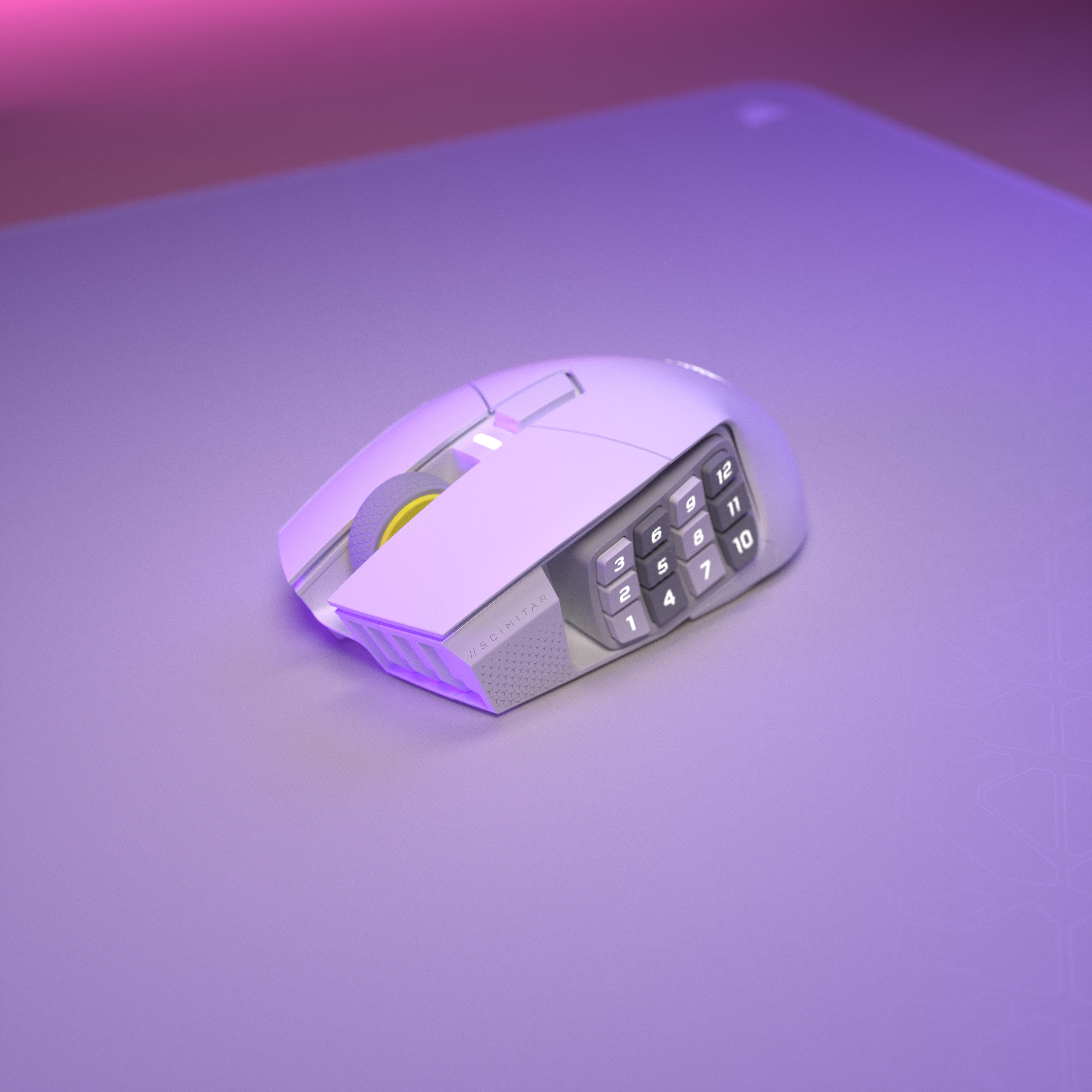
Беспроводная игровая мышь SCIMITAR ELITE WIRELESS SE MMO — оружейный металл

Благодаря 16 настраиваемым кнопкам, регулируемому Key Slider, невероятно точному датчику MARKSMAN S 33K и технологии SLIPSTREAM WIRELESS со сверхнизкой задержкой беспроводная игровая мышь CORSAIR SCIMITAR ELITE WIRELESS SE MMO является легендарным устройством для игр в жанре MMO.
Current price: 139,99 $$139,99
Этот продукт соответствует условиям бесплатной доставки
Закажите сегодня для ориентировочной доставки к 07/29/2026-07/30/2026
Бесплатный возврат без рисков в течение 60 дней

Mice Color

Black Yellow
Gun Metal
Белый

Цвет:

ЧТО ЕЩЕ НУЖНО УЧЕСТЬ

Высококачественная игровая гарнитура VIRTUOSO RGB WIRELESS — матовый черный цвет

Current price: 199,99 $$199,99

MM350 PRO Premium Spill-Proof Cloth Gaming Mouse Pad – Extended XL, Black

Current price: 39,99 $$39,99

Вспомогательный сенсорный экран iCUE NEXUS

Current price: 59,99 $ - Original price: 99,99 $ - Скидка: 40,00 $$59,99$99,99

Сохранить40,00 $

VANGUARD PRO 96 Hall Effect Gaming Keyboard

Current price: 179,99 $ - Original price: 229,99 $ - Скидка: 50,00 $$179,99$229,99

Сохранить50,00 $

  • No charger | Charging icon

  • 2.5 - 10 | Charging icon

SKU: CH-9314014-WW
Current price: 139,99 $$139,99
Этот продукт соответствует условиям бесплатной доставки
Закажите сегодня для ориентировочной доставки к 07/29/2026-07/30/2026
Бесплатный возврат без рисков в течение 60 дней
  • Обзор
  • Технические характеристики
  • Загрузки
  • Гиды
  • Часто задаваемые вопросы

СОЗДАЙТЕ СВОЕ НАСЛЕДИЕ

SCIMITAR ELITE WIRELESS SE
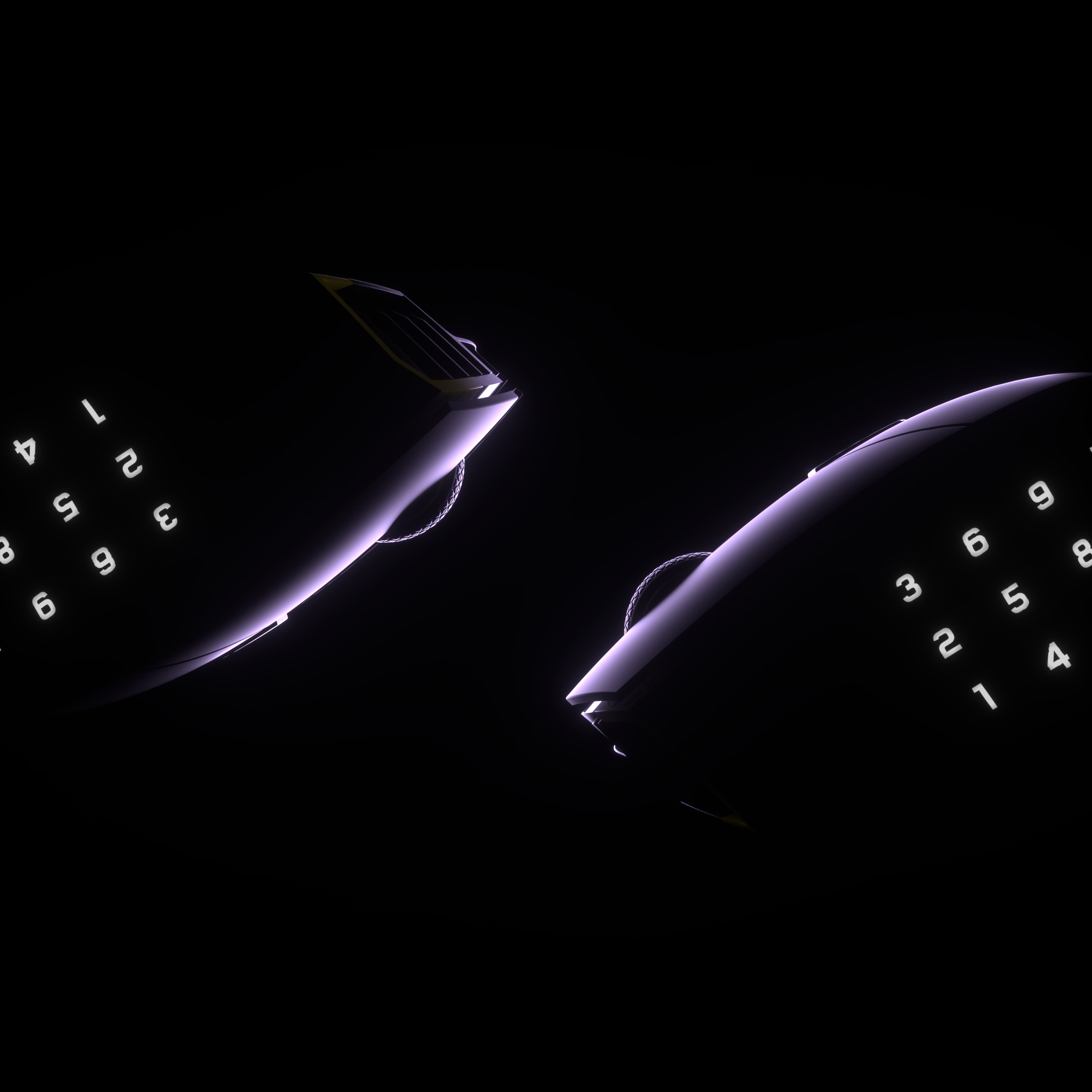
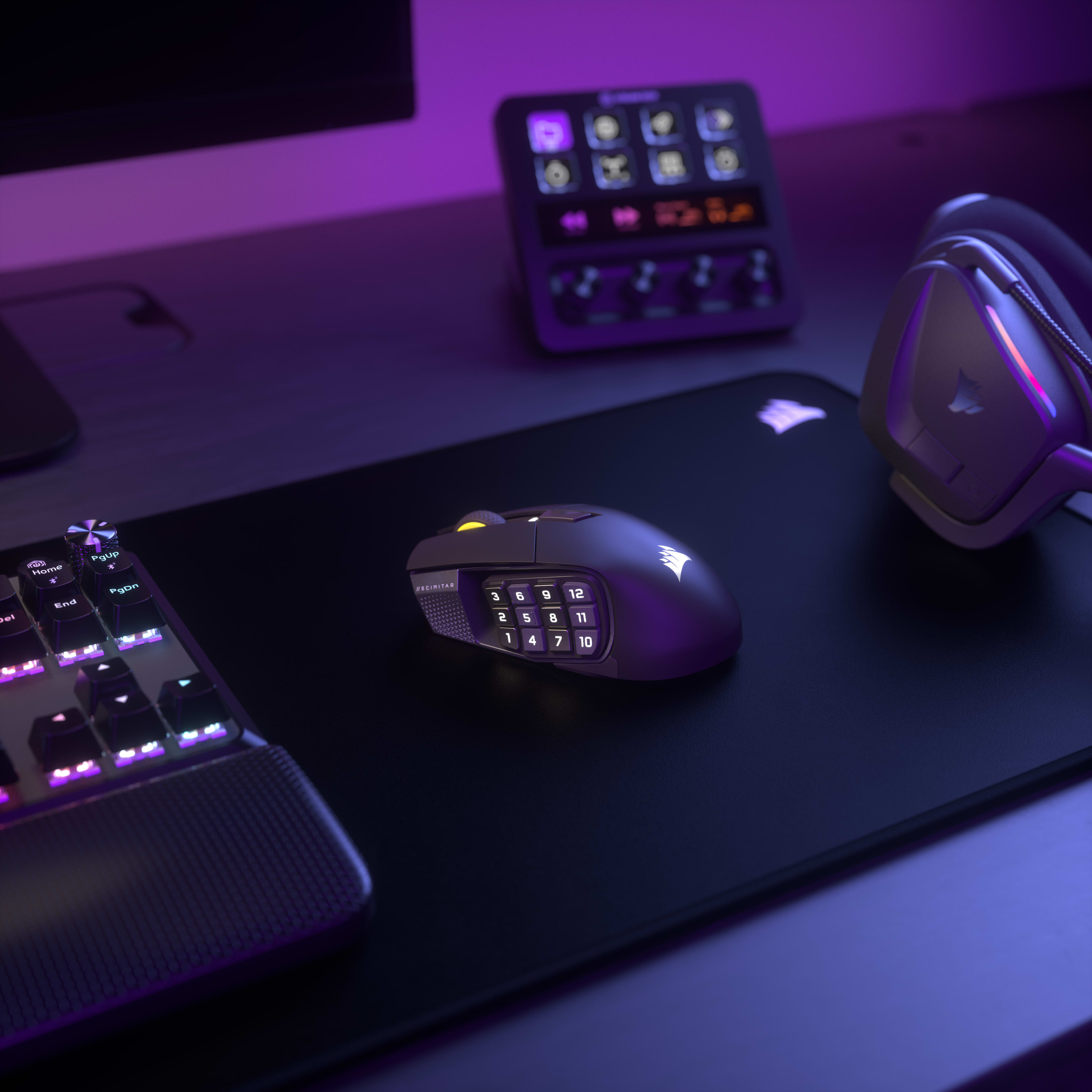
ФОРМА И ФУНКЦИЯ

Используя возможности Elgato Virtual Stream Deck, вы можете создать несколько виртуальных дек, что позволит вам предоставить каждой из 12 кнопок доступ к большему количеству функций, чем когда-либо.
УЗНАТЬ БОЛЬШЕ

ИНТЕГРАЦИЯ С ELGATO STREAM DECK

Благодаря встроенной интеграции Elgato Stream Deck функции Stream Deck можно напрямую сопоставить с SCIMITAR ELITE WIRELESS SE из приложения Stream Deck.
УЗНАТЬ БОЛЬШЕ

ФЕНОМЕНАЛЬНАЯ ТОЧНОСТЬ

Наносите критические удары, сканируйте карту и пингуйте товарищей по команде с удивительной точностью с помощью оптического датчика MARKSMAN S с разрешением 33 тыс. точек на дюйм. Он может выполнять отслеживание со скоростью 750 дюймов в секунду (IPS) и ускорением до 50G, потребляя при этом меньше энергии, чем предыдущее поколение.

ДО
50G
УСКОРЕНИЕ
750 дюймов в секунду (IPS)
СКОРОСТЬ ОТСЛЕЖИВАНИЯ
33 000 точек на дюйм
ОПТИЧЕСКИЙ ДАТЧИК

РЕАГИРУЙТЕ МГНОВЕННО

Оптические переключатели убирают задержку устранения ложных нажатий, позволяя атаковать с поразительной скоростью — до 100 млн нажатий.

ИННОВАЦИИ В iCUE

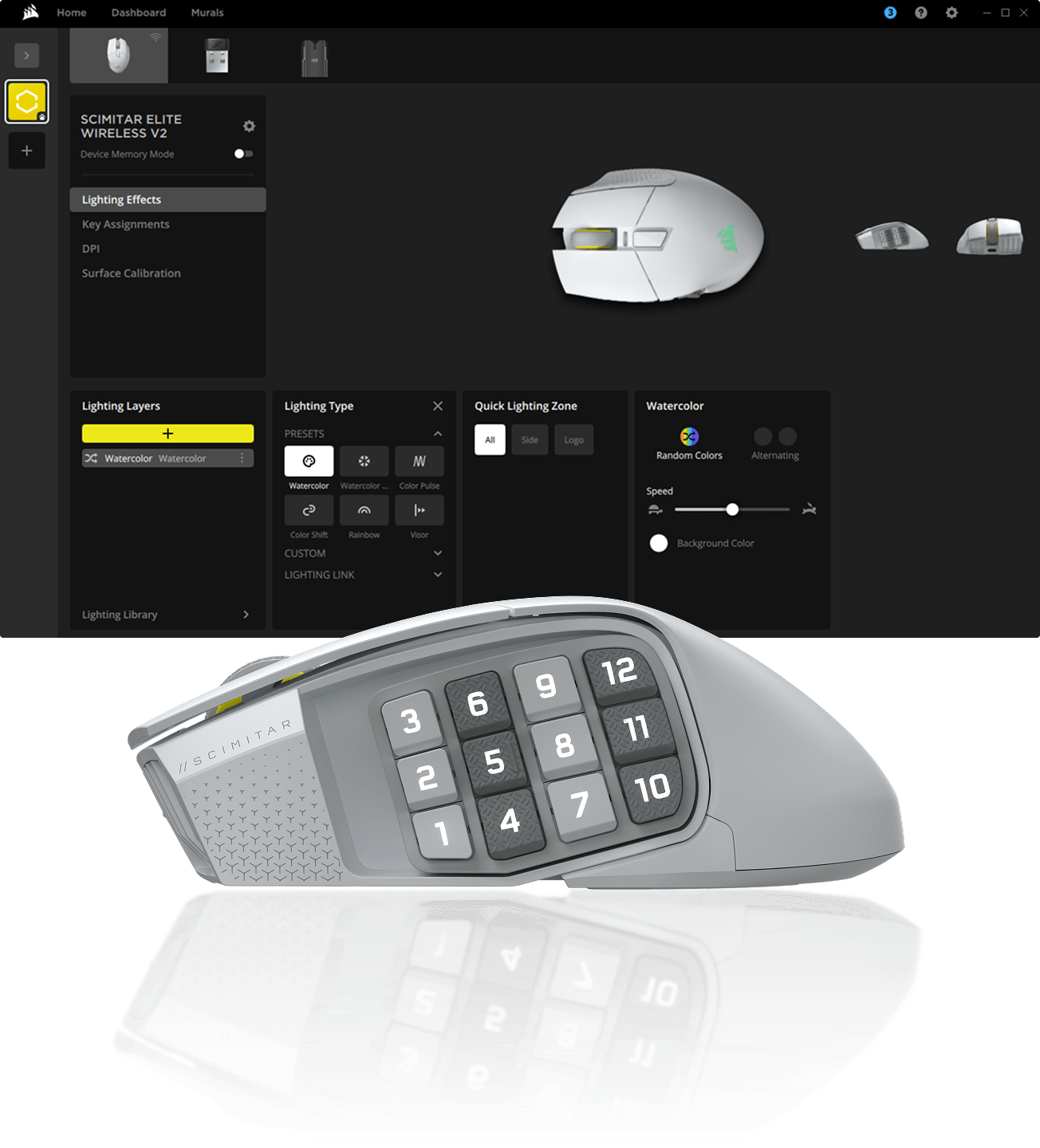
Программируйте макросы, переназначайте кнопки, калибруйте датчик, настраивайте RGB-подсветку и многое другое в программном обеспечении CORSAIR iCUE.


ВСТРЕЧАЙТЕ SCIMITAR ELITE WIRELESS SE

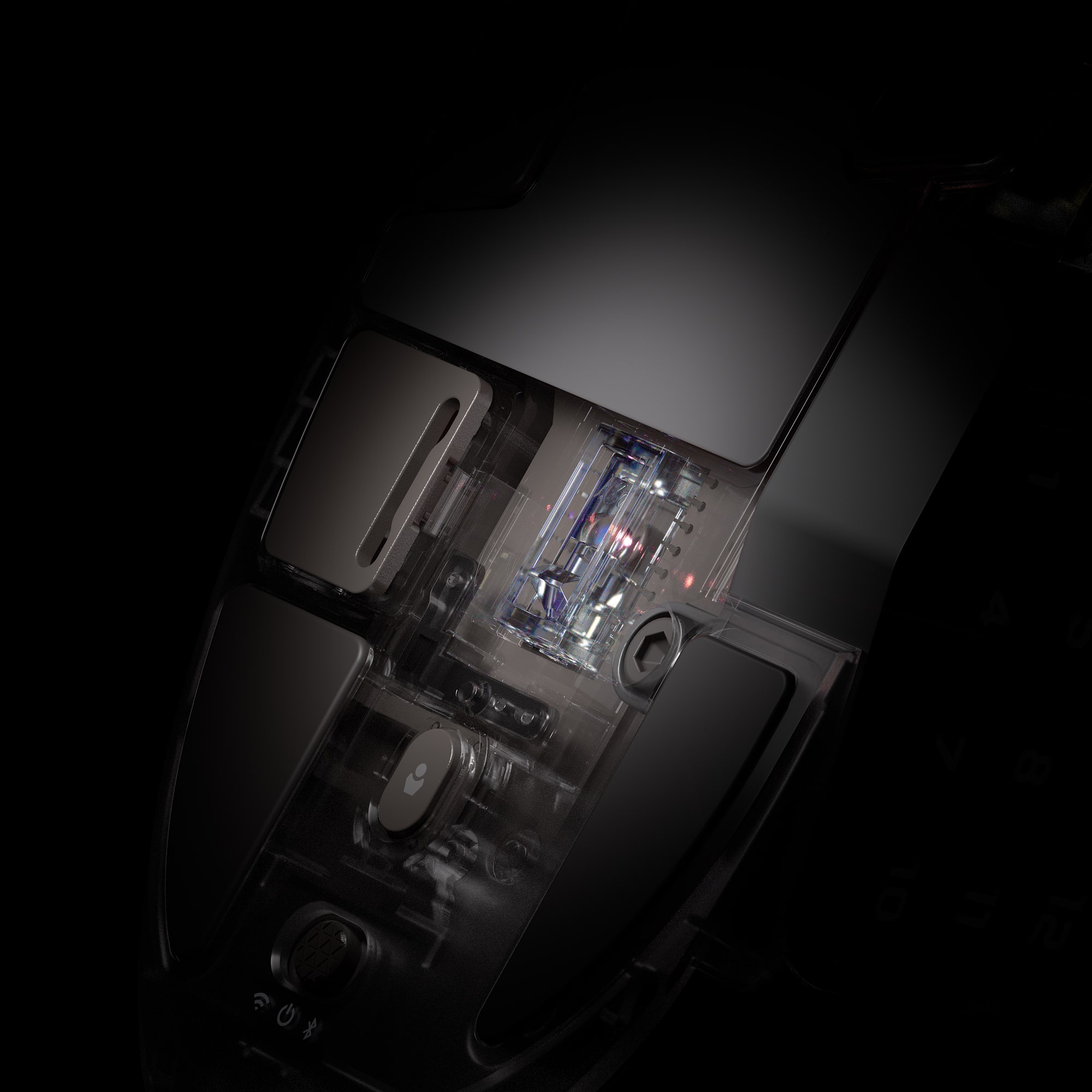
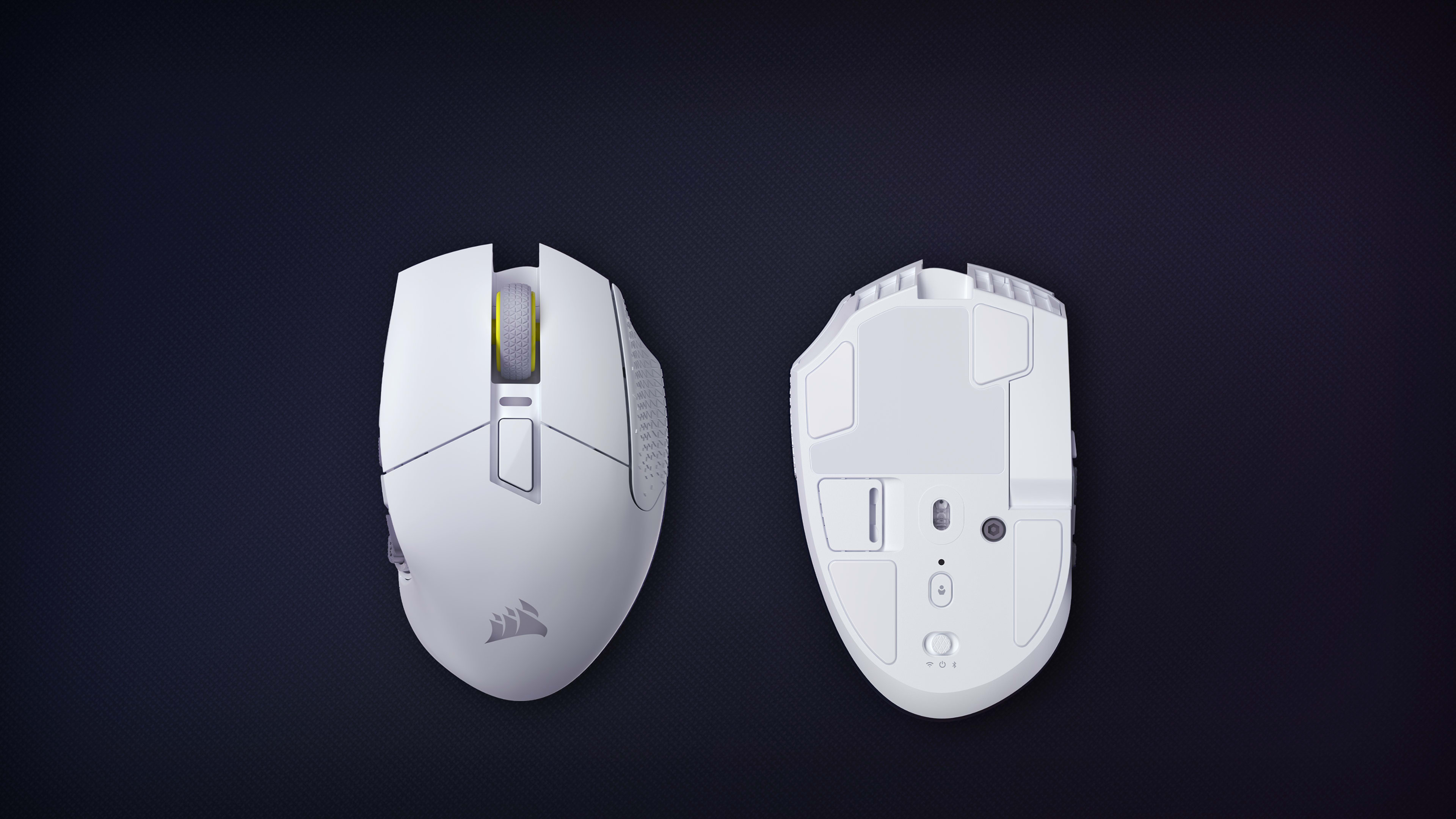
ПЕРЕКЛЮЧЕНИЕ МЕЖДУ БЕСПРОВОДНЫМ РЕЖИМОМ И РЕЖИМОМ BLUETOOTH
Легко переключайтесь между беспроводным режимом, Bluetooth или режимом отключения питания
ОПТИЧЕСКИЕ ПЕРЕКЛЮЧАТЕЛИ
Мгновенные выстрелы и заклинания, гарантируется 100 млн нажатий
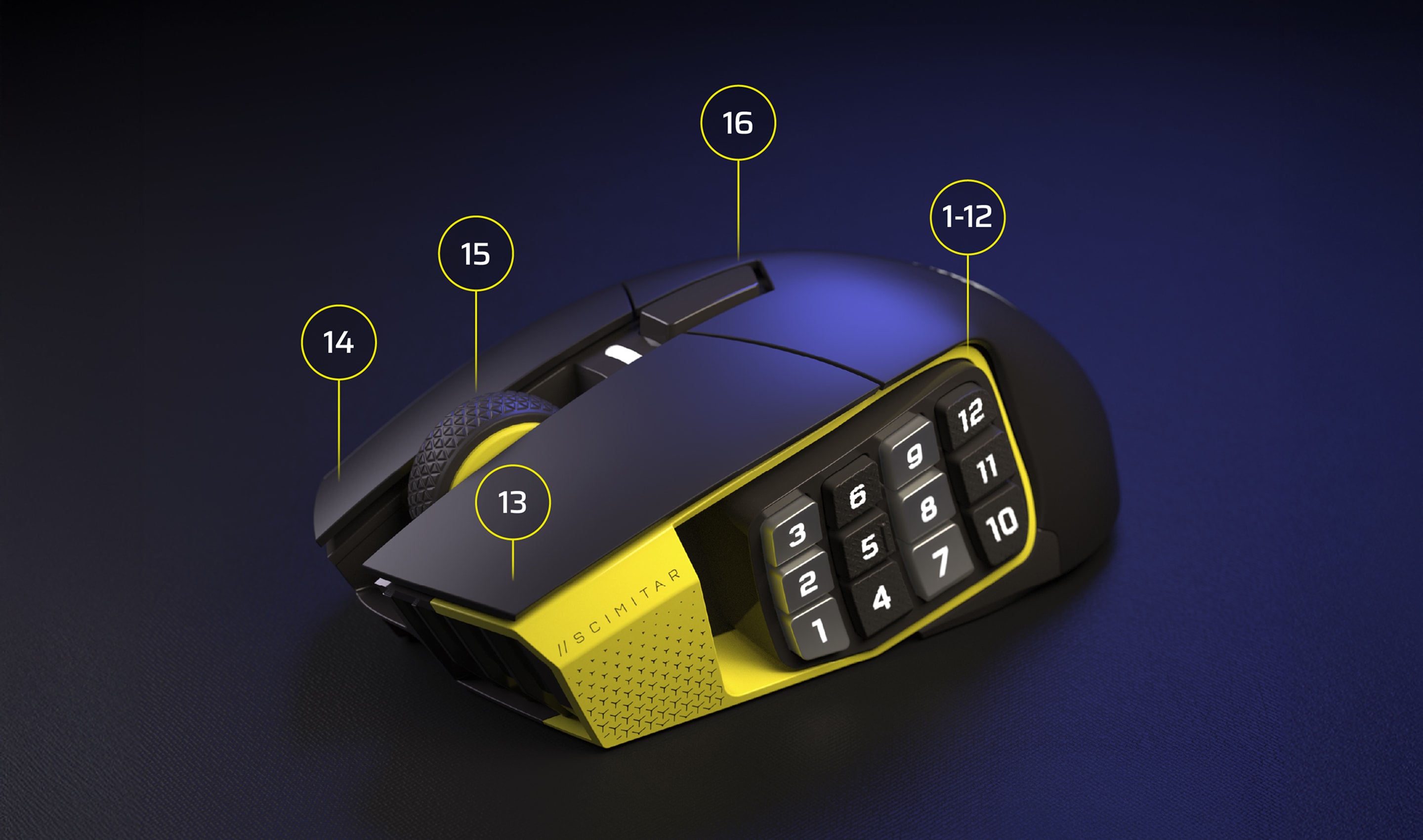
КНОПКИ CORSAIR QUICKSTRIKE
Нулевая задержка между основными кнопками для сверхбыстрых действий
ПРОГРАММИРУЕМЫЕ КНОПКИ
Запрограммируйте все действия, которые только можно представить
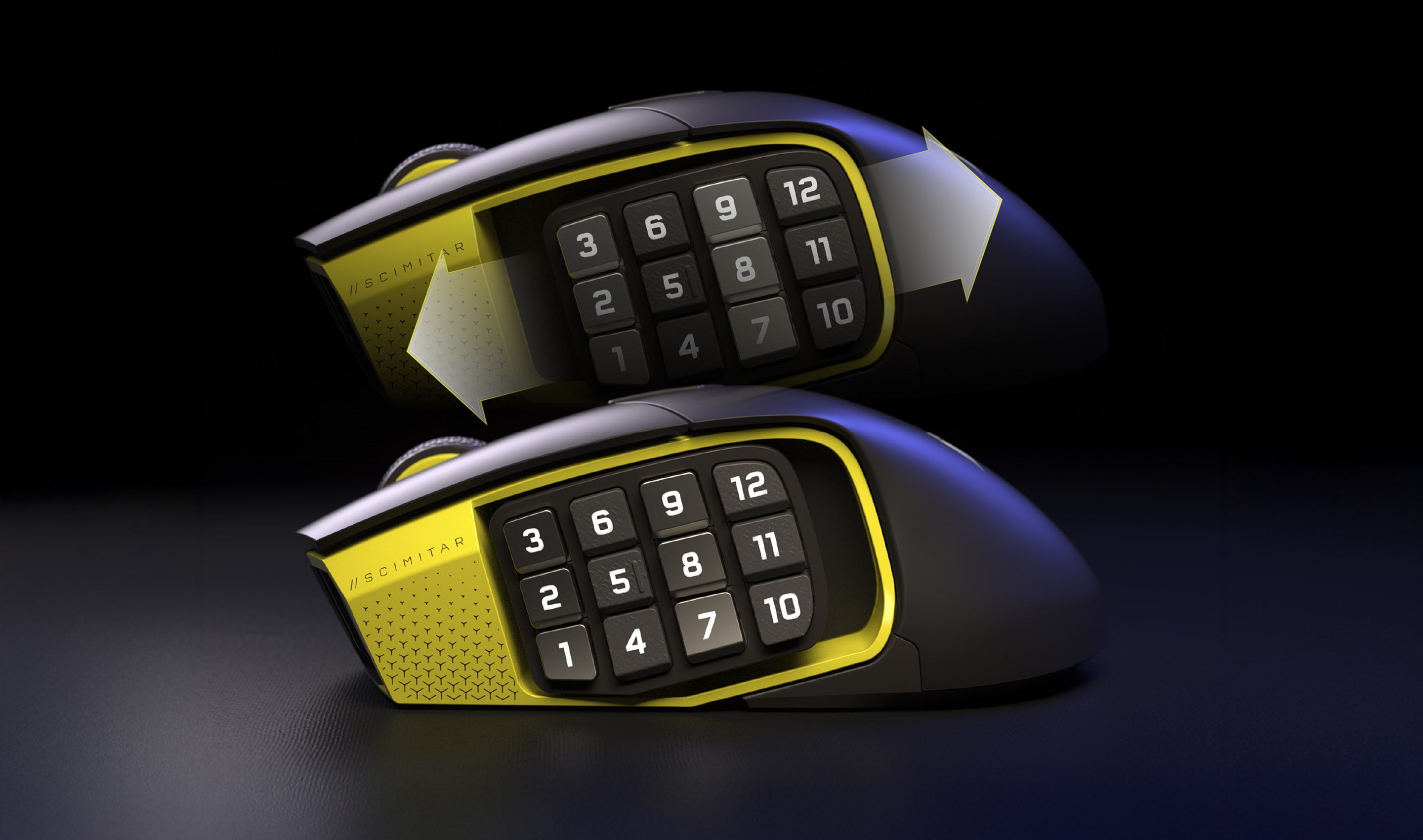
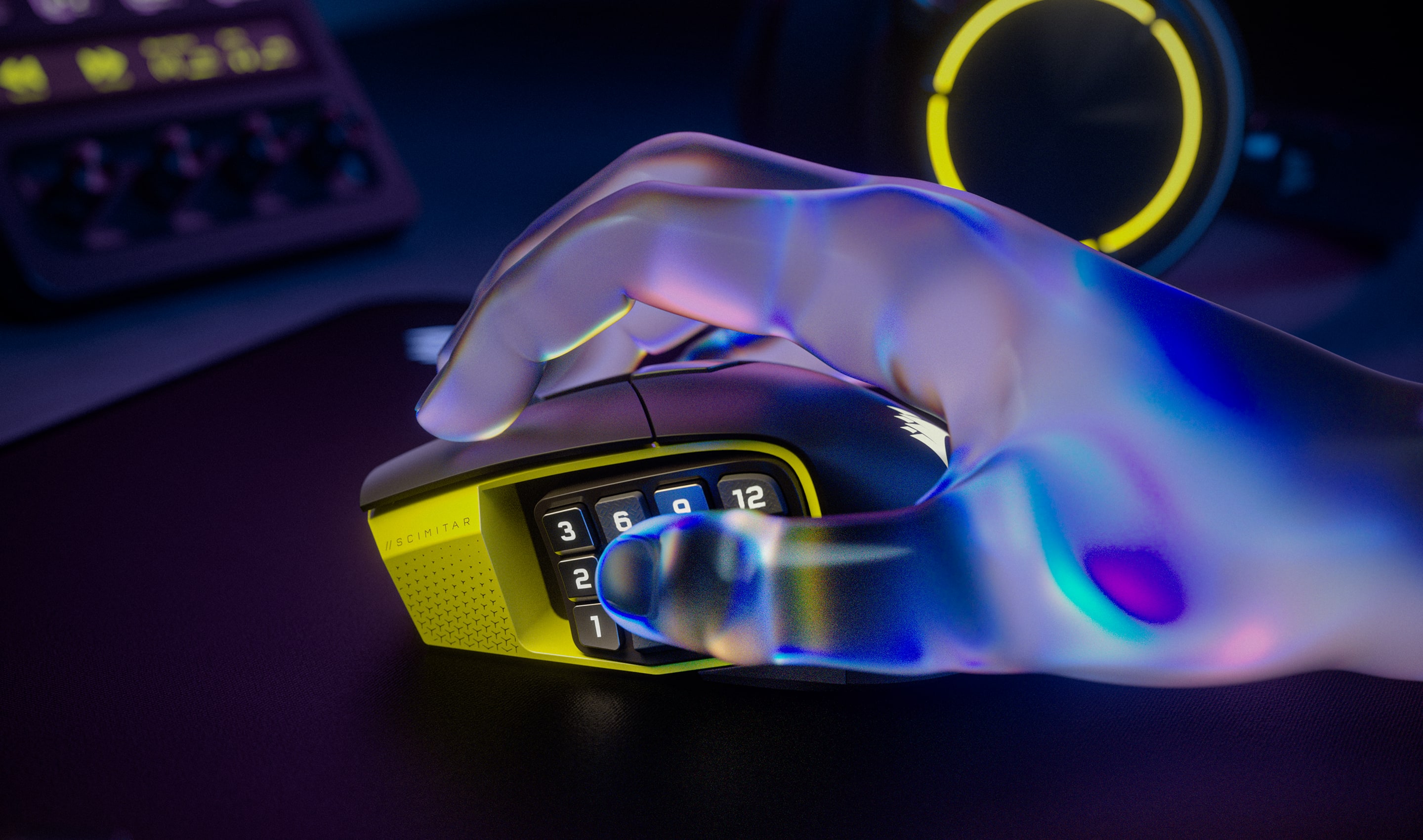
РЕГУЛИРУЕМАЯ 12-КНОПОЧНАЯ БОКОВАЯ ПАНЕЛЬ KEY SLIDER
Регулируется для рук любого размера
ДВУХЗОННАЯ RGB-ПОДСВЕТКА
Настройте яркую RGB-подсветку в iCUE
ВСТРОЕННАЯ ПАМЯТЬ ДЛЯ ПРОФИЛЕЙ
Сохраните и возьмите с собой до трех пользовательских профилей в дорогу
НОЖКИ МЫШИ ИЗ 100% ПТФЭ
Оцените движения мыши с ультранизким трением
ОТСЕК ДЛЯ USB-ПРИЕМНИКА
Удобный отсек для хранения USB-накопителя под мышью
ОПТИЧЕСКИЙ ДАТЧИК CORSAIR MARKSMAN S С РАЗРЕШЕНИЕМ 33 000 ТОЧЕК НА ДЮЙМ
Сверхточная регистрация каждого движения
SLIPTREAM WIRELESS И BLUETOOTH
Сверхскоростной опрос с частотой 1000 Гц и 150 часов работы от аккумулятора
 В режиме Bluetooth с отключенной RGB-подсветкой
ПЕРЕКЛЮЧЕНИЕ МЕЖДУ БЕСПРОВОДНЫМ РЕЖИМОМ И РЕЖИМОМ BLUETOOTH
Легко переключайтесь между беспроводным режимом, Bluetooth или режимом отключения питания
ОПТИЧЕСКИЕ ПЕРЕКЛЮЧАТЕЛИ
Мгновенные выстрелы и заклинания, гарантируется 100 млн нажатий
КНОПКИ CORSAIR QUICKSTRIKE
Нулевая задержка между основными кнопками для сверхбыстрых действий
ПРОГРАММИРУЕМЫЕ КНОПКИ
Запрограммируйте все действия, которые только можно представить
РЕГУЛИРУЕМАЯ 12-КНОПОЧНАЯ БОКОВАЯ ПАНЕЛЬ KEY SLIDER
Регулируется для рук любого размера
ДВУХЗОННАЯ RGB-ПОДСВЕТКА
Настройте яркую RGB-подсветку в iCUE
ВСТРОЕННАЯ ПАМЯТЬ ДЛЯ ПРОФИЛЕЙ
Сохраните и возьмите с собой до трех пользовательских профилей в дорогу
НОЖКИ МЫШИ ИЗ 100% ПТФЭ
Оцените движения мыши с ультранизким трением
ОТСЕК ДЛЯ USB-ПРИЕМНИКА
Удобный отсек для хранения USB-накопителя под мышью
ОПТИЧЕСКИЙ ДАТЧИК CORSAIR MARKSMAN S С РАЗРЕШЕНИЕМ 33 000 ТОЧЕК НА ДЮЙМ
Сверхточная регистрация каждого движения
SLIPTREAM WIRELESS И BLUETOOTH
Сверхскоростной опрос с частотой 1000 Гц и 150 часов работы от аккумулятора
 В режиме Bluetooth с отключенной RGB-подсветкой
ПЕРЕКЛЮЧЕНИЕ МЕЖДУ БЕСПРОВОДНЫМ РЕЖИМОМ И РЕЖИМОМ BLUETOOTH
Легко переключайтесь между беспроводным режимом, Bluetooth или режимом отключения питания

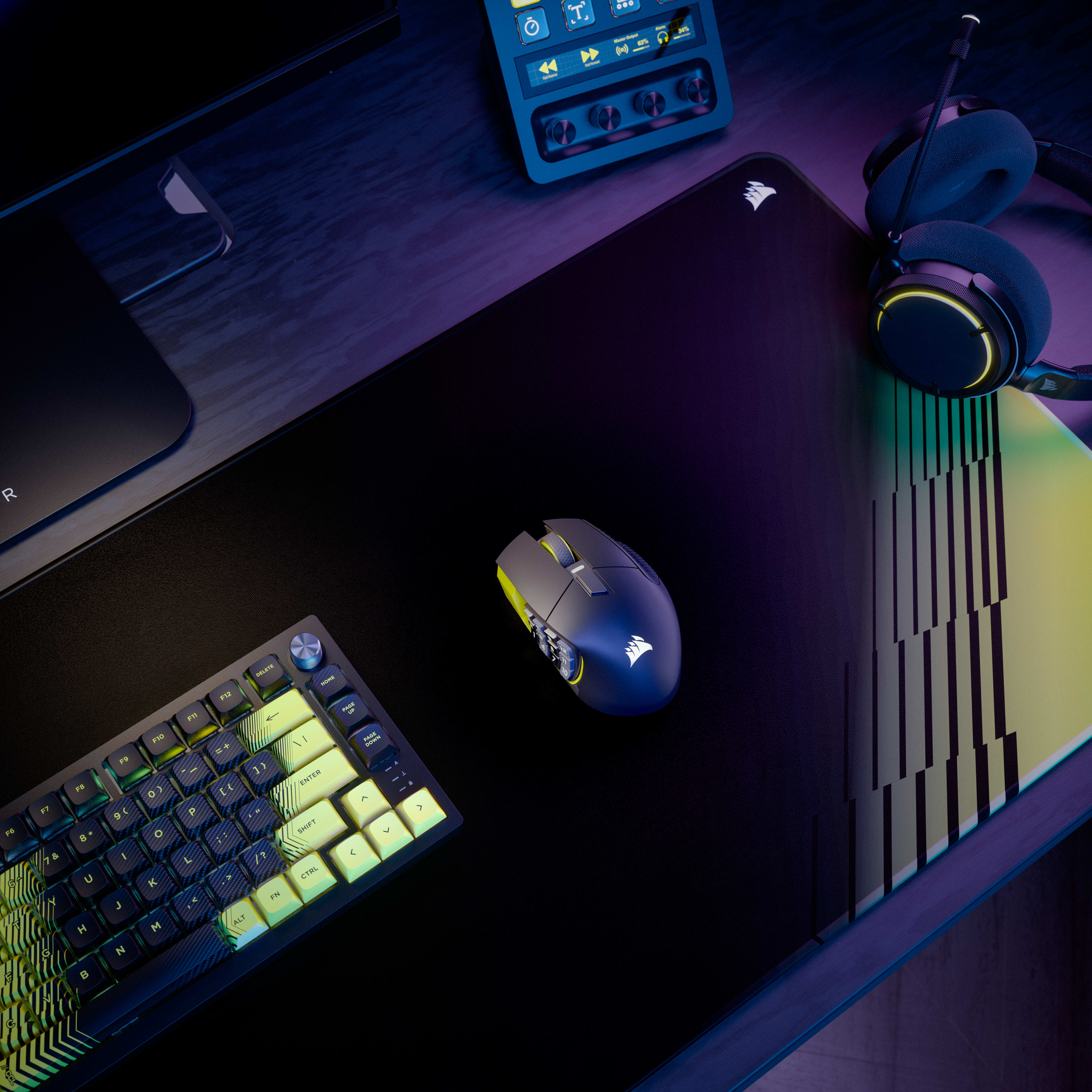
СБОРКА В ЕДИНОМ СТИЛЕ

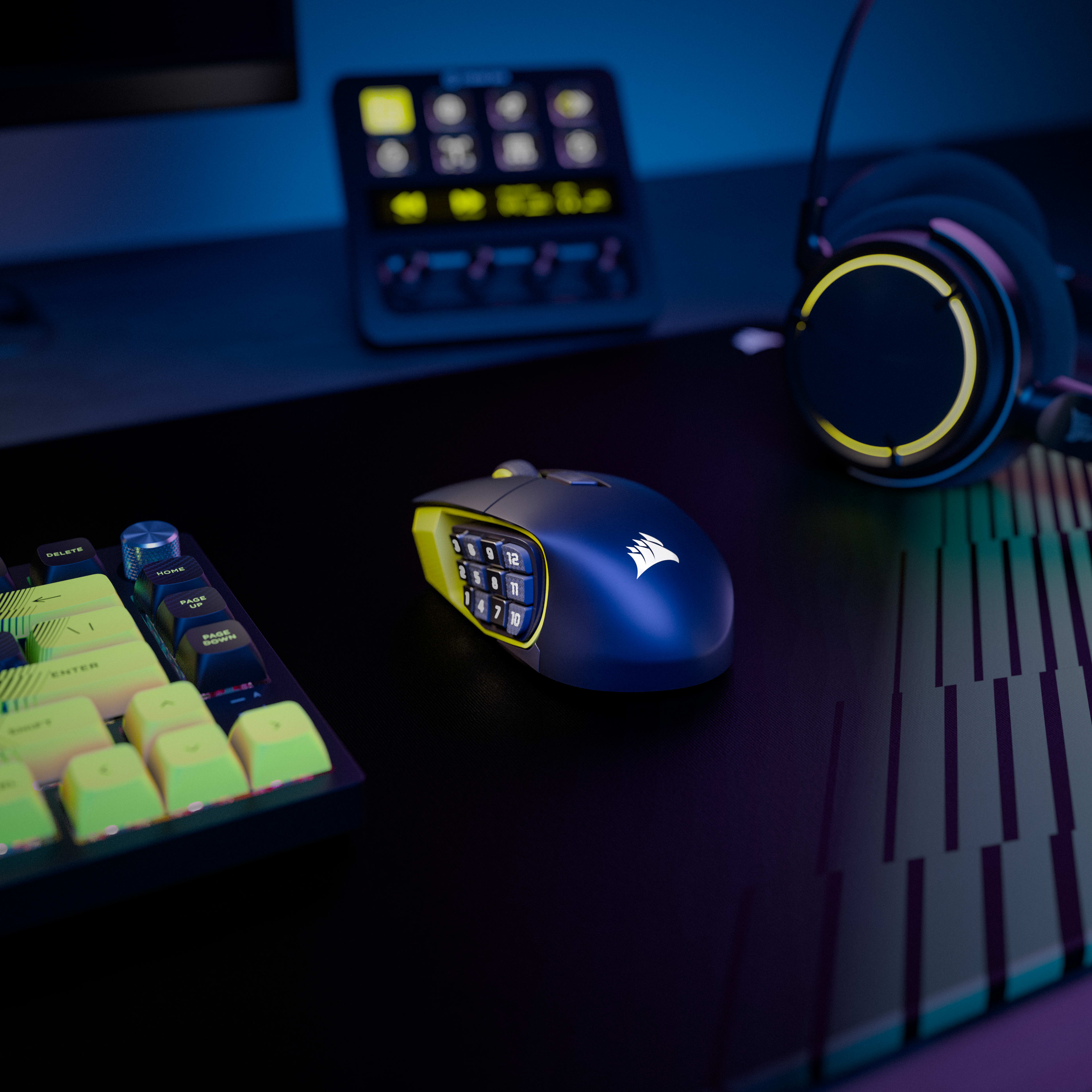
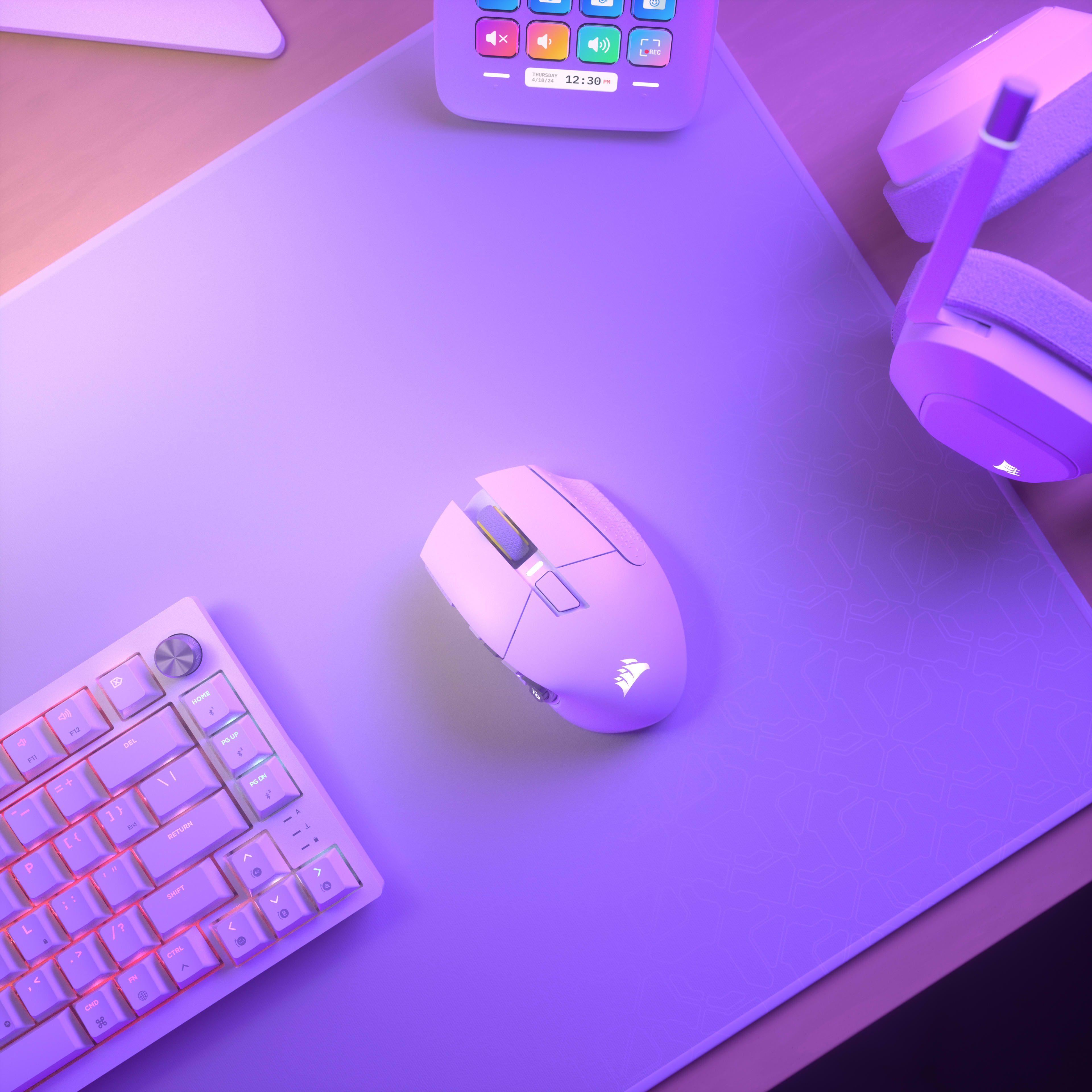
Программное обеспечение CORSAIR iCUE объединяет все настройки, превращая вашу игровую станцию в цельную экосистему с эффектом полного погружения и интуитивно понятным управлением.
ПОДРОБНЕЕ

Overview

Key Features

  • 16 Programmable Buttons with Adjustable Key Slider
    Features 16 fully programmable buttons including a 12-button side panel positioned on an adjustable Key Slider mechanism that moves forward/backward to match thumb reach. Each button can be assigned to macros, abilities, or keybinds through iCUE software for MMO rotations, MOBA combos, or productivity shortcuts.
  • Elgato Virtual Stream Deck
    Hit the dedicated launch button to summon a Virtual Stream Deck—clickable on-screen shortcuts for launching apps, executing macros, managing streams, and even controlling smart home devices. This gives you Stream Deck functionality without buying separate hardware, maximizing your space and keeping you focused on the screen.
  • MARKSMAN S 33K DPI Optical Sensor
    The MARKSMAN S sensor provides 33,000 DPI maximum sensitivity with 750 inches-per-second tracking speed and 50G acceleration tolerance. This optical sensor maintains accuracy during rapid mouse movements while consuming less power than previous generation sensors for extended wireless battery life.
  • Dual Wireless Connectivity (SLIPSTREAM + Bluetooth)
    Supports both SLIPSTREAM WIRELESS 2.4GHz (1000Hz polling for gaming) and Bluetooth connectivity (multi-device compatibility). Battery lasts up to 150 hours on 2.4GHz with RGB off, or up to 500 hours on Bluetooth with RGB off, with physical switch on bottom to toggle between modes.
  • Optical Switches with QuickStrike Buttons
    Optical switches eliminate mechanical debounce delay for instant click registration, rated for 100 million clicks. QuickStrike button design removes the gap between left/right mouse buttons and switches, reducing the distance fingers travel for faster consecutive clicks.

Use Cases

  • MMO and MOBA Gaming with Complex Rotations
    The 16 programmable buttons enable mapping entire ability rotations, item slots, and communication commands without keyboard dependency. The adjustable Key Slider positions 12 side buttons within comfortable thumb reach, while optical switches ensure instant ability activation without click delay.
  • Wireless Multi-Device Productivity
    Bluetooth connectivity enables switching between gaming PC and work laptop without cable swapping or dongle repositioning. The 500-hour Bluetooth battery life (RGB off) provides weeks of use between charges, while 16 programmable buttons can store productivity macros for applications like Photoshop or Excel.
  • Palm Grip Gamers with Large Hands
    The 114g weight and contoured palm-grip shape provide stability for precision aiming during extended sessions. The adjustable Key Slider accommodates larger thumb reach spans, while the 33K DPI sensor enables high-sensitivity settings without lift-off issues on larger mousepads.
  • Stream Deck Integration for Content Creation
    Native Elgato Stream Deck integration maps streaming controls directly to the 12 side buttons without separate Stream Deck hardware. Virtual Stream Deck functionality enables multiple virtual decks, multiplying available functions per button through mode switching for scene transitions, audio control, and social media posting.

Технические характеристики

Weight In Grams114
Sensor TypeOptical
Grip TypePalm
Cable1.8m Braided Fiber

Документация

Declaration of Conformity (DoC) document - CE-000584
UKCA Declaration of Conformity (DoC) document - UKCA-000306

FAQ

The MARKSMAN S 33K optical sensor supports up to 33,000 DPI, adjustable in 1 DPI resolution steps, with a tracking speed of 750 IPS and up to 50G of acceleration. The mouse reports at 1,000Hz (1ms) polling over 2.4GHz SLIPSTREAM wireless. The previous-generation MARKSMAN sensor topped out at 26,000 DPI at 650 IPS — the MARKSMAN S represents a 26% DPI increase and a 25% speed increase over its predecessor, while also using less energy.
The Scimitar Elite Wireless SE delivers up to 150 hours of battery life via 2.4GHz SLIPSTREAM wireless with RGB lighting off, and up to 500 hours via Bluetooth with RGB lighting off. Activating RGB lighting will reduce these figures. The Scimitar Elite Wireless offers up to 120 hours on 2.4GHz and up to 150 hours using Bluetooth, making the SE a significant improvement on both counts.
A full recharge of the SCIMITAR ELITE WIRELESS SE will take 60 minutes or less. The mouse charges via the included USB-C to USB-A cable connected to any USB 2.0 or 3.0 port. SCIMITAR ELITE WIRELESS SE’s multi-purpose LED indicator pulses green while it is charging and changes to a solid green when it is fully charged.
The Key Slider™ is a patented repositionable side-button cluster that holds all 12 side-panel buttons. Using the included Allen key (2.5mm hex), you loosen the screw on the underside, slide the cluster to your preferred position along 8mm of total travel range (with no predefined increments), then retighten to lock it in place. This lets players of any hand size position the buttons exactly where their thumb naturally rests, without changing grip.
Out of the box, the five DPI stages are: 400 (Red LED), 800 (White LED), 1200 (Green LED), 1600 (Purple LED), and 3200 DPI (Capri LED). Each stage is indicated by the color of the multi-purpose LED indicator when you press the DPI Toggle Button. All five stages can be fully reconfigured to any value within the 1–33,000 DPI range using iCUE software and saved to one of three onboard profiles.
The mouse stores three onboard profile slots — identified by Red, Green, and Blue indicator colors — each holding their own DPI settings, button assignments, and lighting effects. You cycle through profiles by pressing the Profile Button on the underside of the mouse. The default profile assignments map the 12 side buttons to keyboard keys 1–0 and minus/equals. All three profiles work without iCUE installed once they've been configured; iCUE is only required to customize them.
Yes. The mouse supports Bluetooth 4.0 or higher for use with laptops, tablets, or any Bluetooth-enabled device. To pair, hold the DPI Toggle Button while toggling the Power/Wireless Mode switch to the "BT" position — the LED turns solid blue when connected. Corsair notes that Bluetooth mode is best suited for everyday computing tasks and productivity, while 2.4GHz SLIPSTREAM wireless is recommended for optimal gaming performance.
Yes. SLIPSTREAM Multipoint allows up to three compatible devices to share one USB dongle simultaneously. Supported pairings (2:1) include Mouse + Keyboard, Mouse + Headset, and Keyboard + Headset. For 3:1 pairing, all three device types can connect together. Setup is handled through iCUE version 4.10.273 or newer. Note: you cannot pair two devices of the same type (e.g., two mice) on the same receiver.
CORSAIR QUICKSTRIKE buttons are designed with zero gap between the primary click buttons and their switches, eliminating the tiny travel distance required to engage a standard mechanical switch. This means the click registers the instant your finger makes contact with the button, enabling faster reaction times. The Scimitar Elite Wireless SE uses optical switches (not mechanical) for the primary buttons, which are rated for up to 100 million clicks and eliminate debounce delay.
The Scimitar Elite Wireless SE is part of the Stream Deck ecosystem, meaning that it can unlock Elgato's Virtual Stream Deck functionality. This software-based feature allows users to create on-screen panels of shortcuts for triggering actions, launching apps, and automating tasks — without owning a physical Elgato Stream Deck hardware device. Simply connect the mouse and install Stream Deck 7.0 software (available from Elgato's website) and the Virtual Stream Deck is automatically enabled. Mouse buttons can then be mapped directly to Virtual Stream Deck actions from within the Stream Deck app. The Virtual Stream Deck requires the mouse to have been connected at least once within the past 30 days to remain active.
The SE (Special Edition) upgrades the sensor from the MARKSMAN (26,000 DPI, 650 IPS) to the newer MARKSMAN S (33,000 DPI, 750 IPS), and dramatically improves battery life — from 120 hours on 2.4GHz to 150 hours, and from 150 hours on Bluetooth to 500 hours. The SE version is also available in a unique Yellow/Black colorway. The SE also adds the Elgato Virtual Stream Deck integration and Elgato Stream Deck native button mapping, which the original Scimitar Elite Wireless does not have. Both share the same Key Slider™ side panel, 16 programmable buttons, optical switches, SLIPSTREAM wireless, and overall design.
Both mice share SLIPSTREAM wireless connectivity, Bluetooth 4.2, 100% PTFE feet, and optical switches, but differ in key areas. The Scimitar Elite Wireless SE (SE version) has the newer MARKSMAN S 33K sensor and superior battery life (150 hrs / 500 hrs), while the DARKSTAR uses the previous MARKSMAN sensor at 26,000 DPI and lasts up to 65 hours on 2.4GHz. The Scimitar Elite Wireless SE has 16 programmable buttons in a traditional 3x4 grid with the KeySlider™, making it ideal for dedicated MMO players; the DARKSTAR has 15 programmable buttons in a more multipurpose layout and weighs less at 96g vs 114g. Corsair recommends the Scimitar Elite Wireless SE for dedicated MMO/MOBA players and the DARKSTAR for those who want one versatile mouse for all game types.
Yes. Corsair's iCUE software includes a Surface Calibration Utility that can be used with the Scimitar Elite Wireless SE to optimize the sensor's precision and responsiveness for your specific mousepad or desk surface. This involves moving the mouse in a spiral pattern until calibration completes. Corsair notes this ensures optimal tracking accuracy regardless of the surface used.
The Scimitar Elite Wireless SE is backed by Corsair's 2-year limited warranty. This warranty covers defects in materials and workmanship and is supported by Corsair's worldwide customer service and technical support network. To initiate a warranty claim, contact Corsair support at help.corsair.com to create an RMA ticket; you will need your original proof of purchase and a photo of the product's serial number. Corsair does not accept returns without prior RMA authorization.
The Scimitar Elite Wireless SE measures 119.23mm (L) x 73.48mm (W) x 42.17mm (H) and weighs 114g without cable or accessories. It features a right-hand ergonomic contoured shape designed primarily for a palm grip, though the relatively low weight also makes it comfortable for claw and fingertip grip users. The broad, long profile is specifically designed to reduce wrist strain during extended MMO gaming sessions.
Corsair
Corsair

Получайте специальные предложения и эксклюзивные новости о продуктах и событиях прямо на свою электронную почту.

TwitterTik TokFacebookInstagramYouTubeTwitchDiscordReddit

Shop

New ProductsSpecial OffersBest SellersCorsair.com ExclusivesWhere to BuyCERTIFIED REFURBISHEDBusiness Solutions

Explore

AI Software StackPC BuilderCORSAIR InnovationDesign Your LoopWallpaper

Corsair

AboutInvestor RelationsSupply Chain DisclosureCareersSocial ImpactPress RoomContact UsBlogStore

Support

DownloadsCorsair Web HubFirmware Update UtilityCustomer SupportWarrantyShipping/RMA/ReturnsTerms of Sale
Copyright © 1996 - 2026 CORSAIR. All rights reserved.
SitemapPrivacy PolicyTerms of Use
Настройки файлов cookie