The CORSAIR 3200D is our new mid-tower case focusing on strong airflow, support for the the latest PC components, and an accessible price point.
This makes it not too dissimilar from the CORSAIR FRAME 4000D. So, we're going to go over the differences between these two cases here. Let's go.
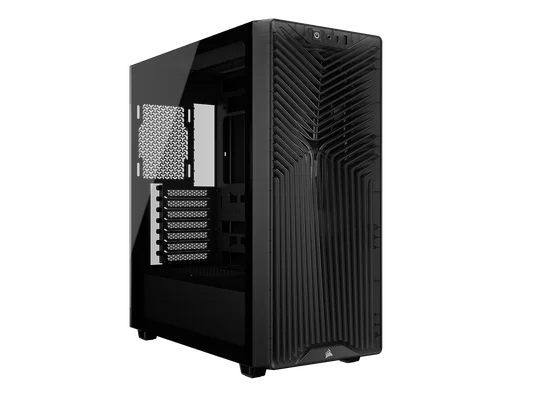

CORSAIR 3200D vs FRAME 4000D: Specs Compared
For those who know what they're looking for, here's a comprehensive spec matrix between the two cases.
| CORSAIR 3200D | CORSAIR FRAME 4000D | |
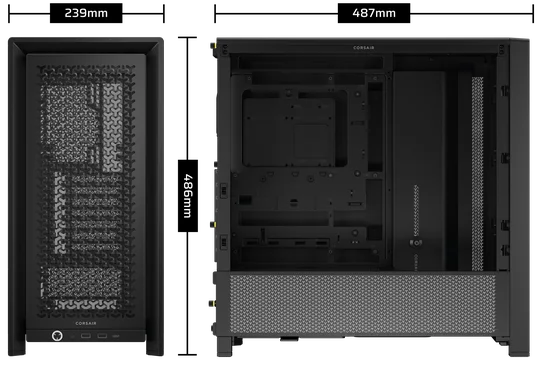
| Dimensions: | 495mm (H) x 219mm (W) x 458mm (L) | 487mm (H) x 239mm (W) x 486mm (L) |
| Included Fans: |
|
|
| Fan Compatibility |
|
|
| Radiator Compatibility: |
|
|
| Expansion Slots: | 7 Horizontal | 7 Horizontal (4 Vertical) |
| Motherboard Compatibility: | Mini-ITX, Micro-ATX, ATX | Mini-ITX, Micro-ATX, ATX, E-ATX |
| Reverse Connector Motherboard Compatible? | Yes, ASUS BTF, MSI Project Zero, and Gigabyte Project Stealth | Yes, ASUS BTF, MSI Project Zero, and Gigabyte Project Stealth |
| Storage: |
|
|
| Max CPU Cooler Height: | 165mm | 170mm |
| Max GPU Length: | 375mm | 405mm |
| Dust Filters: | Front, Top, PSU | Front, PSU, Side |
| Front I/O: |
|
|
| Warranty: | 2 Years | 2 Years |
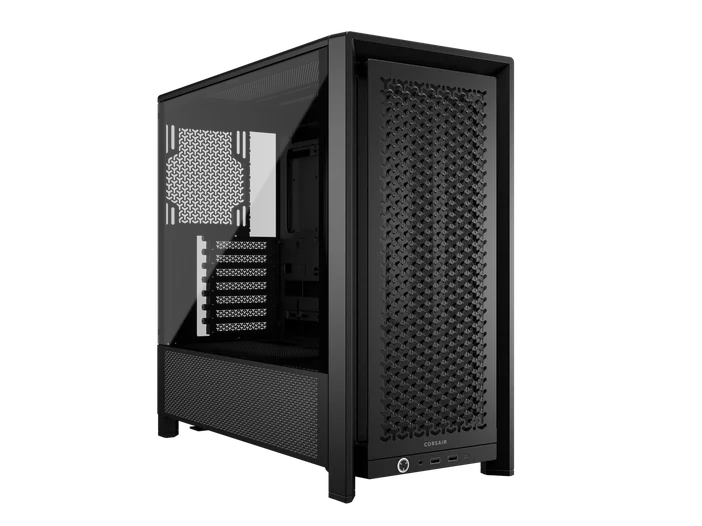
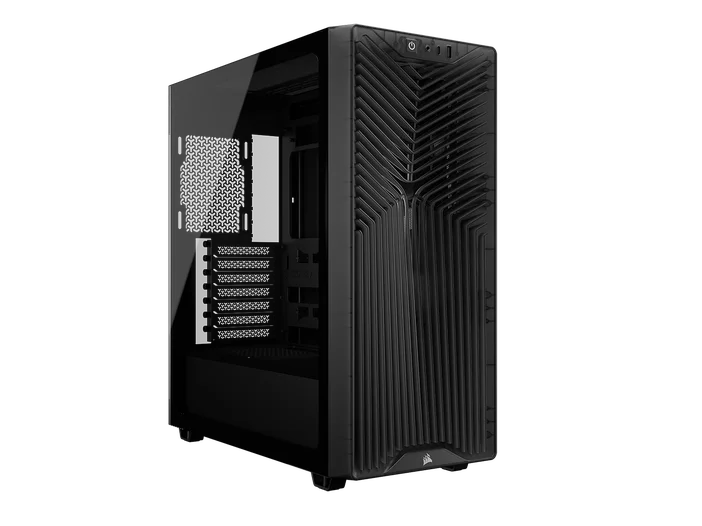
CORSAIR 3200D vs FRAME 4000D: Sizes Compared
This one is pretty self-explanatory. Here's a direct comparison of the outer dimensions for these cases. It's pretty close, with the 3200D being thinner and shorter than the FRAME 4000D, however the FRAME 4000D is less tall.
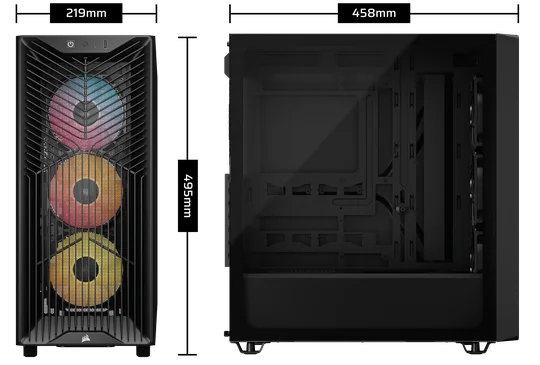
3200D
FRAME 4000D
CORSAIR 3200D vs FRAME 4000D: Cooling
Both of these cases are airflow and cooling-focussed, but there are some differences to be aware of. The FRAME 3200D has a fan mount specifically angled to drive air from the front up into the GPU for example.
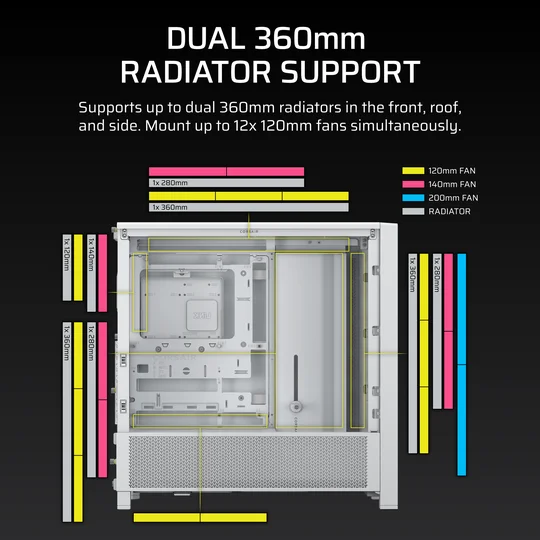
Despite how compact the 3200D is, you can mount a 360mm AIO up top or in the front. However, it has no side intakes as the FRAME 4000D does, so if you're keen to do custom cooling the FRAME 4000D would be a better option.
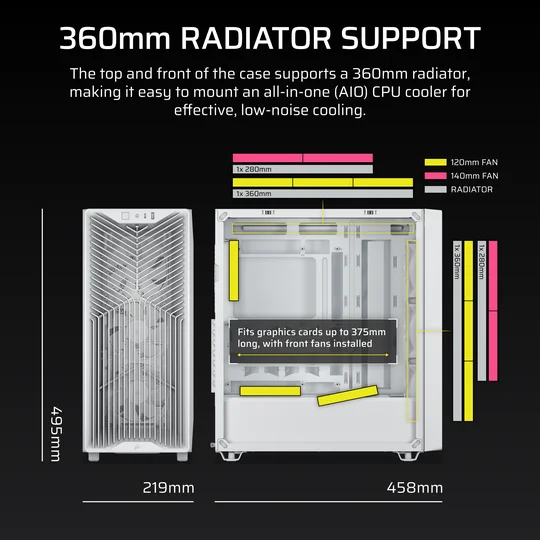
CORSAIR 3200D Fan and Radiator Support
CORSAIR FRAME 4000D Fan and Radiator Support
Both cases have ample space for large air coolers with a maximum of 165mm for the 3200D and 170mm for the FRAME 4000D, meaning both can mount coolers with 140mm fans such as our A115 Twin tower CPU air cooler.
Both cases have dust filters for the front and under the PSU. However the FRAME 4000D has no dust filter at the front, moving it to the side intakes instead while the 3200D has a traditional front filter.
PRODUCTS IN ARTICLE
JOIN OUR OFFICIAL CORSAIR COMMUNITIES
Join our official CORSAIR Communities! Whether you're new or old to PC Building, have questions about our products, or want to chat about the latest PC, tech, and gaming trends, our community is the place for you.