Despite sounding incredibly similar, these two cases are quite distinct, both visually and in terms of airflow and interior functionality. Now that the FRAME 4500X is available for purchase, we're breaking down the differences right here. First, we’ll cover the specs for those who want a quick overview. Then we’ll explain some of differences in more detail.
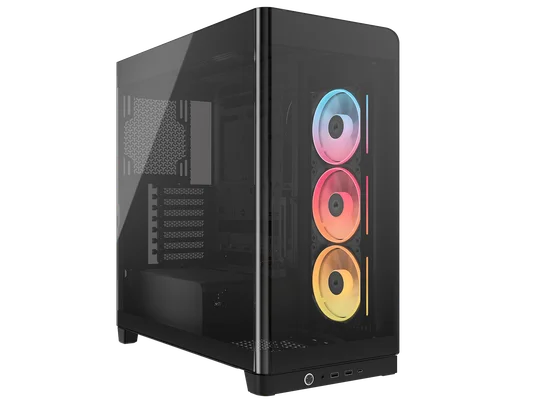
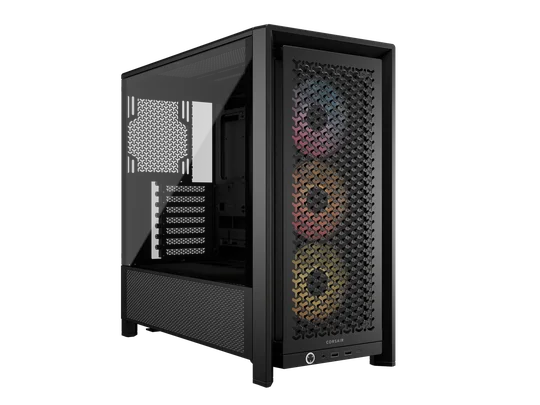
CORSAIR FRAME 4500X vs FRAME 4000D: Specs compared
| FRAME 4500X | FRAME 4000D | |
| Dimensions (L x H x W) | 542 mm x 556 mm x 250 mm | 487mm x 486mm x 239mm |
| Reverse Motherboard Compatibility | Yes (MSI Project Zero, GIGABYTE Project Stealth, and ASUS BTF) | Yes (MSI Project Zero, GIGABYTE Project Stealth, and ASUS BTF) |
| GPU Clearance | Up to 460 mm in length | Up to 430 mm in length |
| CPU Cooler Clearance | Up to 185 mm in height | Up to 170 mm in height |
| PSU Clearance | Up to 250 mm in length | Up to 220 mm in length |
| Fan Capacity (Front) | None | 3x 120 mm, 2x 140 mm, 2x 200 mm |
| Fan Capacity (Top) | 3x 120 mm or 2x 140 mm | 3x 120 mm, 2x 140 mm |
| Fan Capacity (Side) | 3x 120 mm or 2x 140 mm | 3x 120 mm, 2x 140 mm |
| Fan Capacity (Bottom) | 1x 120 mm | None |
| Fan Capacity (Rear) | 1x 120 mm or 1x 140 mm | 1x 120 mm, 1x 140 mm |
| Fan Capacity (PSU Shroud) | 2x 120 mm | 2x 120 mm |
| SATA Storage | 1x 3.5" HDD, 2x 2.5" SSD | 4x 2.5" SSDs, 2x 3.5" HDDs |
| Front I/O | 2x USB 3.2 Gen 1 Type-A, 1x USB 3.2 Gen 2 Type-C, Headphone/microphone combo jack, Power | 2x USB 3.2 Gen 1 Type-A , 1x USB 3.2 Gen 2 Type-C, Headphone/microphone combo jack, Power |
Aesthetics
This is the most notable difference between these two cases. The FRAME 4000D features a more conventional PC case design, while the 4500X uses a single piece of wraparound glass that replaces the front and side panels.
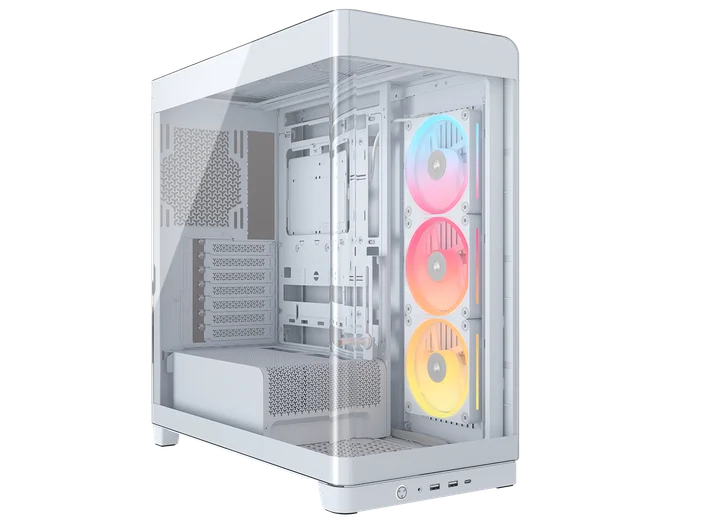
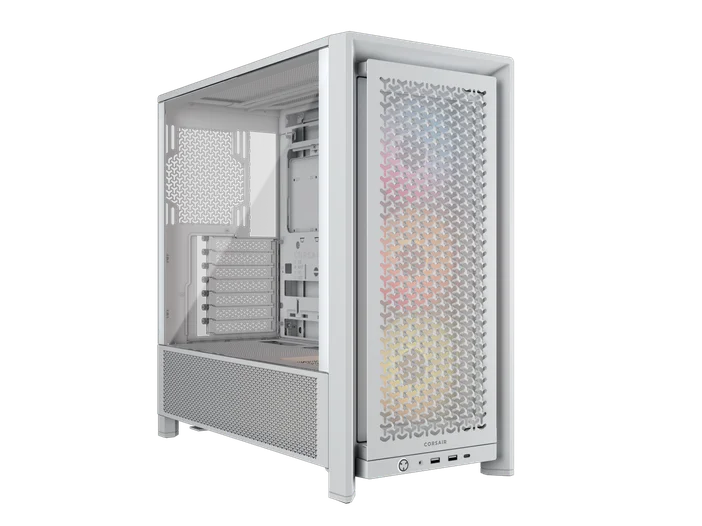
This makes the FRAME 4500X far more visually striking, offering a refreshing change from the familiar design of the FRAME 4000D. However, it is worth considering where your PC will be placed. If you keep your PC under the desk, for example, the glass panel on the 4500X might go unnoticed. On the other hand, the FRAME 4000D is more versatile thanks to its understated look, which fits easily into almost any existing workspace or gaming setup.
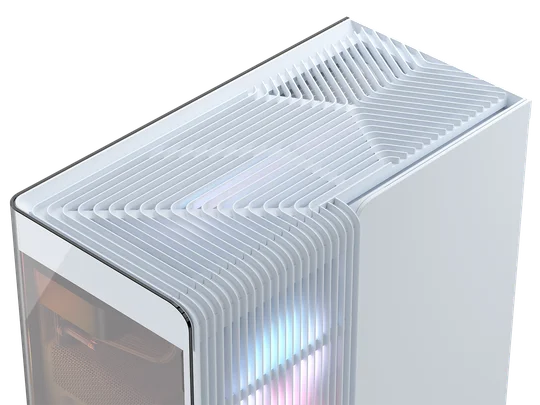
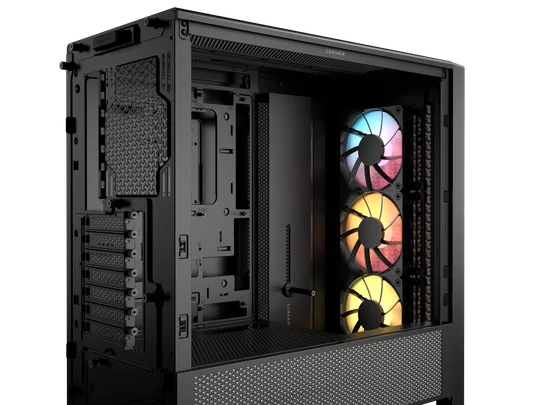
The FRAME 4500X stands out with a distinctive panel design, defined by deep parallel grooves that extend across the top panel. These grooves curve over the edge and continue down the side of the case, creating a sleek visual flow. They also support airflow for the top exhaust and side intake. It’s worth mentioning that these deep grooves can make it a bit tricky to position small items on top of the case. So, if you like to keep cute little trinkets on top of your PC, keep that in mind.
Airflow
While neither of these cases will leave your components gasping for air, those who are 100% focused on performance will probably prefer the FRAME 4000D. Due to the wraparound glass of the 4500X, you cannot mount fans in the front like you can with the FRAME 4000D. So, if you want to maximize fan capacity, you’ll be able to fit more fans in the FRAME 4000D.
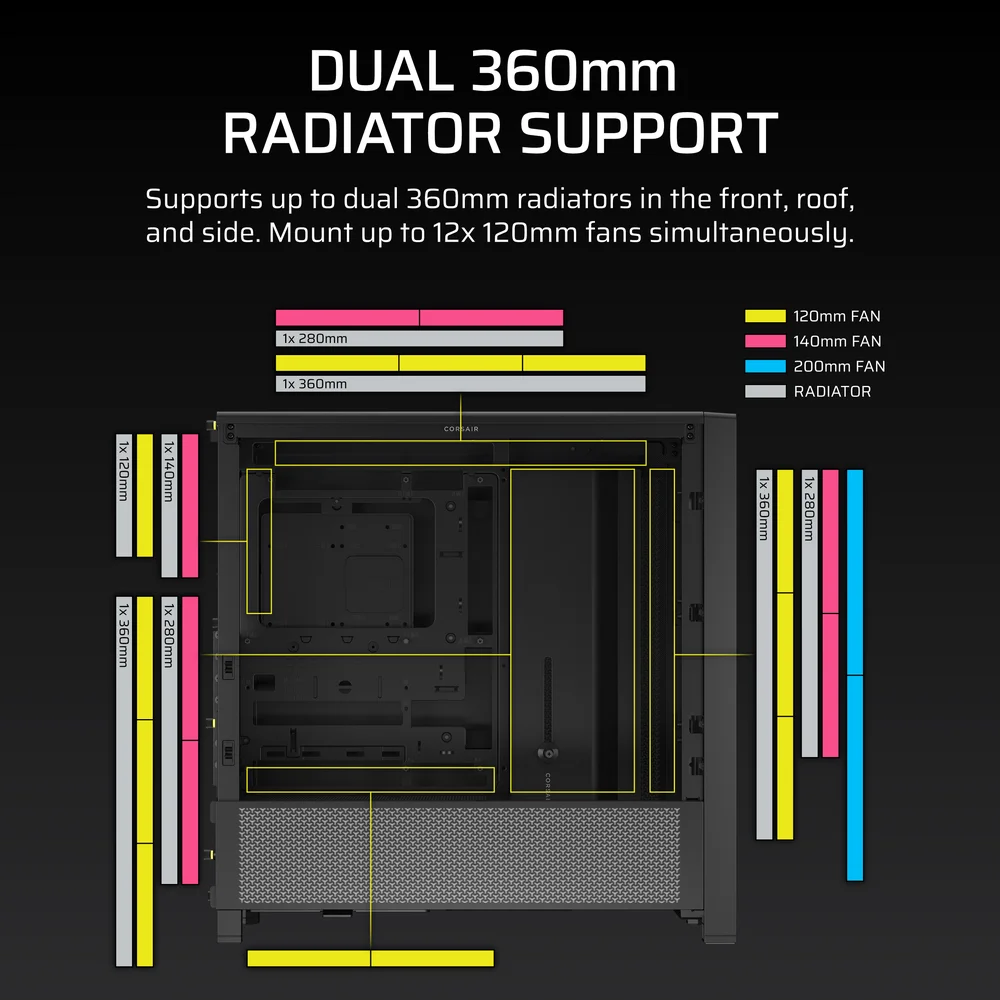
That being said, the side intakes of the 4500X can still provide sufficient airflow for most builds, even without front-mounted fans. It is also worth mentioning that the 4500X has a bottom-mounted fan location just ahead of the PSU shroud, which can offer additional airflow. This is especially useful if you're running a larger GPU, such as a 50 Series from NVIDIA.
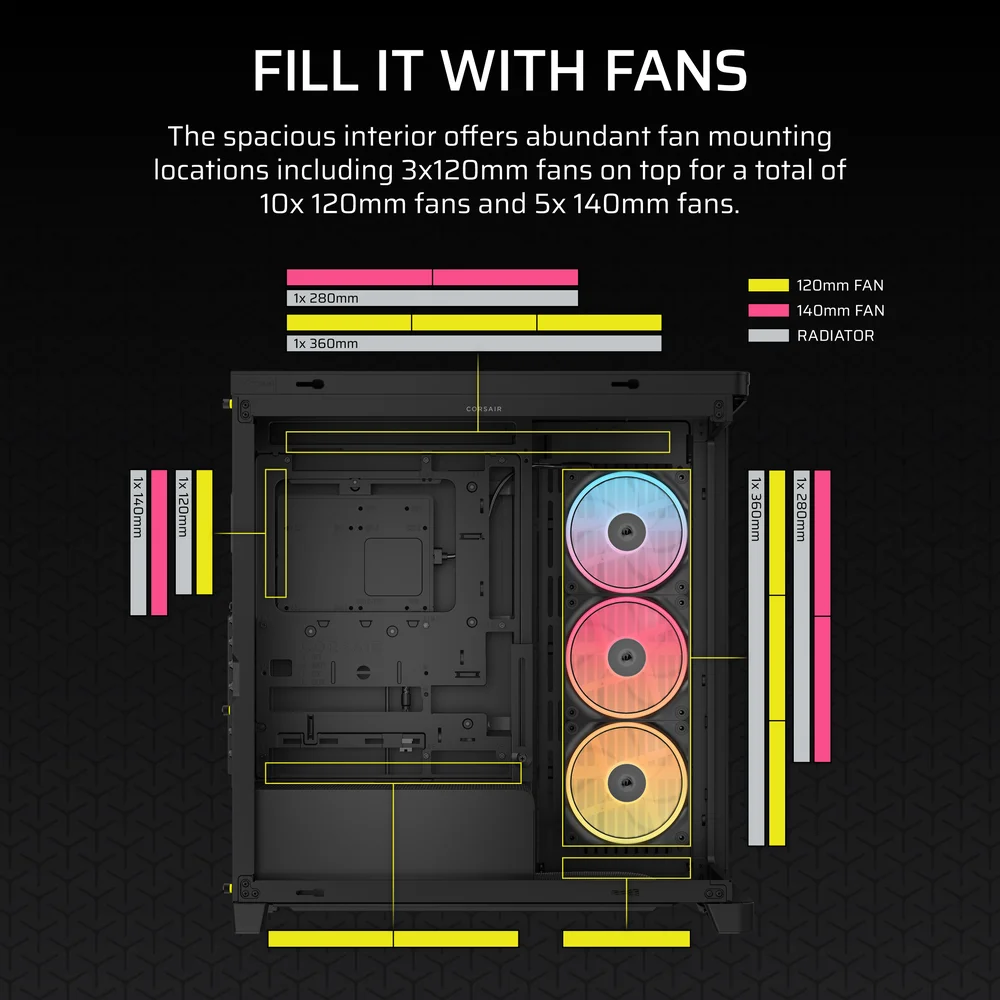
Check the full fan compatibility matrix for these cases to ensure your preferred fan configuration makes sense
AIOs and Custom Cooling
An AIO is the preferred CPU cooling method for many gamers, and both the FRAME 4000D and FRAME 4500X are plenty capable of housing up to a 360mm AIO in multiple locations. The 4500X is slightly more limited, as it only supports an AIO at the top or in the side intake, while the 4000D allows mounting in the front, top, and side. When it comes to AIOs, positioning it is not all that critical, unlike the orientation, so the choice is yours.
Additionally, both cases are great candidates for a custom cooling loop. The presence of a 360mm mount in the front of the FRAME 4000D means that you can install more radiators compared to the FRAME 4500X. That said, custom cooling isn't just about performance.
Part of the allure of a custom cooled PC is showing it off, and when it comes to showing off, the wraparound glass of the 4500X offers unmatched visibility. If you’re cooling for maximum performance, go with the FRAME 4000D. If you’re cooling to look cool, the FRAME 4500X might be a better choice.
PRODUCTS IN ARTICLE
JOIN OUR OFFICIAL CORSAIR COMMUNITIES
Join our official CORSAIR Communities! Whether you're new or old to PC Building, have questions about our products, or want to chat about the latest PC, tech, and gaming trends, our community is the place for you.