MANUAL | QUICK START GUIDE
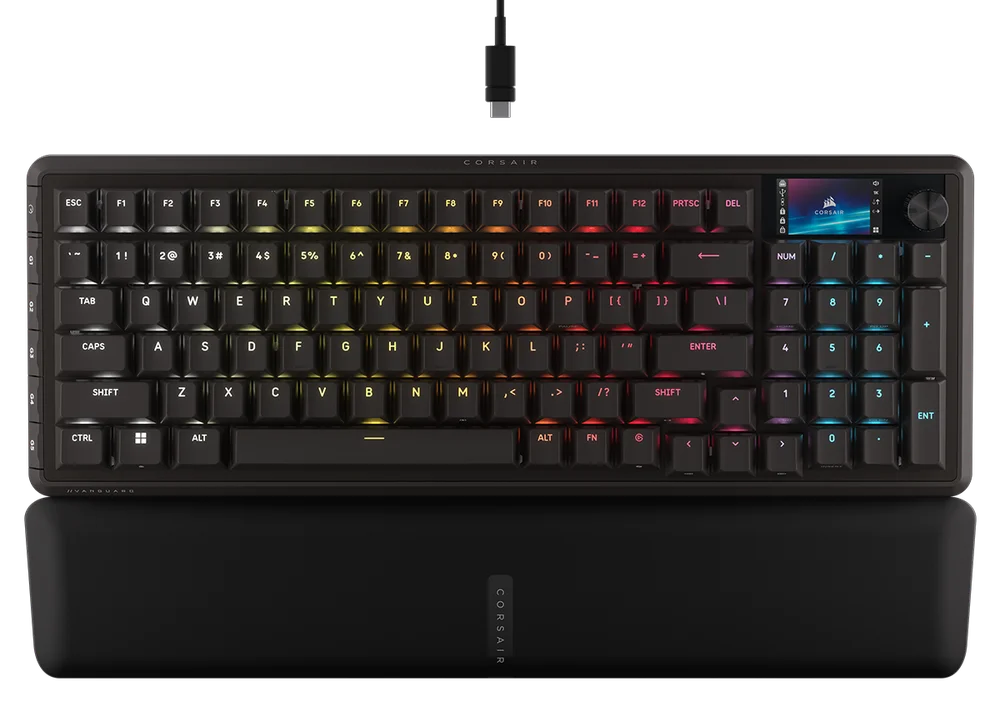
VANGUARD PRO 96
HALL EFFECT GAMING KEYBOARD
GETTING TO KNOW YOUR KEYBOARD
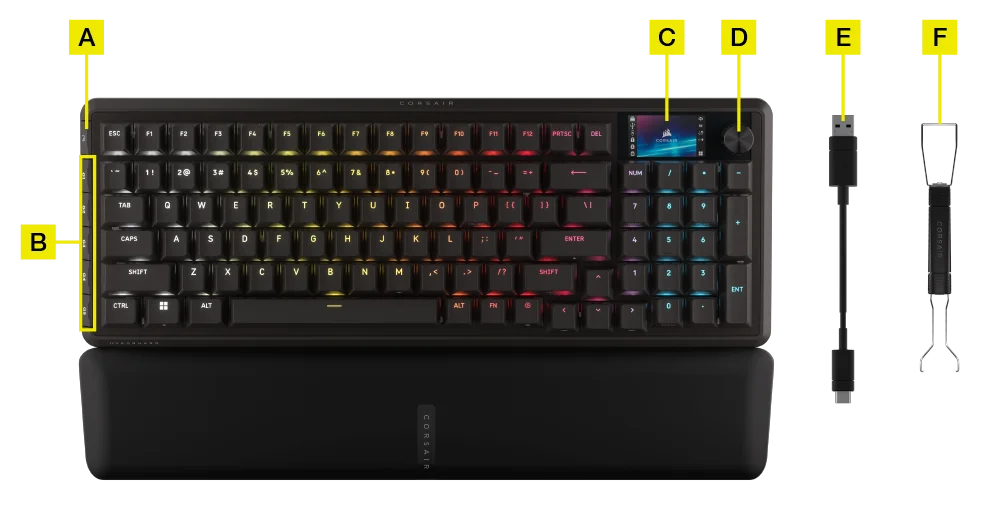
- GAME MODE BUTTON
- G-KEYS
- COLOR LCD SCREEN
- ROTARY DIAL
- DETACHABLE BRAIDED TYPE-C CABLE
- 2 IN 1 KEYCAP & SWITCH PULLER
TECHNICAL SPECIFICATIONS
| FEATURE | DESCRIPTION |
| Form Factor | 96% |
| Top Cover | Aluminium plate |
| LCD Screen | 1.9” 320 x 170 IPS |
| Bottom | Plastic |
| Sound Absorbing Foam | PORON |
| Case Foam | Silicone |
| Palm Rest | Magnetic cushioned palm rest |
| Colorway | Black |
| Keycaps | PBT Double shot (BR, SP, ES layout is ABS Paint) |
| Backlighting | Individually LED lit and per-key programmable |
| LED Color | RGB |
| Keyswitches | CORSAIR MGX Hyperdrive Hall Effect pre-lubricated key switches |
| Connectivity | USB 3.0 Type-A |
| Matrix | Full key rollover (NKRO) with 100% anti-ghosting |
| USB Report Rate | Up to 8,000Hz hyper-polling with CORSAIR AXON |
| Profiles | 5 (1 On-board, 4 on WEB HUB) |
| Media Control | FN shortcuts / Rotary dial |
| Game Mode | Hotkey*1 |
| Brightness Control | FN shortcuts / Rotary dial |
| Adjustable Height | Yes |
| Plug and Play Operation | Yes |
| Console Compatibility | Xbox One, Xbox Series X|S, PlayStation 4, 5 |
| Cable | 1.8m / 6ft, Detachable braided Type-C cable |
| Dimensions | 388(L) x 141(W) x 43(H) mm |
| Weight | 1.095kgs |
| Warranty | Two years – Local country regulations are applicable |
AXON HYPER-PROCESSING TECHNOLOGY
CORSAIR AXON delivers a powerful and responsive keyboard experience with:
- Hyper-fast keystroke detection and processing
- Up to 8,000Hz hyper-polling (adjustable in CORSAIR WEB HUB device settings)
- Up to 5-layer onboard lighting effects (programmable in CORSAIR WEB HUB per profile)

SETTING UP YOUR KEYBOARD
Connecting the keyboard via USB cable to an available USB 3.0 Type-A port or better on a compatible device including:
| Windows® PC | Apple Mac® |
Microsoft Xbox One* Microsoft Xbox Series X | S* |
Sony PlayStation 4** Sony PlayStation 5** |
**See CONNECTING TO SONY PLAYSTATION section.
CONNECTING TO SONY PLAYSTATION
The keyboard also has a special mode to support Sony PlayStation 4 and 5 that can be activated via shortcut.
| SHORTCUT | FUNCTION | INDICATION |
FN+  (Hold for 5 seconds) (Hold for 5 seconds) |
Switch to PlayStation mode | Blinks white 5 times over 5 seconds |
| FN+ (Hold for 5 seconds) |
Switch back to standard mode | Breaths white 2 times |
NOTE: Available functions may be limited depending on gaming console support and application.
OPERATING MODES
The keyboard features two operating modes:
- Hardware (HW) Mode – When CORSAIR WEB HUB is not running or the keyboard is connected to a device that does not support CORSAIR WEB HUB, the keyboard operates in hardware mode which uses profiles and settings saved to the onboard storage.
- Web-based Mode – Go to CORSAIR WEB HUB link https://corsair.com/web-hub, the keyboard operates in Web-based mode, using profiles and settings saved to onboard storage.

| FUNCTION | HARDWARE MODE | CORSAIR WEB HUB |
| Storage & Profiles | 8MB for more profiles | 8MB for more profiles |
| Create New Profiles | N/A | Yes |
| Create Lighting Effects | N/A | Yes |
| Create Key Assignments | Yes | Yes |
| Maximum Lighting Layers | N/A | 5 |
HARDWARE OVERVIEW
FN SHORTCUTS LIGHTING INDICATOR
When pressing FN key, all lighting will momentarily turn OFF except for keys that have secondary functions and macros assigned to them which will have backlighting turned ON.
- The default color will be WHITE.
- Users can customize the color indication in CORSAIR WEB HUB.
Color indication for profile currently in-use will take priority over FN Shortcuts lighting.
GAME MODE BUTTON (A) FUNCTION
Activate competition-optimized settings with the Game Mode button.
Reminder: Turn on Game Mode BEFORE gameplay to avoid 1 sec of idle time.
| FUNCTION | REMARK | |
| Default mode (Game Mode off) |
Game mode off:
|
Factory default |
| Game Mode on |
Game mode on:
|
Can be customized in CORSAIR WEB HUB |
HARDWARE ACTUATION SETTING
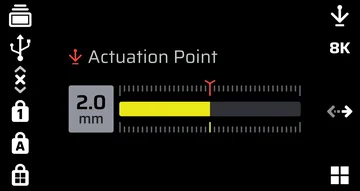
Actuation Adjustment (available in screen and app)
- Press FN + F12 to enter Actuation Adjustment Mode. Widget area of the screen will display current actuation point setting.
- Rotate the dial to adjust the actuation point.
- Press dial to save the setting and exit Actuation Adjustment Mode.
For optimal accuracy, the recommended range is 0.3mm-3.6mm. Setting the actuation outside the recommended range may result in higher sensitivity and effect consistency.
MANUAL SWITCH CALIBRATION MODE
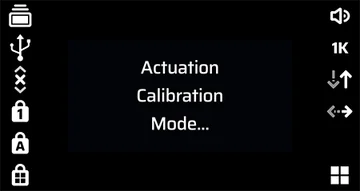
- Press FN + Game Mode for 2 seconds to enter Manual Actuation Calibration mode. Widget area of the screen will display 'Actuation Calibration Mode' until exit.
- Start pressing the button that requires calibration all the way to the bottom. The RGB light on the button will display the following colors and corresponding actions:
Red: Calibrating the press-down value
Blue: Press-down value calibration complete. Please release the button to calibrate the release value
Green: Calibration complete - Hold Game Mode button for 2 seconds to exit Manual Actuation Calibration Mode.
ELGATO STREAM DECK
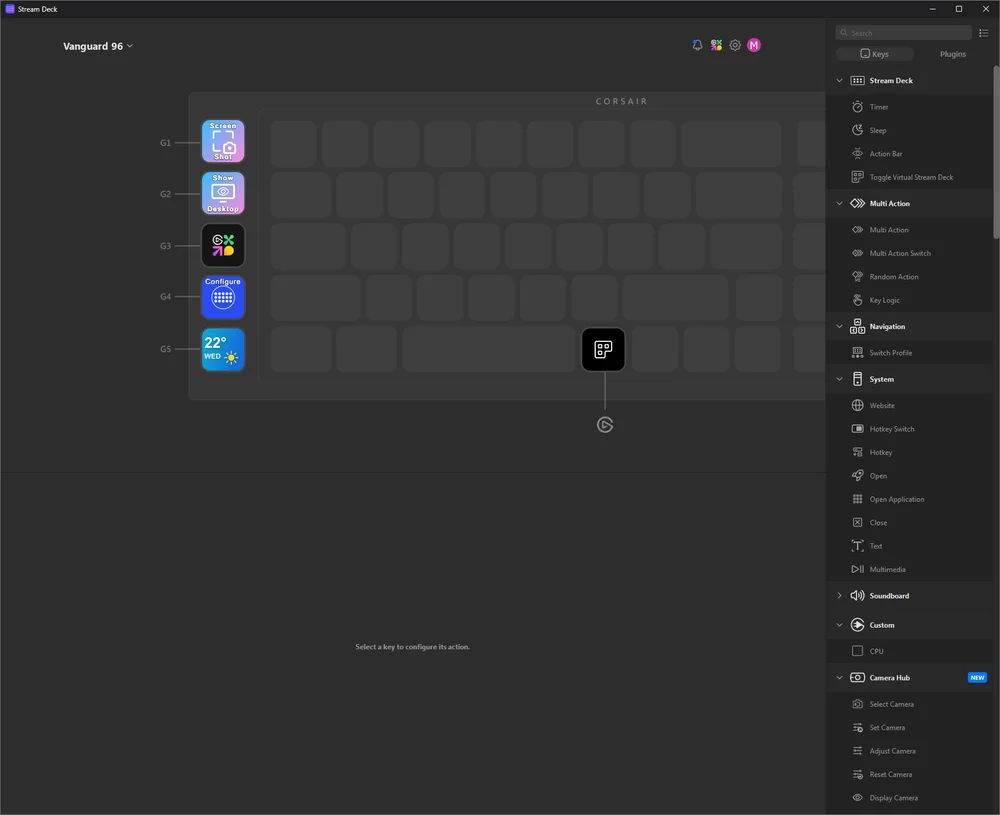
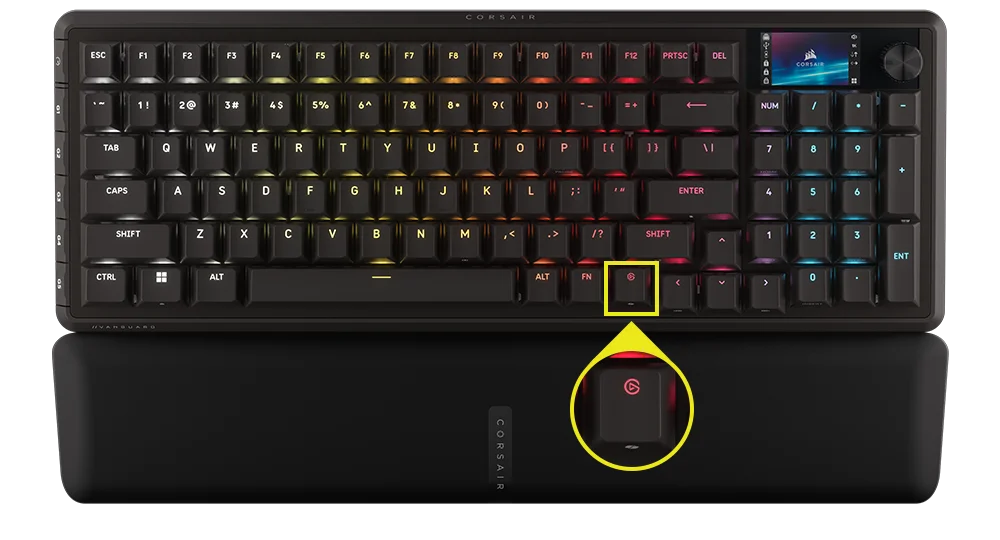
When Elgato software is installed and launched on your computer, it will automatically connect to the keyboard and launch VSD, enabling the five G-keys and the Elgato keys associated with the keyboard, all with their corresponding default functions.
If this does not activate automatically, you can select your device from the drop-down menu in the upper-left corner.
Navigate to the following link to download the software to manage the integrated Stream Deck: https://www.elgato.com/s/downloads
STANDARD SHORTCUTS
All below functions assume FN key is being held and action is activated upon press unless otherwise noted.
Default function shortcut, with printed icons.
| SHORTCUT | FUNCTION |
| FN + F1 | Scroll lock |
| FN + F2 | Profile |
| FN + F3 | Decrease brightness |
| FN + F4 | Increase brightness |
| FN + F5 | Stop track |
| FN + F6 | Previous track |
| FN + F7 | Play / pause |
| FN + F8 | Next track |
| FN + F12 | Dial mode |
| FN + M | Enter macro recording mode |
| FN + Enter | Screen action |
| FN + Left | Screen left |
| FN + Right | Screen right |
| FN + Win | Win lock |
| FN + Win for 5 sec. | PS mode |
| FN + R-Shift | Flash Tap |
| FN + F9 | Volume mute |
| FN + F10 | Volume down |
| FN + F11 | Volume up |
| FN + P | Pause |
| FN + 7 (numpad) | Home |
| FN + 1 (numpad) | End |
| FN + 9 (numpad) | PgUp |
| FN + 3 (numpad) | PgDn |
| FN + 0 (numpad) | Insert |
| FN + Stream Deck Launch Key | Copilot key |
MACRO RECORDING / CLEARING NOTES
- Enter macro recording: Hold FN + M key -or- Press dial in MR mode (Indication: Indicator breathes red )
- Press any series of standard keys to begin recording
- Stop recording: Press FN + M key -or- Press dial (Indication: Indicator blinks red)
- Press any key, FN + key or modifier (CTRL/SHIFT/ALT/ALTGR) + key
- If keys were recorded: Pressing that key or combination saves the macro
- If no keys were recorded: Pressing that key or combination clears any macro or function saved
LIGHTING SHORTCUTS
| SHORTCUT | LIGHTING EFFECT |
| FN + ` | Current HW profile lighting |
| FN + 1 | Horizon |
| FN + 2 | Watercolor |
| FN + 3 | Spiral Rainbow |
| FN + 4 | Rainbow Wave |
| FN + 5 | Type Lighting Key (random color) |
| FN + 6 | Type Lighting Ripple (random color) |
| FN + 7 | Color Shift (random color order) |
| FN + 8 | Color Pulse (random color order) |
| FN + 9 | Color Wave (random color order) |
| FN + 0 | Static Color |
| FN + - | Reduce Effect Speed |
| FN + = | Increase Effect Speed |
| FN + [ | Rotate Effect Left |
| FN + ] | Rotate Effect Right |
FACTORY RESET
Hold ESC key for two seconds while device is plugged in to erase onboard memory profiles and restore factory default settings.
PLAYSTATION MODE
- By holding FN + Windows key for 5 seconds, FW will change to PlayStation mode from standard mode
- To go back to standard mode from PlayStation mode, hold FN + Windows key for 5 seconds
- When entering PlayStation mode, Windows key indicator blinks white 5 times over 5 seconds when switching mode
- When changing to standard mode from PlayStation mode, Windows key indicator breathes white 2 times over 2 seconds when switching mode
In compatibility mode, the output is limited to:
- 13-keys + 7 modifier keys (RCtrl, LAlt, LShift, Windows, AltGr)
- Still output media keys
The actual polling rate may differ from the setting, due to PS USB interface limitations.
BIOS MODE
- By holding B and S keys while plugging in power via USB, FW will change to BIOS mode
- To get back from BIOS mode to standard mode, hold ESC key while plugging in power via USB (this will clear EEPROM, but does not perform factory reset)
In BIOS mode, the output is limited to:
- 6-keys + 5 modifier keys (RCtrl, LAlt, LShift, Windows, AltGr)
- Fixed at 125Hz polling rate
- No media keys output
COPYRIGHT / LEGAL INFORMATION
© 2025-2026 CORSAIR MEMORY, Inc. All rights reserved. CORSAIR and the sails logo are registered trademarks of CORSAIR in the United States and/or other countries. All other trademarks are the property of their respective owners. Product may vary slightly from those pictured.

RELATED CONTENT