The XENEON EDGE offers both USB Type-C DP-Alt and HDMI connection options. Using just USB Type-C by itself or both connectors will work the same depending on your setup. Let’s break it down.
USB Type-C DP-Alt
The USB Type-C interface is very flexible and can be used for a variety of tasks including power transmission to charge a device, video output for a display, audio, or all three. Some USB Type-C connections can transmit video in "Alt Mode," whereby they utilize a display transmission technology such as DisplayPort or Thunderbolt. The XENEON EDGE uses DisplayPort Alt, or DP Alt for short, which requires a USB Type-C cable with at least 20Gb/s of bandwidth.
This cable is included with the XENEON EDGE and can run all of the features of the device all by itself. That means it will do everything—video, data, and power—but there is one caveat. You must have a GPU with a USB-C port that offers video-out, which is quite rare these days.

The XENEON EDGE includes all necessary cables including a 20Gb/s USB Type-C cable and an HDMI-to-DisplayPort cable.
Both AMD and Nvidia used to offer this feature on their GPUs, as it was aimed at people using GPUs for VR. However, it seems likely that since that market never exploded in popularity, the USB Type-C port on discrete GPUs has largely gone by the wayside. AMD, for example, offered it on some of its previous-gen GPUs like the 6000 and 7000 series cards, but has left it out of its 9070 family of GPUs. Similarly, Nvidia does not offer it on any of its recent GPUs, with the last GPUs to sport this output being the RTX 20-series in 2018.
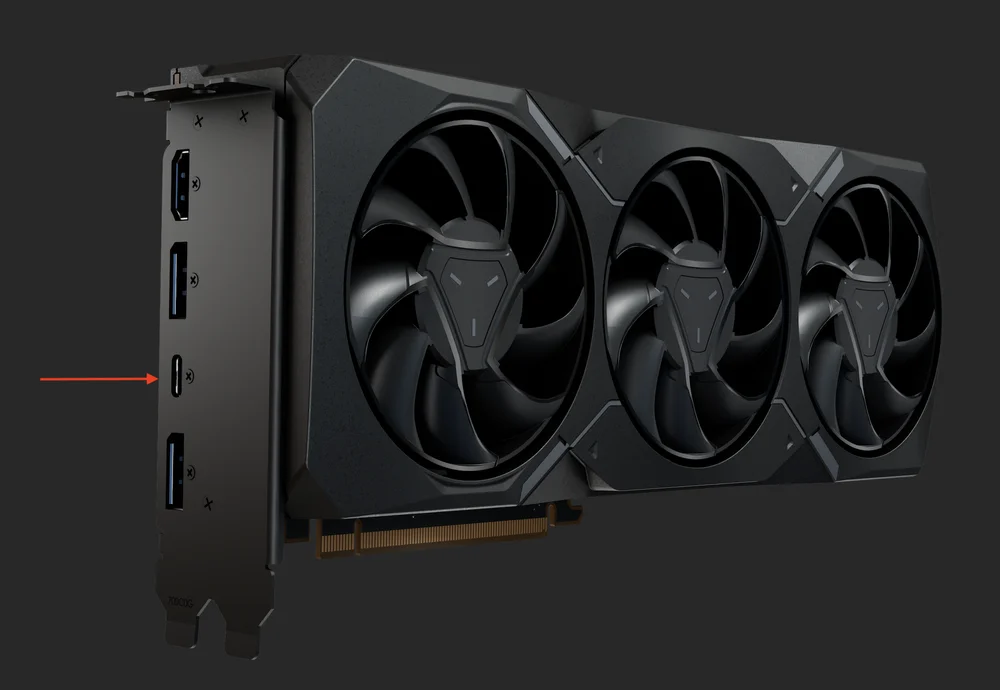
AMD used to include a USB Type-C port on its GPUs, but has abanonded the practice with its latest 9070 series cards.
It should be noted that in all circumstances a USB Type-C connection is required to power the XENEON EDGE.
HDMI
Since most GPUs don’t have USB Type-C for video-out, you will need to use the included HDMI-to-DisplayPort adapter for video transmission. This means you connect the XENEON EDGE to your GPU, right next to the cable that is already there for your main monitor. For most people, that means the USB Type-C cable will also be connected to the back of your computer in the I/O region next to your USB ports to power the touchscreen, as well as connected to your GPU via HDMI for video/audio. With both cables connected you will have 100% functionality of your XENEON EDGE, so this is how most people will be using it on a day-to-day basis.
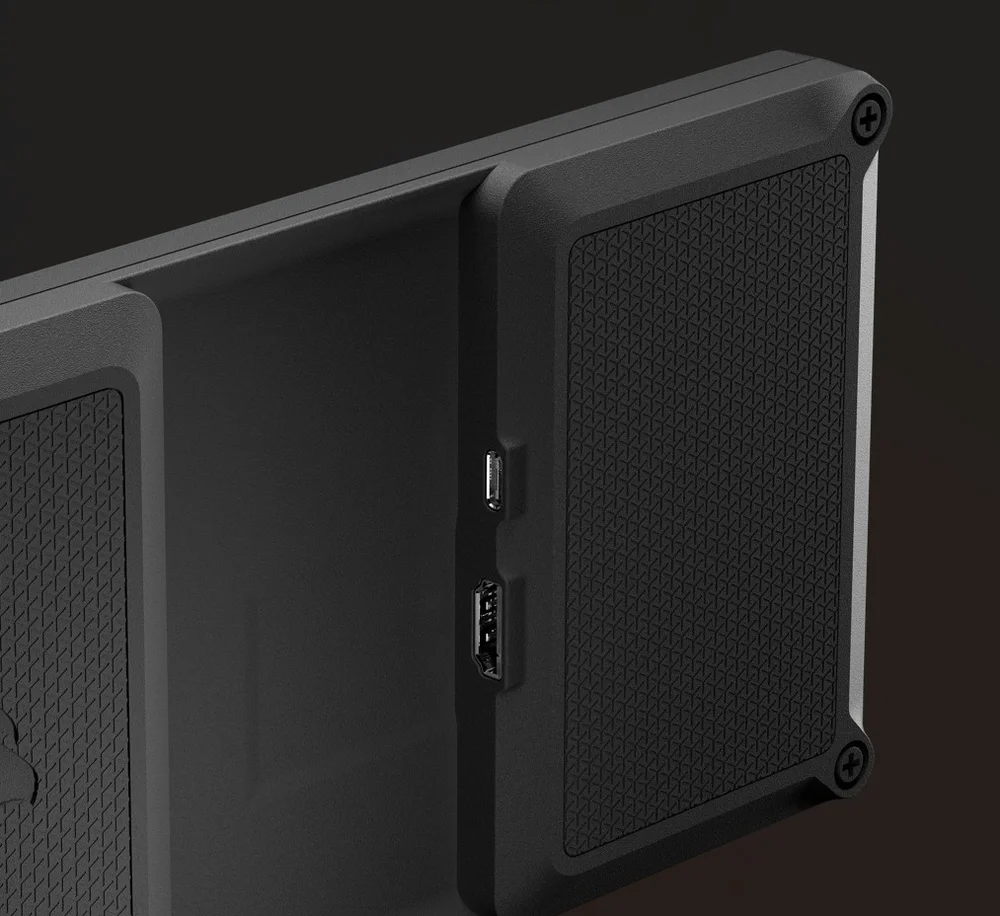
The USB Type-C connection (top) can be used all by itself if you have a GPU that offers USB Type-C for video out, otherwise HDMI (bottom) is required.
Best Use Case for USB Type-C DP-Alt Mode Only
For most people, the most common scenario for using only one cable instead of two will be on a laptop, as a USB Type-C connection with video-out is much more common, as that also includes Thunderbolt 3 and 4, which are usually found on laptops. However, if your discrete GPU supports it and you want one less cable to deal with, it will certainly work for desktop setups as well.
РЕГИСТРАЦИЯ ПРОДУКЦИИ