The CORSAIR GALLEON 100 SD is a premium keyboard with a built-in Elgato Stream Deck. To truly unlock its full potential, it is important to get familiar with CORSAIR Web Hub, the interface that powers it all. In this guide, we’ll explore how CORSAIR Web Hub helps tailor the GALLEON 100 SD to fit into any setup and adapt to any task.
What Is CORSAIR Web Hub?
CORSAIR Web Hub is a browser-based configurator tool that lets users customize nearly every keyboard aspect of the GALLEON 100 SD, without installing any software.
Through CORSAIR Web Hub, users can customize:
- Lighting Effects
- Key Assignments
- FlashTap/SOCD Configuration
- Game Mode Profiles
- Device Settings
After configurating the GALLEON 100 SD, all settings are saved directly to the keyboard, eliminating the need to have a program running in the background.
Customizing Lighting Effects
One of the easiest ways to make a keyboard feel unique is through the lighting, and the GALLEON 100 SD gives users plenty of control.
From Corsair Web Hub users can adjust:
- Per-key RGB lighting
- Brightness levels
- Static or dynamic lighting effects
- Color zones and themes
- Hardware lighting profiles
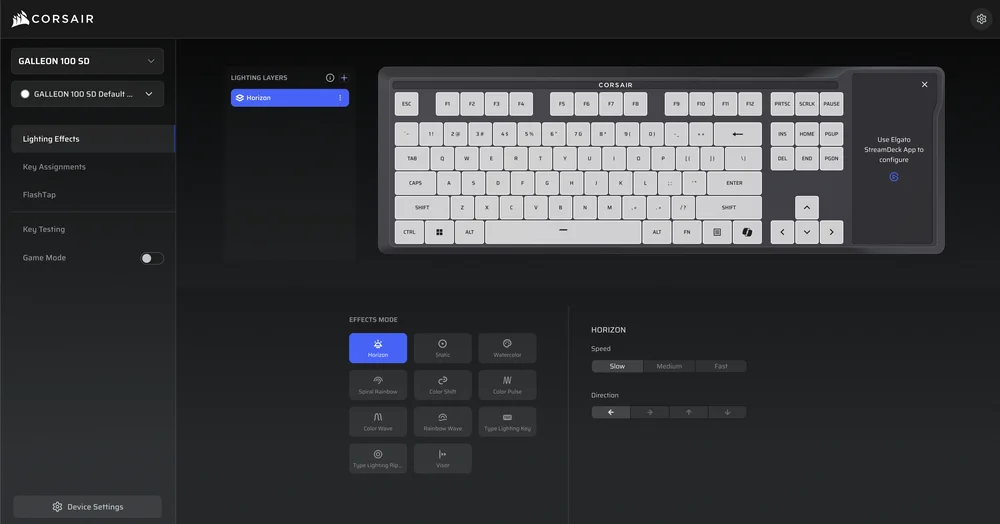
These changes will apply in real time, allowing users to instantly see how their adjustments affect the keyboard’s appearance. This makes it easy to experiment with different lighting styles, fine-tune settings, and find the perfect look without any guesswork or delays.
Key Assignments and Keyboard Behavior
Web Hub also enables key reassignment and behavior customization. Users can remap keys, assign secondary functions, or tailor specific inputs to better suit their playstyle or workflow.
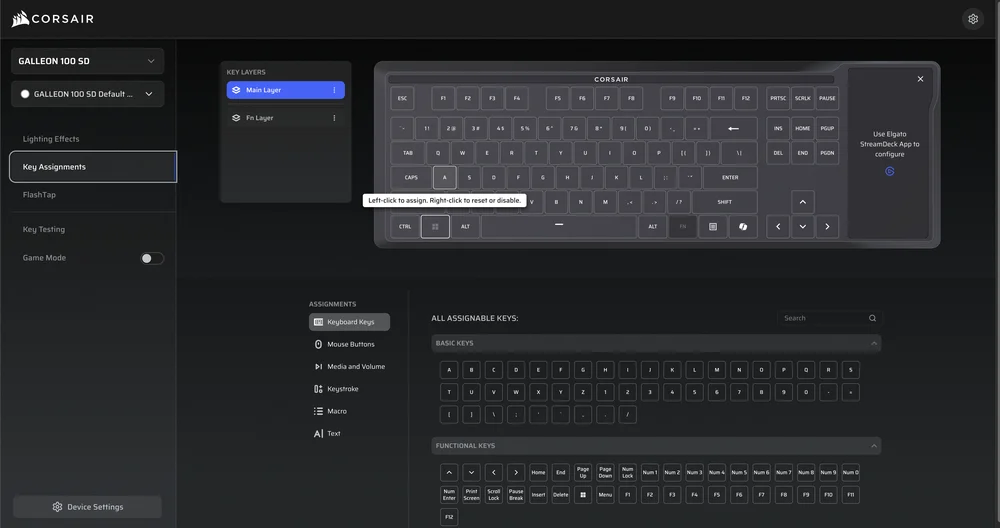
This is particularly useful for:
- Optimizing layouts for different games
- Adjusting keys for productivity or accessibility
- Fine-tuning controls without external macro software
Unlike Stream Deck actions, which are handled through Elgato’s Stream Deck software, these changes affect the core keyboard layer, ensuring consistent behavior in Hardware Mode, competitive play, or console use.
FlashTap SOCD Configuration
One of the most advanced features accessible through Web Hub is FlashTap SOCD (Simultaneous Opposing Cardinal Directions) control. FlashTap determines how the keyboard handles conflicting directional inputs, such as pressing left and right at the same time.
Users can configure FlashTap to:
- Assign FlashTap to any two keys
- First input priority
- Last input priority
- Neutral mode
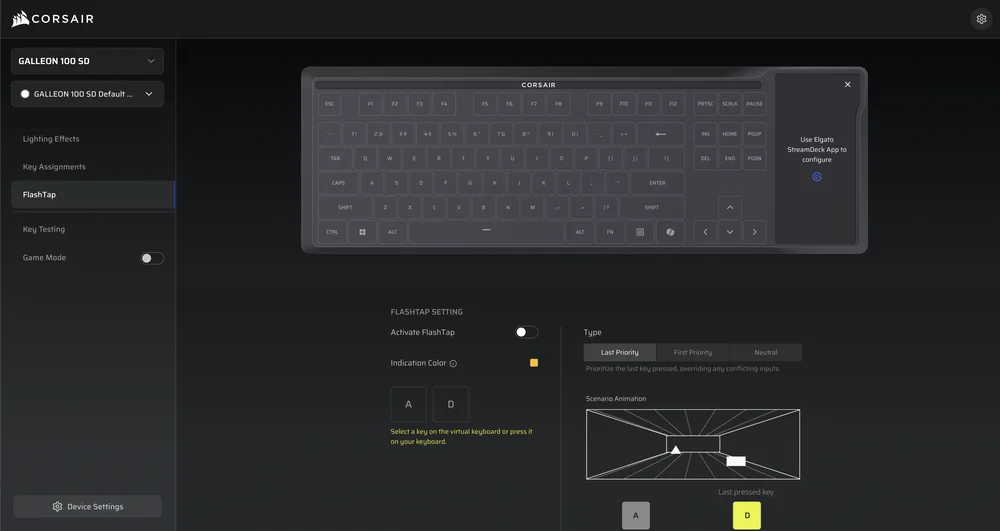
By enabling and customizing FlashTap SOCD, the GALLEON 100 SD turns from a keyboard for productivity to a high-end competitive gaming keyboard.
Game Mode
Game Mode in CORSAIR Web Hub allows users to create a custom profile designed specifically for competitive play.
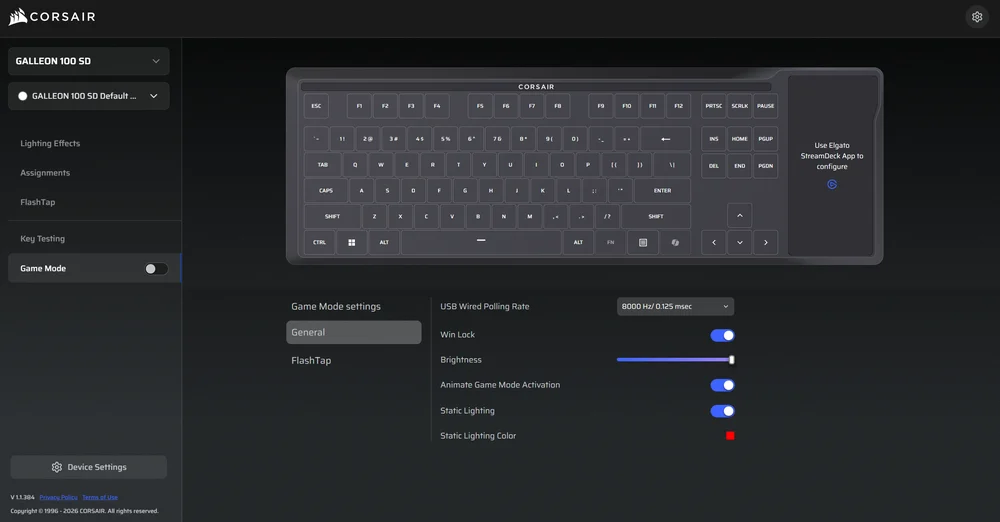
The settings that can be adjusted include:
- USB Wired Polling rate
- Win Lock
- RGB Brightness
- Animate Game Mode Activation
- Static color lighting
- FlashTap
Once configured, Game Mode helps reduce distractions and improve responsiveness, ensuring the GALLEON 100 SD stays focused on performance. Features like accidental Windows key presses, unwanted lighting changes, or unintended inputs can be minimized or eliminated completely.
Device Settings
Device Settings provide a deeper control over the GALLEON 100 SD’s hardware behavior, allowing users to fine-tune the keyboard and maximize performance.
Key adjustable device settings include:
- Firmware Updates
- USB Wired Polling Rate
- Current Key Layout
- Win Lock
- RGB Brightness
- Switch Debounce Time
- Factory Reset Button
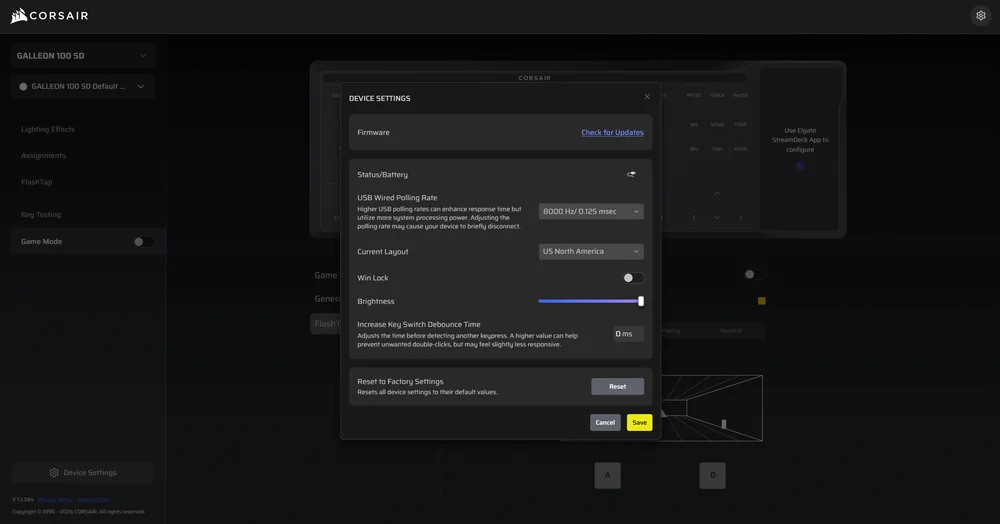
Together, these settings give users full control over all aspects of the keyboard, ensuring that the GALLEON 100 SD remains consistent, responsive, and adaptable across different setups.
CORSAIR CTRL Plugin for Stream Deck
The CORSAIR CTRL plugin is the primary integration tool designed for the GALLEON 100 SD, bringing CORSAIR Web Hub controls directly into the built-in Stream Deck. Instead of relying solely on a browser-based configurator, users can manage key keyboard settings instantly through customizable Stream Deck buttons.
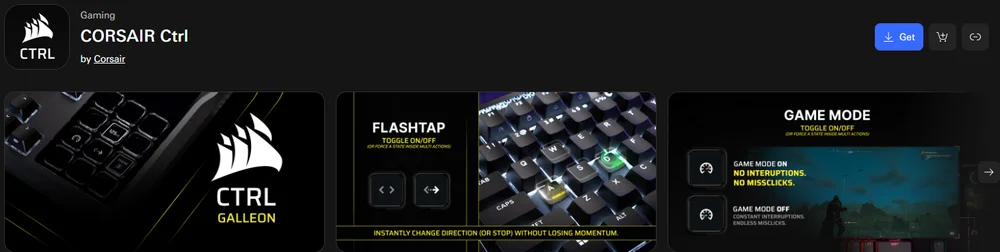
With CORSAIR CTRL users can control:
- FlashTap SOCD Activation
- Game Mode Profile Activation
- Polling Rate
- RGB Lighting Controls
- RGB Brightness
- Profile Selection
This integration makes it easier to manage the GALLEON 100 SD, whether you’re gaming, streaming, or working. CORSAIR CTRL is available now for download through the Elgato Marketplace, making setup quick and accessible right out of the box.
REGISTRO DE PRODUTOS
Stay up to date with CORSAIR. Get our latest News, Guides, and Product Updates in your Google feeds.
Add CORSAIR as a preferred source
JOIN OUR OFFICIAL CORSAIR COMMUNITIES
Join our official CORSAIR Communities! Whether you're new or old to PC Building, have questions about our products, or want to chat about the latest PC, tech, and gaming trends, our community is the place for you.