BLOG
CORSAIR Fan Lineup Explained
Keeping your system cool is crucial for optimal performance and longevity of your PC. However, nowadays it’s not just about airflow. With the introduction of ARGB lighting, PC enthusiasts have turned their focus towards aesthetics. But, apart from the bling and pretty colors that CORSAIR fans offer, our fans are also built for performance, durability, and quiet operation.
FRAME 4000D with RS120 fans
Fan Categories: iCUE LINK vs 4-Pin PWM
These days CORSAIR fans are largely separated into these two categories. If you want to connect your fans to the motherboard, or to a fan controller, we offer PWM fans with a 4-pin connector for power and/or RGB. Taking this route lets you use the motherboard software, and fans can be daisy-chained together to simplify cable management.
The video below shows how 4-pin PWM fans can be daisy-chained together and connected to the motherboard for a simple and quick setup.
If you're looking for something more advanced, iCUE LINK fans are premium components and offer more features than standard PWM fans in that they connect to each other with a single cable for power and data for easy cable management, and are all controlled through iCUE Software. Once the fans are all connected, they are automatically detected and configured in iCUE and it’s easy to sync fan speeds and RGB using the software. You can monitor and adjust settings on each individual fan in iCUE too, which is not possible with a group of PWM fans connected to each other, as they can only be controlled as a group.
The video below shows iCUE LINK simplifies PC building by using a single cable to connect all compatible devices, making cable management easier than ever before.
iCUE LINK Fans Overview
iCUE LINK QX RGB
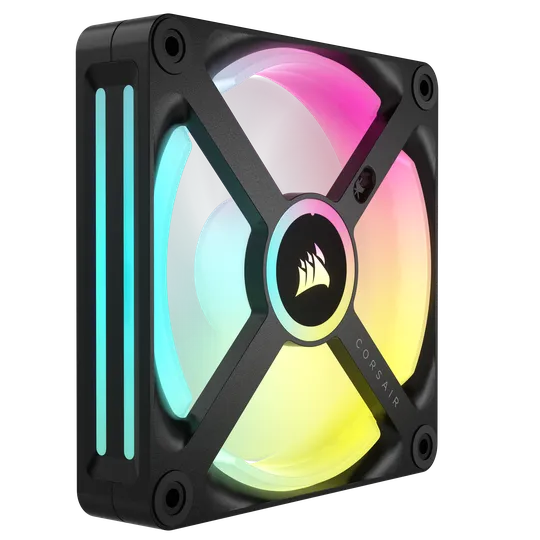
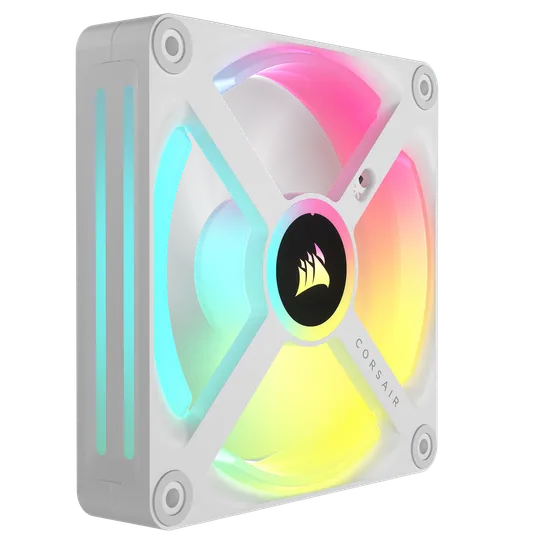
The QX RGB provide exceptional cooling performance, speed control, and lighting customization. These fans feature the popular Time Warp effect and to truly appreciate this unique lighting effect, you must see it in person. The Time Warp effect can make the QX RGB fans appear to be still, rotate slowly, or rotate in reverse, even though the fan is actually running normally.
They feature two RGB light bars on the side, making them excellent for radiators or a PSU shroud where you can see the side of them. Each fan features 34 RGB LEDs with four separate lighting zones, hence the "Q" in their name for quad.
The iCUE LINK QX RGB fans are available in black or white in 120mm or 140mm sizes and are sold as a triple-pack of 120mm fans and as a dual-pack of 140mm fans.
iCUE LINK RX, RX RGB, RX MAX
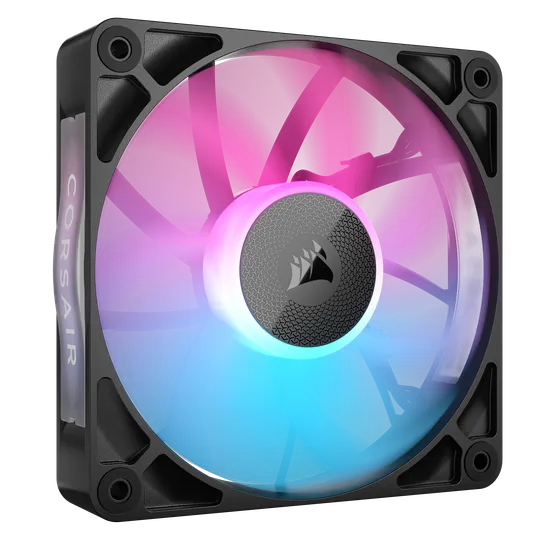
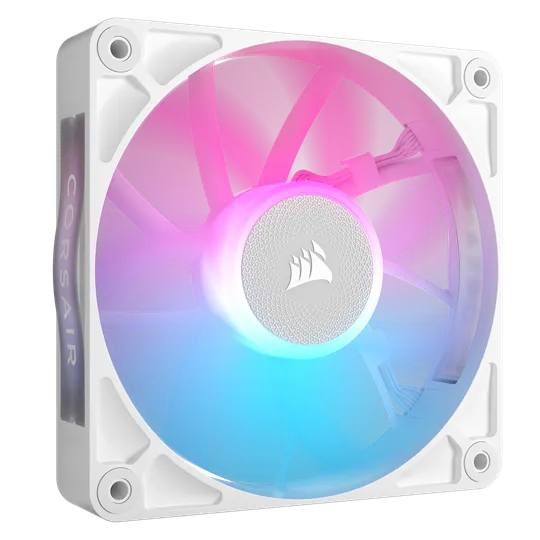
The RX Series fans excel as both a case and/or a radiator fan and come standard on the TITAN AIOs due to their ability to force a lot of air through a dense radiator with very low noise. These are top-tier fans with a Magnetic Dome bearing, AirGuide anti-vortex vanes for focused cooling, and 8x RGB LEDs per fan. They also feature removable badges on the side for visible lighting effects through the side of the fan.
The RX fans are available in a wide array of styles, including MAX fans that are 5mm thicker than standard 25mm fans for increased airflow with lower fan speeds, ARGB and non-RGB, 120mm and 140mm, and in black or white.
iCUE LINK LX, LX-R RGB
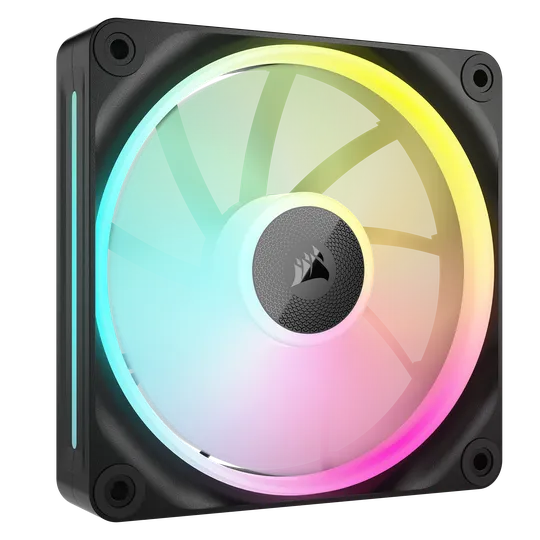
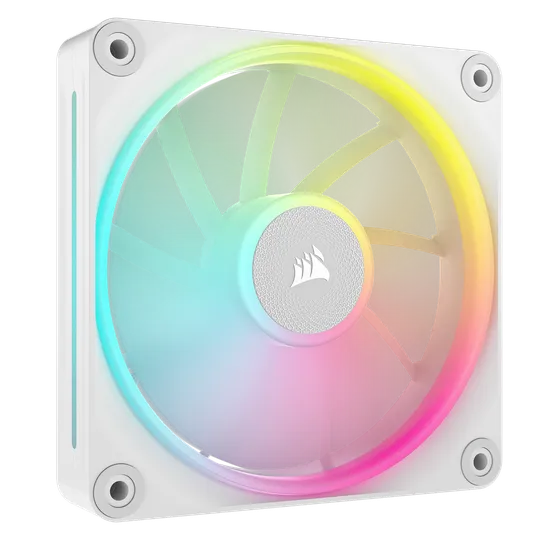
The CORSAIR LX RGB fans are related to the QX fans, albeit with two light loops instead of four, and one light bar on the side instead of two. They are effective as both case fans and radiator fans due to the use of AirGuide technology, which concentrates the exhausted air into more of a cylinder that's effective at pushing air through restrictive parts of a PC like the dense fins of radiators and the heatsinks of air coolers.
Th LX Series are available as traditional fans and in reverse-rotor trim, which is called LX-R. These fans are designed to be used as intake fans mounted on the side or bottom of a case, as this allows you to see their full RGB without any of the protective bars on the back of the fan getting in the way. This article explains the benefits of using a reverse-rotor fan for side intake.
They are available in black and white, and in 120mm and 140mm sizes.
The video below shows how the LX-R reverse-rotor fans work, in that they suck air in from behind them and exhaust it out the front, making them ideal for side-or-bottom mounted intake fans as you get unobstructed RGB lighting.
4-PIN PWM Fans
RS Series
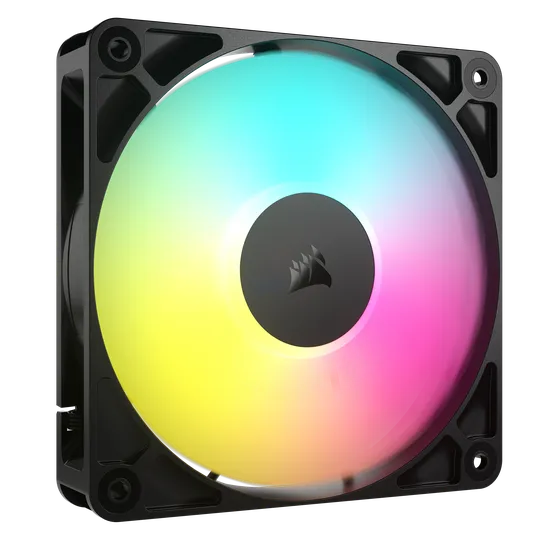
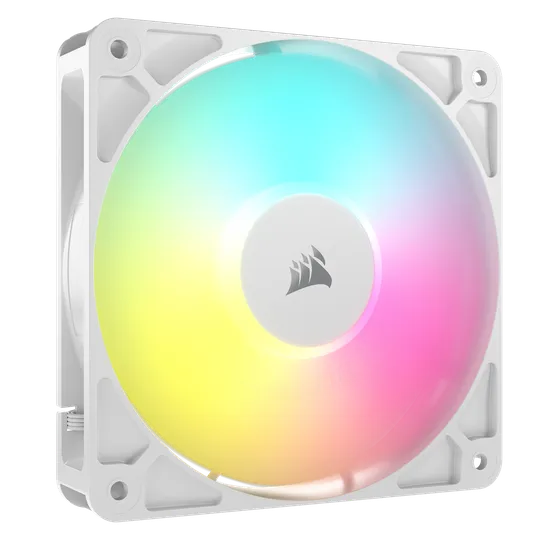
As of 2026, CORSAIR is offering one fan series for 4-pin PWM setups, and it’s the RS series. This is a premium fan that does everything well, and it is available in a several different versions to satisfy the needs of system builders of all kinds.
The RS Series are designed to provide excellent airflow when used as case fans or when used as fans attached to a radiator, so they are true “jack of all trades” cooling fans. Their signature features include:
- AirGuide Technology: Sculpted fan blades and anti-vortex vanes that focus the airflow directly behind the fan for concentrated cooling. This works especially well in radiator setups, but also makes them effective case fans as well as the airflow coming out of them is focused and not just dispersed into a wide pattern inside your chassis.
- Zero RPM Mode: This feature lets you configure the fans so they don’t spin at all if system temps are low, so it’s for people who enjoy truly quiet computing. This is not the fans’ default state though, so it must be configured in the BIOS using a custom fan curve.
- Magnetic Dome Bearing: Each fan uses a premium bearing to reduce metal-on-metal contact as the shaft rotates, which makes the fan quieter in operation and also boosts longevity since there is less physical contact between rotating parts.
In addition to the above features, these fans can be daisy chained together using a single 4-pin PWM and a +5V ARGB header from your motherboard. This means that the speeds and RGB lighting can be controlled directly from your motherboard, so you don't need iCUE, just the ARGB software from your motherboard's brand. ASUS Aura Sync, MSI Mystic Light Sync, ASRock RGB, and Gigabyte RGB Fusion are all compatible here.
RS Series Versions
The RS Series fans are offered in several versions to fit your build.
- RS: This is the non-RGB version of the fan, available in 120mm and 140mm.
- RS ARGB: This version includes 8x RGB LEDs and is available in 120mm and 140mm in black or white.
- RS120 Max: This is a non-RGB 120mm fan that is 5mm thicker than standard, going from 25mm to 30mm.
CORSAIR FAN SPECS
iCUE LINK Fans
RS SERIES FANS
Final Thoughts
CORSAIR has a wide variety of fans for all types of builds, from unassuming "stealth" builds without RGB to fully illuminated super towers with more fans than a data center. iCUE LINK fans offer an incredibly easy setup with effortless cable management and precise control over every aspect of cooling and lighting, while 4-pin PWM fans are a bit more affordable and offer easy setup and management with your motherboard's software. No matter which type of fan you choose, CORSAIR fans offer quiet operation and excellent performance, so you really can't go wrong.
ENREGISTREMENT DU PRODUIT
Stay up to date with CORSAIR. Get our latest News, Guides, and Product Updates in your Google feeds.
Add CORSAIR as a preferred source
JOIN OUR OFFICIAL CORSAIR COMMUNITIES
Join our official CORSAIR Communities! Whether you're new or old to PC Building, have questions about our products, or want to chat about the latest PC, tech, and gaming trends, our community is the place for you.