If you’re starting to plan building (or upgrading) a PC with an AMD Processor, then AM4 vs AM5 sockets is the fork in the road that decides everything downstream, which Ryzen CPUs you can use, what RAM you’re buying, and your upgrade path.
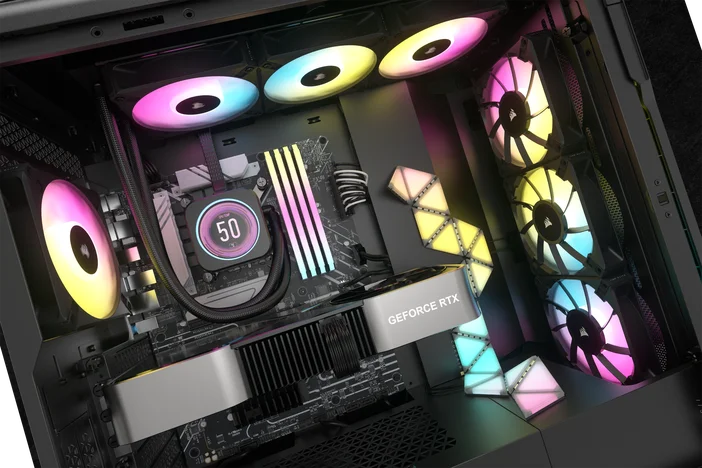
Think of a CPU socket like a console generation. You can swap games (CPUs) inside that generation, but once the next console (socket) hits, you don’t get the new exclusives without new hardware.
- Socket AM4 is AMD’s long-running DDR4-based platform. It supports a wide range of Ryzen chips and motherboards, and it remains reliable and offers great value if you want strong gaming performance without paying a new-platform premium. AMD AM4 motherboards based on the AM4 socket feature DDR4 memory and (on newer boards/CPUs) PCIe 4.0 for NVMe and graphics.
- Socket AM5 is the newer platform introduced with Ryzen 7000 and built around modern standards - DDR5, PCIe 5.0, and newer chipsets with more I/O and features. AMD’s AM5 chipset lineup highlights dual-channel DDR5, AMD EXPO support, and PCIe 5.0 support, depending on the chipset tier
In a nutshell, think of AM4 as the platform that offers the best bang for your buck in terms of price/performance ratio if you are upgrading a current build from the previous generation. It supports Ryzen 1000-5000 series CPUs. And AM5 would be the better option for upgrades, especially for long-term or future-proofing your build, because it supports DDR5 and newer CPUs, such as Ryzen 7000/9000+ series.
For gamers considering AM4 motherboards, it's a solid choice because the technology is mature, making it a proven, reliable platform. Plus, there are tons of AMD CPU options you can choose from. That said, you will be limited to only AM4-compatible CPUs, unlike AM5, where AMD is actively pushing latest-gen CPUs and is committed to supporting them through 2027 and beyond. This is where future-proofing your PC will affect your decision-making, especially if you are in the habit of swapping the CPUs in the future.

For RAM, it’s pretty clear-cut, with only one option. AM4 motherboards must use DDR4, while AM5 motherboards can only use DDR5. If you are a gamer, you will see performance gains, such as higher FPS in competitive games optimized for 1080p resolution. So, if you are in the hunt for a DDR5 kit for your AM5 build, we offer a wide variety of DDR5 RAM kits for all types of PC builds, from gaming to productivity.
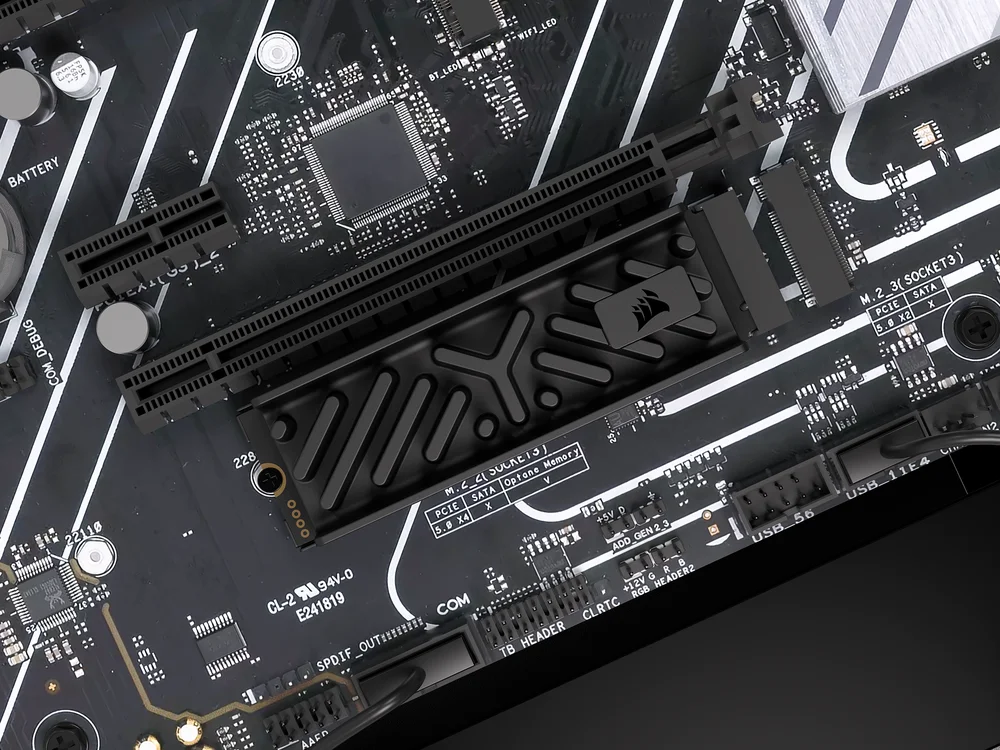
One of the biggest changes from AM4 to AM5 boards is support for PCIe 5.0. That’s true, so it’s only right that AMD make that a key feature since it’s a newer PCIe gen. But in some applications, particularly gaming, video cards don’t usually get a huge uplift from PCIe 5.0 vs 4.0. The real benefit is in the storage interface. With PCIe 5.0, you can harness the power of ultra-fast storage solutions, significantly reducing load times and improving overall system responsiveness.
Gen5 NVMe SSDs, such as CORSAIR MP700 PRO XT SSDs, can be considered as a true “next-upgrade” for an AM5 build, because it not only surpasses the read/write of PCIe speed, but also take advantage of Microsoft DirectStorage, which enables your SSD to communicate directly with your graphics card when playing compatible games, for unbelievably fast load times.
And if you are unsure about CPU cooler being specific to one socket, that is not the case. AM5 uses the same CPU cooler bracket size as AM4, so if you’re already running a CPU cooler on AM4, you typically don’t need new brackets when moving to an AM5. Check CORSAIR’s Liquid CPU Coolers that are compatible with both AM4 and AM5 platforms.
If you’re building a new system and want to upgrade your CPU later without changing the motherboard and RAM, AM5 is the right choice. It supports DDR5 and is a socket AMD intends to support for many years.
If you already own an AM4 motherboard or are aiming to keep costs low for a GPU-focused gaming build, AM4 remains a wise choice - DDR4 and AM4 motherboards tend to be cheaper, allowing you to allocate more budget to the most important component for gaming, like a graphics card.
JOIN OUR OFFICIAL CORSAIR COMMUNITIES
Join our official CORSAIR Communities! Whether you're new or old to PC Building, have questions about our products, or want to chat about the latest PC, tech, and gaming trends, our community is the place for you.