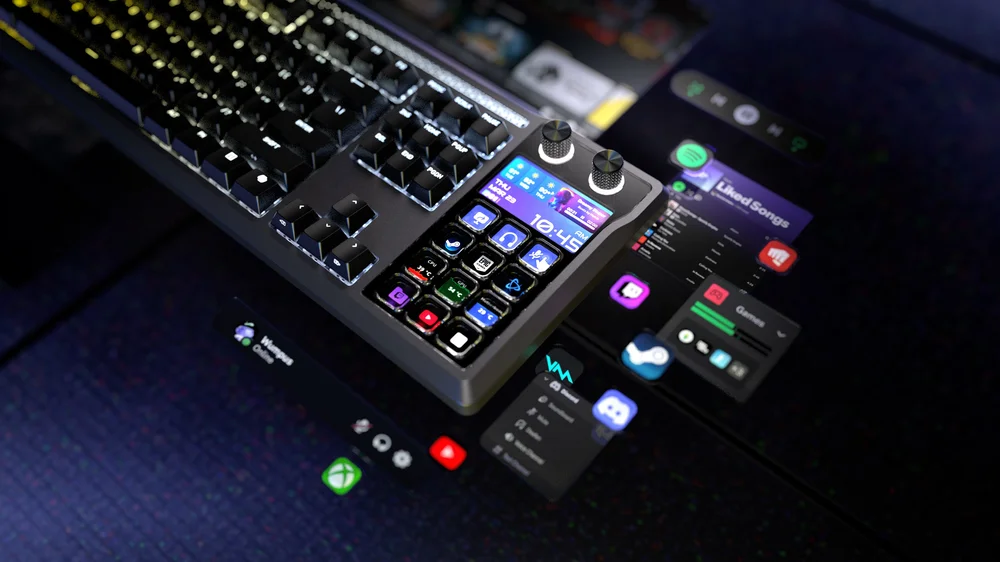
One of the defining aspects of the CORSAIR GALLEON 100 SD is the fully-featured integrated Stream Deck, complete with two dials and a brilliant LCD screen beneath the 12 Stream Deck keys. Having a Stream Deck at your fingertips unlocks all of the many benefits of the Stream Deck ecosystem, built right into the GALLEON 100 SD.
The Stream Deck application allows for complex and varied configurations, while also being quite approachable and easy to get started with.
Stream Deck Software
To begin with, you will want to be sure that the Stream Deck software is installed and running on your system. Within the Stream Deck software, GALLEON 100 SD will be detected and appear as a Stream Deck device. When selected, you will see the grid of buttons with the dial screen above.
What is a Stream Deck Action?
Stream Deck is customized by assigning various Actions to the input methods. Whether pushing a button or rotating/clicking a dial, performing those inputs will trigger an Action within the Stream Deck software.
Common Actions Include:
- Switching streaming scenes
- Adjusting audio levels or changing audio devices
- Controlling Discord, Spotify, OBS, or other application functions
- Displaying live widgets like CPU usage or Twitch stats
Setting Up an Action with Drag and Drop
When viewing the GALLEON 100 SD Stream Deck configuration within the Stream Deck software, all of the possible Actions to choose from will appear in a panel to the right. Note that the Actions are divided between Keys and Dials, as they provide different functionality; you will need to use Keys Actions on Stream Deck Keys, and Dials Actions on Stream Deck Dials.
- Search or scroll through the list to find an Action that you wish to assign to a Stream Deck key or dial
- Drag the Action onto the Stream Deck key or dial of your choosing
- Configure the newly assigned Action
a. For example, when assigning the CORSAIR Ctrl “Polling Rate” Action, you have the choice to either Cycle through all polling rate options when that key is pressed, or pressing the key can assign a specific polling rate instead - After dragging an Action onto a key or dial, that Action is immediately enabled; you will see the icon on the key or below the dial, and clicking/interacting will cause the Action to occur
Going Deeper with Icons, Pages, and Folders
Beyond assigning Actions to keys or dials, you can also customize the experience even further within the Stream Deck software.
Icons -
- Each Key Action will have a default icon that is shown when the Action is assigned
- Press the plus icon in the top left of the icon window to open the Icon Library and select a new icon to display, or press the chevron in the upper right to upload your own file or return to default
Pages -
- Grouping actions by category will greatly help with usability of Stream Deck, and also allow you to assign more than 12 actions to the keys
- Create an additional page for actions by clicking the plus icon on the right of the bar of pages below the Stream Deck layout shown in Stream Deck software
- By default, each new page will include a Previous Page action on the lower left key, and if you create an additional page, the now second-to-last page will also add a Next Page action in the lower right; these navigation keys can be deleted or re-added using the actions list
Folders -
- Withing a given page of actions, you might want to organize the actions even further with Folders; these could be folders containing various actions to open web pages, folders of emojis, or anything else that benefits from a bit more organization in this way
Advanced Multi Actions
There’s no reason to stop at single actions for each key, even with the organization methods already covered. Stream Deck also supports Multi Actions, which as the name implies will trigger multiple actions with a single press.
- Drag the “Multi Action” Action onto a Stream Deck key when customizing within the Stream Deck software
- The Multi Action will automatically expand to allow customization of the actions that will trigger
- Drag actions from the right panel into the Multi Action configuration window, customizing each individual action as needed
- When the Multi Action key is pressed, the series of actions will trigger in order as defined
Note that delays can be configured if needed, using the Delay action at the top of the action list
A CIKKBEN SZEREPLŐ TERMÉKEK
JOIN OUR OFFICIAL CORSAIR COMMUNITIES
Join our official CORSAIR Communities! Whether you're new or old to PC Building, have questions about our products, or want to chat about the latest PC, tech, and gaming trends, our community is the place for you.