MANUAL | QUICK START GUIDE
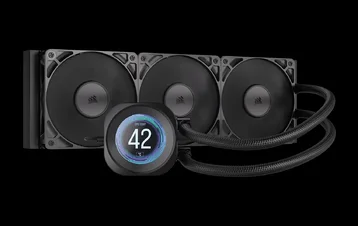
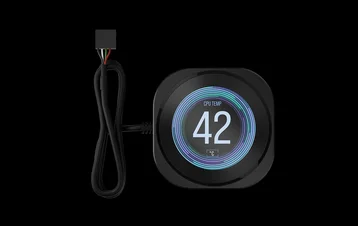
CORSAIR NAUTILUS RS LCD SCREEN MODULE
LCD SCREEN CAP FOR NAUTILUS RS LIQUID CPU COOLERS
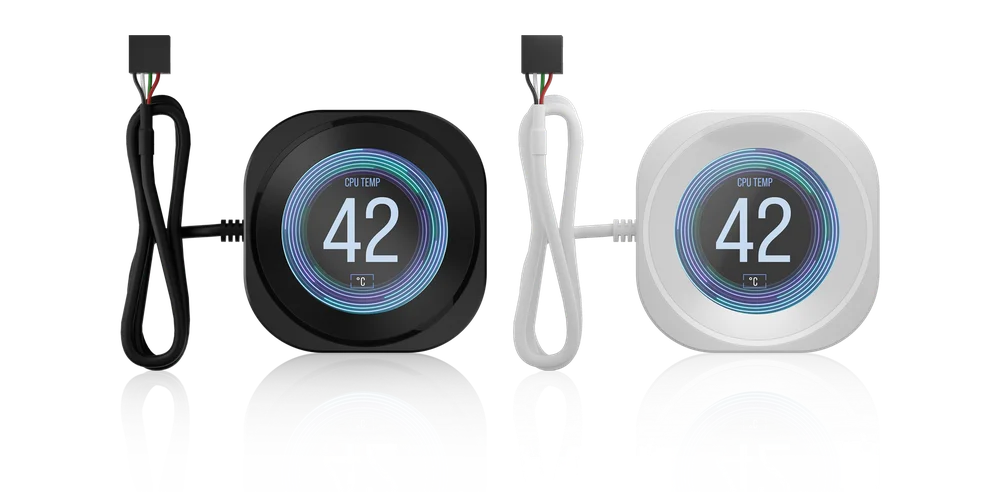

BEFORE YOU START
PACKAGE CONTENTS
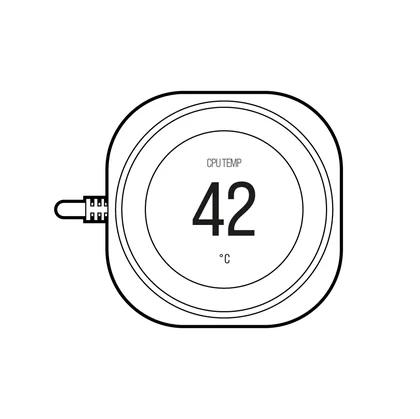
1x NAUTILUS RS LCD Screen Module

INSTALLATION
LCD MODULE INSTALLATION
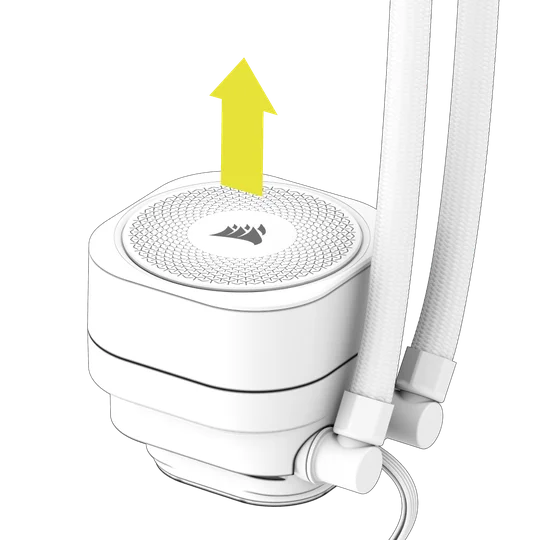
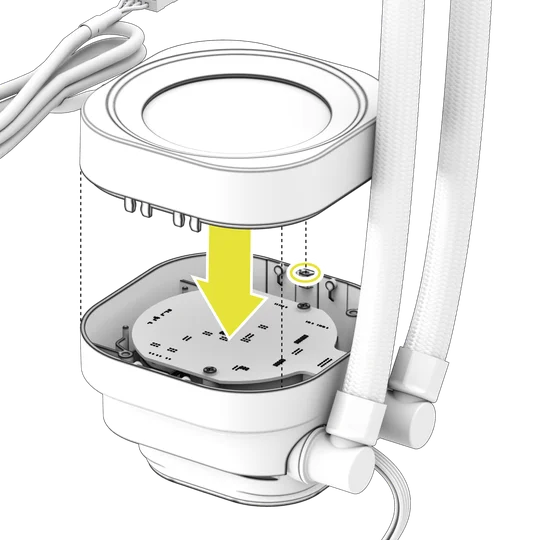
1. PREPARE YOUR NAUTILUS RS LIQUID CPU COOLER
With a firm grip, gently pull the Pump Cap away from the pump base.
2. INSTALL THE NAUTILUS RS LCD SCREEN MODULE
Align the guide pin on top of the module with the pump base, then gently push the NAUTILUS RS LCD Screen Module onto the pump base to latch it in place.
CABLE CONNECTION
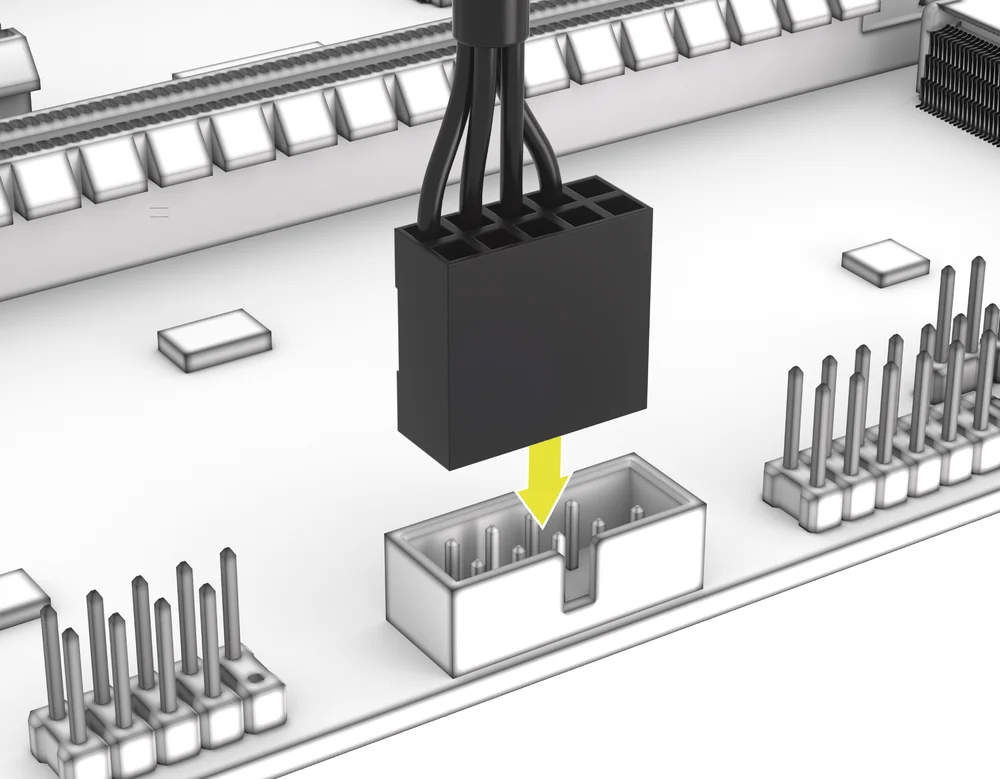
- Connect the USB 9-pin connector from the NAUTILUS RS LCD Screen Module into a USB 2.0 header on your motherboard so that the red wire is aligned with the power pin in the USB 2.0 header.
SOFTWARE SETUP
1. INSTALL iCUE
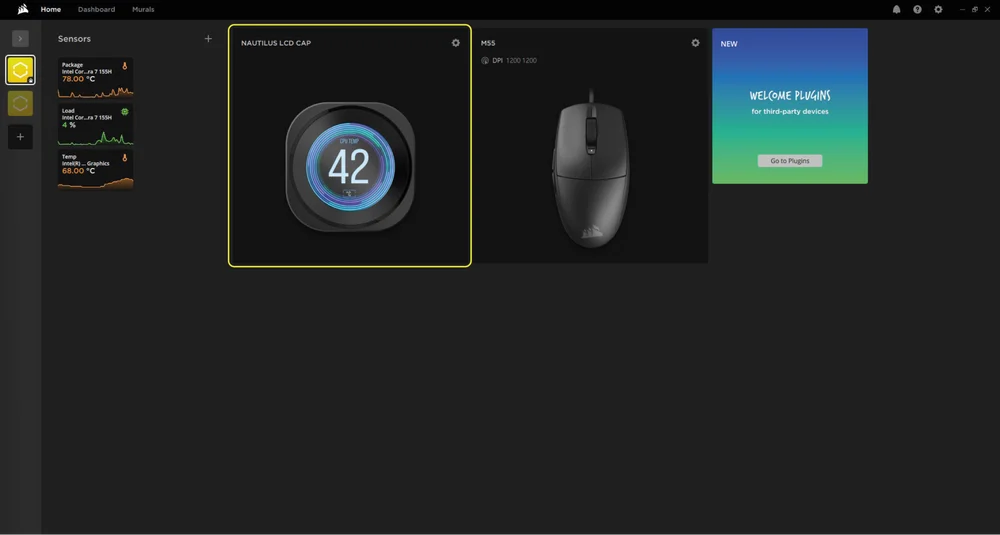
- Once iCUE is installed, run the software. The NAUTILUS LCD CAP will appear in the iCUE interface.
2. CHECK FOR UPDATES
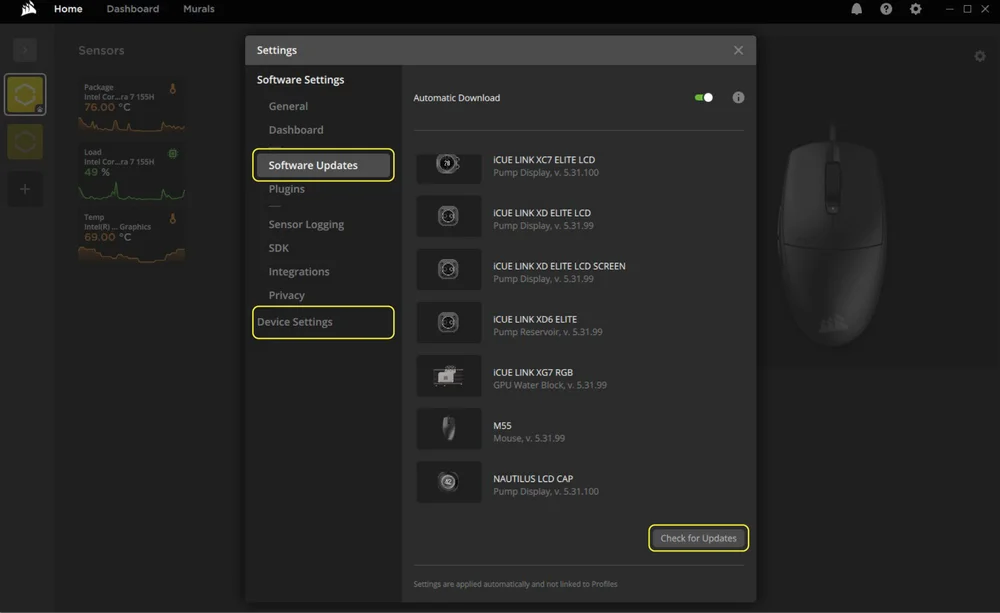
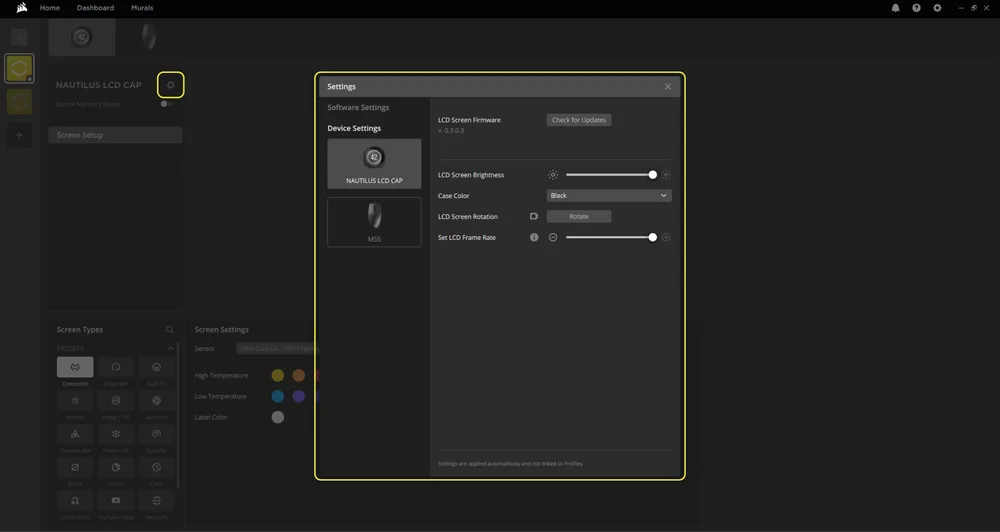
- If any of the connected devices need a firmware update, you will be prompted to perform an update via a notification in the top right corner. You can also click the settings (cog wheel icon in the top right corner) and check for the software and firmware updates manually.
3. SCREEN SETUP
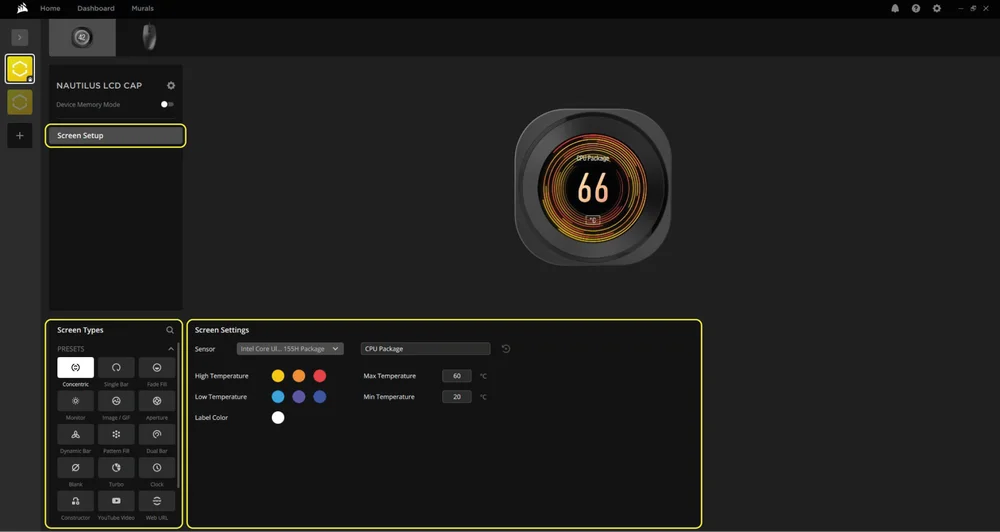
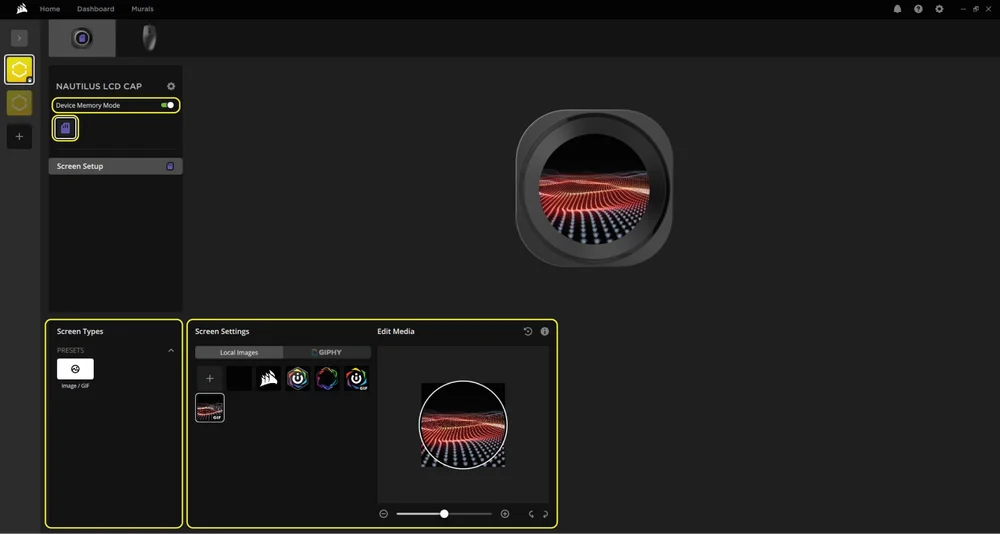
Choose what will be displayed on the NAUTILUS LCD CAP when the iCUE software is running:
- Click "Screen Setup" to access the screen setup page.
- Select the a desired preset from the "Screen Types" panel.
- Adjust the selected preset in the "Screen Settings" panel.
4. DEVICE MEMORY MODE
Choose what will be displayed on the NAUTILUS LCD CAP when the iCUE software is not running - usually during the computer startup phase:
- Toggle the "Device Memory Mode" by clicking the button.
- In the “Screen Settings” panel, select one of the available images or upload your own.
- Click on the save icon to save the setting.
5. DEVICE SETTINGS
- Click the settings cog wheel icon next to the device name.
- Configure the screen brightness, device color, screen rotation and LCD frame rate.
FREQUENTLY ASKED QUESTIONS
Can I install the NAUTILUS RS LCD Screen Module while my computer is on?
To ensure proper operation, only install the NAUTILUS RS LCD Screen Module while your computer is powered off.
How do I rotate my images and/or GIFs with iCUE?
Once the LCD screen is recognized by iCUE, you can manipulate images and GIFs in the device settings screen. This includes uploading new content as well as rotating the images directly within the iCUE software.
Can I install the NAUTILUS RS LCD Screen Module on an iCUE LINK AIO?
No. The LCD screen module is designed specifically for NAUTILUS RS series AIOs and is not compatible with iCUE LINK AIOs.
WARRANTY

The CORSAIR NAUTILUS RS LCD Screen Module has a 5-year warranty.
LEGAL
© 2025 CORSAIR MEMORY, Inc. All rights reserved. CORSAIR and the sails logo are registered trademarks of CORSAIR in the United States and/or other countries. All other trademarks are the property of their respective owners. Product may vary slightly from those pictured.
RELATED CONTENT