The short answer is no, not really. The slightly longer answer is that while the motherboard doesn’t directly affect gaming performance, it is such a key part of any system that it influences your build in numerous ways, some of which could ultimately affect how your system performs in games. So, indirectly, it can. Before we dive into the details though, it’s worth covering what a motherboard actually does and what things you should consider before buying one.

What Is a Motherboard?
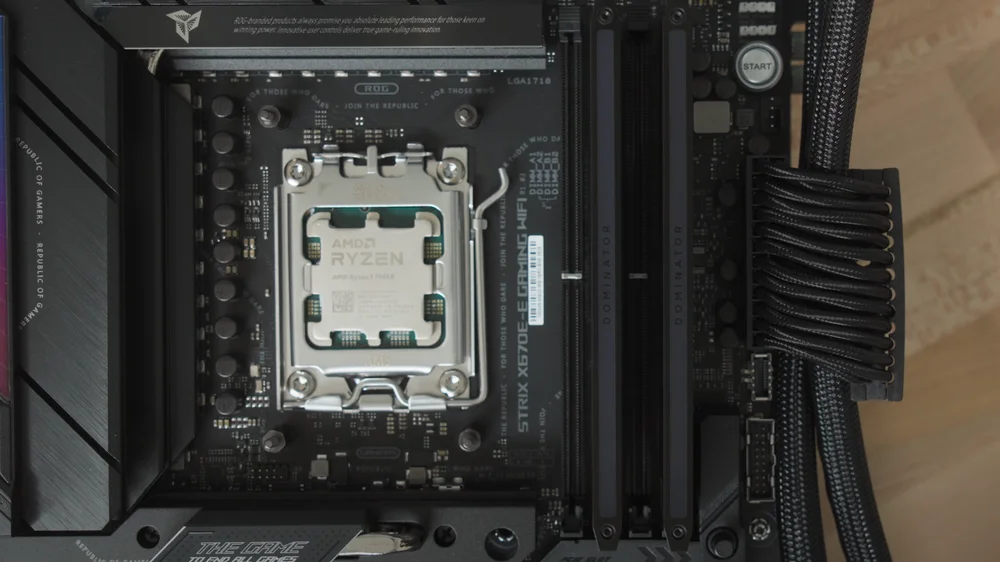
The motherboard is the foundation of your build. It defines what your machine is capable of and is responsible for everything from your audio subsystem through the number of USB ports you have, right up to which generation of PCI Express (PCIe) you have access to. We’d recommend supporting the latest technologies where possible, simply because it gives your system the best chance of being upgraded later on, but any reasonably up-to-date motherboard should serve you well.
The main thing your motherboard choice dictates is what CPU you can use in a build. In practice, most PC DIY builders pick the CPU they want first and then select a compatible motherboard. That doesn’t mean the motherboard choice isn’t important though. For any given chipset, there can be hundreds of options from a range of manufacturers, spanning a bewildering range of price points.
Ultimately, that’s what any motherboard choice comes down to: how much are you willing to spend? And, when building a gaming PC, which features matter most.
What Motherboard Features Matter for Gaming?
Given we’ve opened this article by saying that your motherboard choice won’t impact gaming performance, why are we now asking which features matter? Because if gaming is your priority, you want to ensure that your motherboard allows the components that do affect frame rates to perform at their best. There are plenty of features to consider, but three subsystems matter most: your graphics card, processor, and memory. Storage and audio are also worth considering, but they won’t influence your frame rates the way the top three will.
Your graphics card will have the biggest impact on your frame rate. Put simply, the more you spend on your GPU, the smoother your gaming experience is likely to be. From a motherboard perspective, you’ll want support for PCIe 4.0 at a minimum, with PCIe 5.0 being a nice to have. Current graphics cards don’t come close to saturating PCIe 4.0 bandwidth, which means there’s no tangible benefit to using PCIe 5.0 in real-world gaming scenarios, at least for now. And if you’re wondering, PCIe is backward compatible, so a PCIe 5.0 graphics card will work just fine in a PCIe 4.0 slot.
The next two components to consider are equally as important as each other: the CPU and RAM. These are closely linked when it comes to gaming because when performance becomes CPU limited, memory performance matters more. Here, the key thing to look for is a motherboard with a decent Voltage Regulator Module (VRM) setup, ensuring your CPU receives clean, stable power. It’s also worth checking that your chosen memory kit appears on the motherboard’s QVL list. Memory does have an impact on performance, so it’s worth making sure you’ve got a good RAM kit when you’re budgeting for your build. Likewise, a good AIO CPU cooler is worth grabbing to make sure you’re getting the most from your CPU.
What About Overclocking?
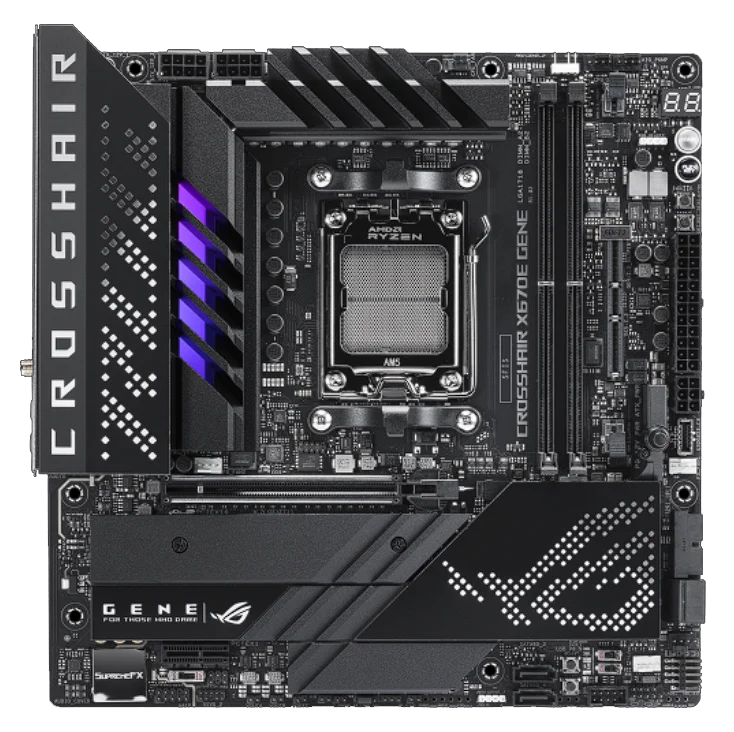
Overclocking is one of the main ways manufacturers differentiate motherboards, particularly at the mid-to-high end. In the past, gaming PCs were often CPU bottlenecked, and overclocking could deliver noticeable gains in gaming performance. That’s far less common today, and manually overclocking your CPU will generally have a much smaller impact on frame rates in modern games. There are exceptions, but as mentioned earlier, your GPU will almost always play a larger role than your CPU.
So, should you ignore overclocking entirely? Not quite. A motherboard that’s capable of overclocking will usually feature a stronger VRM design, which, as already discussed, is important for overall CPU stability. Once again, it becomes a question of balancing features against cost. You don’t need an extreme overclocking-focused motherboard that consumes a huge portion of your budget, but you should also avoid the cheapest options that may struggle to deliver consistent power to your CPU.
Gaming Motherboard Recommendations
Look for a motherboard that fits comfortably within your budget while supporting the latest hardware and technologies where possible. Make sure it supports your processor of choice and includes a reliable VRM setup to deliver the power your CPU needs. Checking reviews can be particularly helpful here.
We’d recommend opting for a motherboard that supports DDR5, as it offers a solid upgrade path and greater longevity. PCIe 4.0 should be considered the minimum, with PCIe 5.0 being a nice to have, especially for SSDs, though it isn’t essential if gaming is your main focus. Make sure you’ve got plenty of USB ports, Wi-Fi if you need it, and then an audio subsystem that won’t make your ears hate you.
If you can find a motherboard that ticks those boxes without stretching your budget, you’ll be in a good position. It’s also worth comparing similar models to see what spending a little more, or a little less, actually gets you in terms of core capabilities. Use comparison tools where available to clearly highlight those differences and understand what you’re paying for. Focus on the fundamentals, and it’s hard to go far wrong.
JOIN OUR OFFICIAL CORSAIR COMMUNITIES
Join our official CORSAIR Communities! Whether you're new or old to PC Building, have questions about our products, or want to chat about the latest PC, tech, and gaming trends, our community is the place for you.