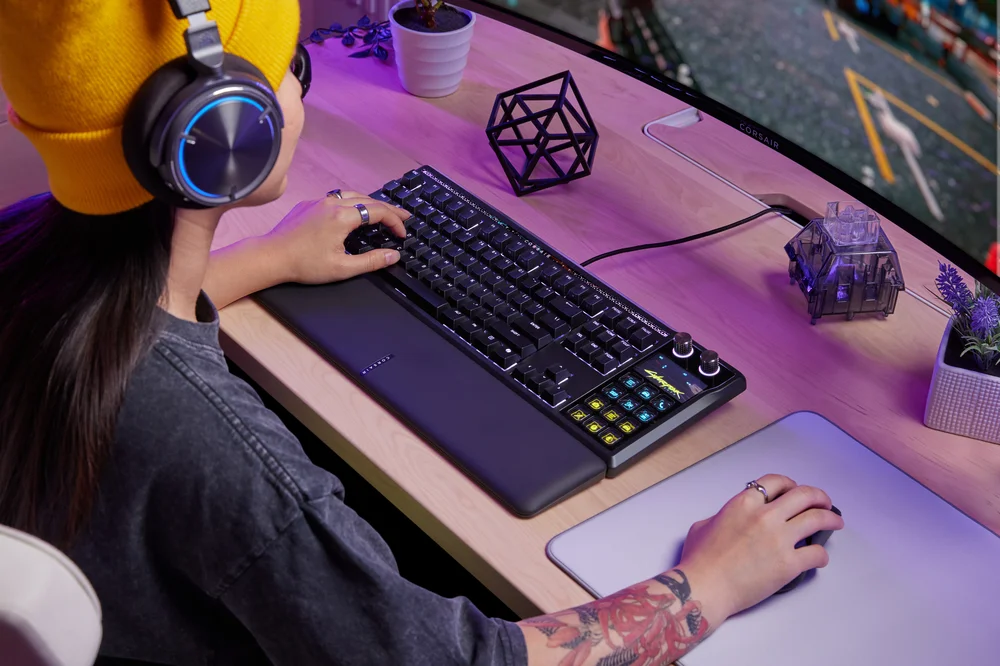
Macro recording is one of the most powerful tools available on the CORSAIR GALLEON 100 SD, allowing users to condense complex or repetitive actions into a single, reliable input. Whether you’re executing multi-step commands in a game, streamlining creative workflows, or simplifying everyday tasks, macro recording turns intentional sequences into instant responses without breaking focus.
On GALLEON 100 SD, macro functionality is designed to be fast, flexible, and accessible, working seamlessly alongside the keyboard’s performance features and integrated Stream Deck controls.
What Macro Recording Does
A macro is a recorded sequence of inputs, such as keystrokes, delays, or commands, that can be replayed with a single key press. On the GALLEON 100 SD, macros allow users to:
- Reduce repetitive actions
- Improve consistency and timing
- Execute complex sequences reliably
- Customize controls around personal workflows
Instead of manually repeating the same steps over and over, macro recording enables precision and efficiency, especially in scenarios where speed and accuracy matter.
On-Keyboard Macro Recording for Immediate Use
The GALLEON 100 SD supports direct macro recording from the keyboard, enabling users to create macros without opening software or interrupting their session. Using dedicated function key shortcuts, users can:
- Enter macro recording mode
- Record a sequence of key presses
- Assign the macro to a chosen key
- Exit recording mode and begin using the macro immediately
This hardware-level approach is ideal for quick adjustments during gameplay or productivity sessions. Once recorded, macros can be stored in onboard memory, allowing them to function consistently across systems without software needed.
Advanced Macro Customization via Software
For users who want deeper control, macros can also be refined and managed through supported software environments. Timing adjustments, repeat behaviors, and activation logic can be fine-tuned to match specific needs. This layered approach means casual users can rely on quick recording, while power users can build more advanced, structured macros as their workflows evolve.
In Stream Deck Mode, macros can also be combined with Multi Actions, enabling a single Stream Deck key to trigger keyboard macros alongside application controls, audio changes, or system commands. This unlocks advanced automation possibilities that go far beyond traditional macro keys.
Use Cases Across Gaming, Streaming, and Productivity
Macro recording on the GALLEON 100 SD is intentionally versatile:
- Gaming: Chain ability rotations, manage inventory actions, or perform complex inputs with consistent timing.
- Streaming: Trigger scene changes, mute microphones, post chat messages, or start recordings alongside in-game commands.
- Productivity: Automate repetitive shortcuts, text entry, or application workflows to save time during long work sessions.
Because macros can be assigned to standard keys or Stream Deck buttons, users can decide exactly where automation fits into their setup.
Designed for Reliability and Control
Importantly, macro recording on GALLEON 100 SD is designed to enhance control instead of replacing skill. Macros execute exactly as recorded, ensuring predictable behavior and minimizing errors caused by missed inputs or timing inconsistencies.
Combined with features like Game Mode, macros can be used in a focused environment that avoids accidental system interruptions, reinforcing confidence during high-pressure scenarios.
Smarter Inputs, Fewer Steps
Macro recording transforms the GALLEON 100 SD from a fast keyboard into a smart input device that adapts to how you play, create, and work. By reducing repetitive effort and increasing consistency, macros free users to focus on what matters most: performance, creativity, and flow.
Whether you’re recording a quick shortcut on the fly or building a layered automation sequence, macro recording on GALLEON 100 SD puts powerful customization exactly at your fingertips where it belongs.
PRODUCTS IN ARTICLE
JOIN OUR OFFICIAL CORSAIR COMMUNITIES
Join our official CORSAIR Communities! Whether you're new or old to PC Building, have questions about our products, or want to chat about the latest PC, tech, and gaming trends, our community is the place for you.