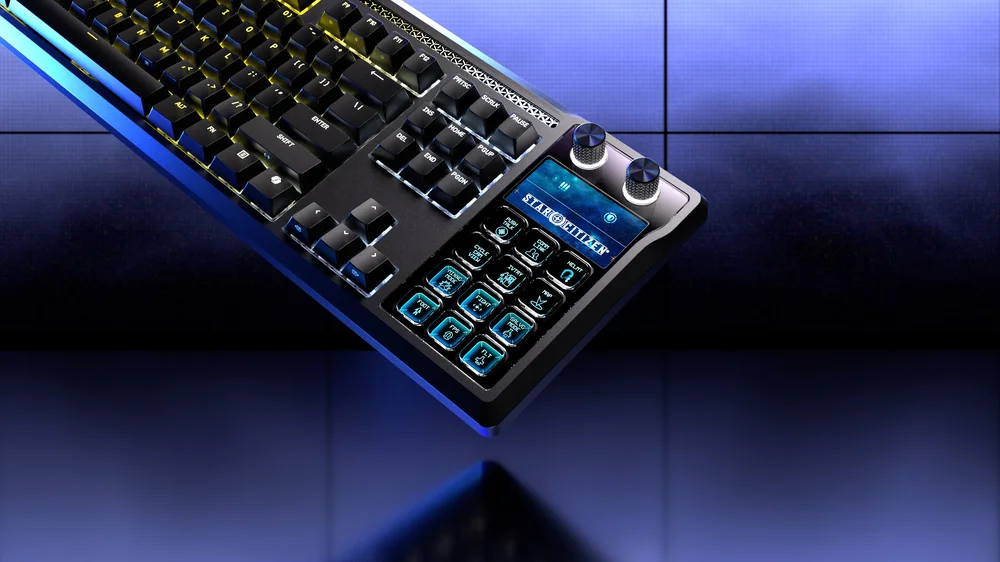
The CORSAIR GALLEON 100 SD is a flexible control platform designed to adapt to how, where, and why you use it. To support that versatility, GALLEON 100 SD operates across three distinct modes: Hardware Mode, Web-Based Mode, and Stream Deck Mode. Each mode serves a specific purpose, allowing users to move seamlessly between onboard reliability, browser-based customization, and advanced Stream Deck workflows.
Understanding how these modes work and when to use each mode unlocks the full potential of the keyboard.
Hardware Mode: Always Ready, Always Reliable
Hardware Mode is the default operating state of the GALLEON 100 SD. In this mode, the keyboard runs entirely on its onboard memory, with no software required. Key assignments, lighting effects, and saved profiles function independently of any applications running on the host system.
This mode is ideal for:
- Competitive gaming environments
- LAN events or tournaments
- Console use
- Systems where software installation is restricted
Because settings are stored directly on the keyboard, Hardware Mode ensures instant availability and consistent behavior across different PCs. Even when switching systems, your core keyboard functionality remains intact. Stream Deck keys and advanced actions are inactive in this mode, keeping performance focused on traditional keyboard input and stability.
Hardware Mode emphasizes dependability and Plug’N’Play. Plug in the keyboard, and it works exactly as expected.
Web-Based Mode: Lightweight Customization via CORSAIR Web Hub
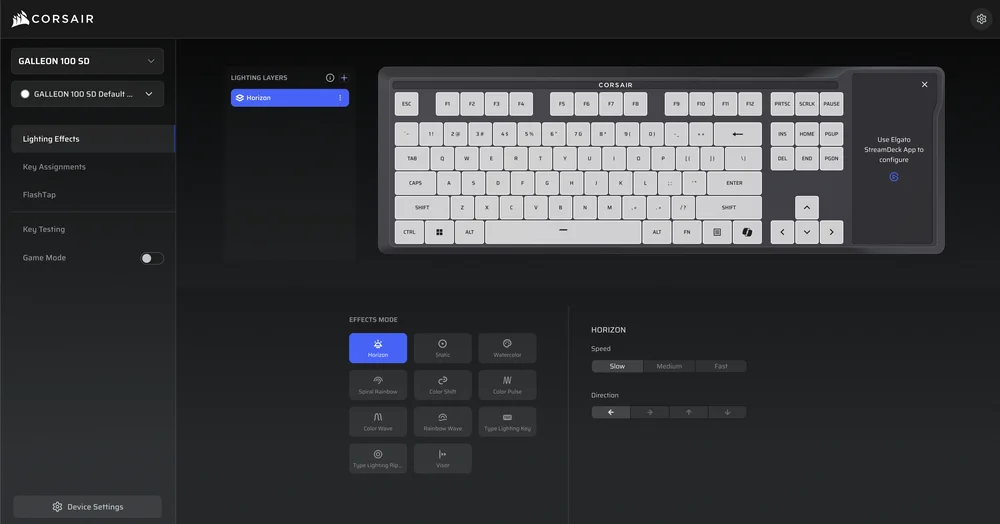
When connected to a compatible PC, GALLEON 100 SD can enter Web-Based Mode, which enables configuration through the CORSAIR Web Hub. This browser-based interface allows users to customize keyboard behavior without installing full desktop software.
In Web-Based Mode, users can:
- Adjust RGB lighting and brightness
- Configure performance settings
- Manage onboard profiles
- Modify key behavior and shortcuts
Because Web Hub runs directly in a browser, it’s fast, accessible, and ideal for quick changes. Once settings are applied, they can be saved back to the keyboard’s onboard memory, making them persist even when Web Hub is no longer active.
This mode bridges the gap between simplicity and control, giving users an efficient way to fine-tune their keyboard while keeping system overhead low.
Stream Deck Mode: Advanced Control with Elgato Stream Deck Integration

Stream Deck Mode is where GALLEON 100 SD truly distinguishes itself. In this mode, the integrated 12 Stream Deck keys, dual rotary dials, and LCD screen are activated and controlled through the Elgato Stream Deck app.
Stream Deck Mode enables:
- Fully customizable shortcut keys with dynamic icons
- Multi Actions that trigger multiple commands with a single press
- Page and folder systems for virtually unlimited actions
- Real-time app, audio, and hardware control
- Live information displayed on the integrated LCD screen
This mode is designed for streamers, creators, and power users who rely on fast access to complex workflows. Actions such as switching scenes, muting microphones, launching apps, controlling music, or monitoring stream performance can all be executed without leaving the keyboard.
Stream Deck Mode requires the Stream Deck app to be running, but in exchange it delivers deep integration, real-time feedback, and workflow automation that goes far beyond standard macro functionality.
Three Modes, One Unified Experience
Rather than forcing users into a single operating model, GALLEON 100 SD offers mode flexibility that adapts to different environments and needs. Hardware Mode prioritizes reliability, Web-Based Mode offers convenient customization, and Stream Deck Mode unlocks advanced control and visibility.
Together, these three modes transform GALLEON 100 SD into a keyboard that evolves with your setup whether you’re gaming competitively, customizing casually, or managing a full streaming workflow.
It’s not just a keyboard with features, it’s a keyboard with modes built for how you work and play.
PRODUCTS IN ARTICLE
JOIN OUR OFFICIAL CORSAIR COMMUNITIES
Join our official CORSAIR Communities! Whether you're new or old to PC Building, have questions about our products, or want to chat about the latest PC, tech, and gaming trends, our community is the place for you.