BLOG
CORSAIR InfiniRail Explained
Here at CORSAIR, we've become synonymous with innovation. From power supplies, being the first to feature side-mounted connectors, to novel and simplified cable management with the iCUE LINK ecosystem, to cases, being the first to introduce a case with a triple-chamber design with the AIR 5400.
Recently, we introduced the InfiniRail system to some our our cases. Here's what it is, how it works, and how it helps expand your cooling options.
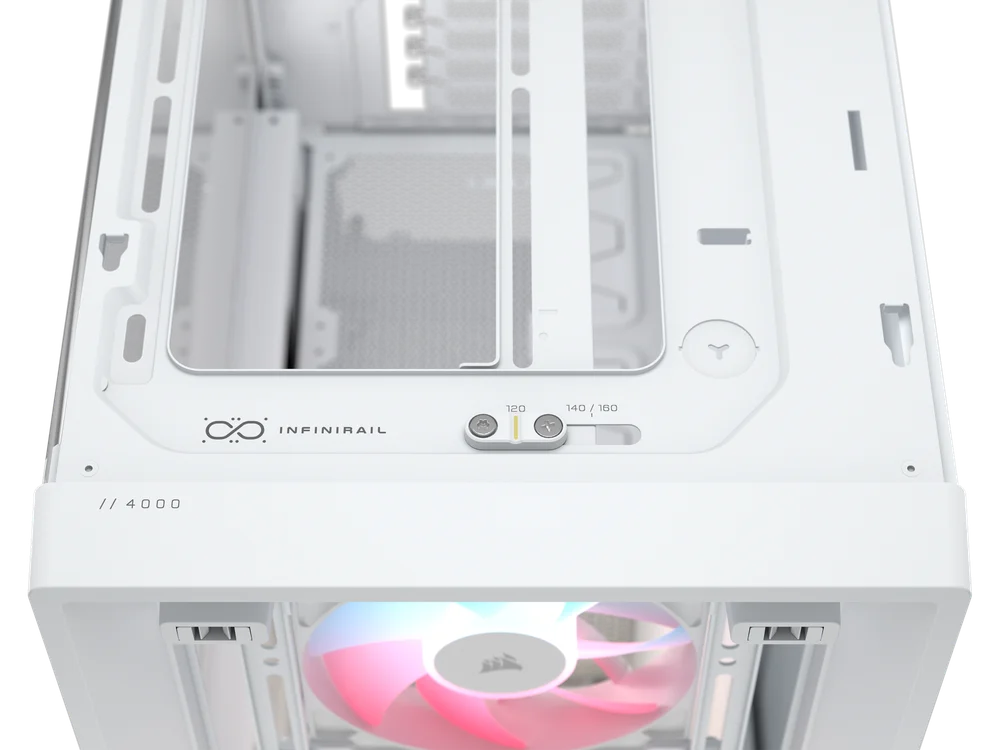
Many PC cases can only accommodate fans of a specific size. Usually only 120mm or 140mm. This is a limiting scenario, especially if you were going to re-use fans from a previous build, as they might be impossible to fit in the new one. Some cases address this limitation by providing multiple sets of mounting holes that correlate to each size of fan.
This works, but remains limiting to the end user, as there is zero flexibility to the specific position of each fan, regardless of size.

For example, In a typical fan mounting system, the fan rails or fan-mount bracket are fixed and cannot be adjusted. For example, if the front or top fan bracket of the case only supports 3x 120mm fans, it means the case only supports 3x 120mm fans and nothing else, limiting you to that specific configuration.
But what if you want to, let's say, upgrade the fans to optimize internal airflow while reducing fan noise? People usually opt for 140mm fans because their larger blade surface area allows them to push more air with each rotation. Or you want to replace the fans with a different model for whatever reason. Having a fixed fan mount can be a limiting factor - until you have CORSAIR InfiniRail.
What is CORSAIR InfiniRail?
The CORSAIR InfiniRail Fan Mounting System offers a more flexible way to mount fans and radiators. It’s now featured in our new cases like the 9000D RGB Airflow, FRAME 5000D series, FRAME 4500X, and FRAME 4000D Series. (And you can expect to see it continue to make appearances in future cases, too.) The entire mounting system is designed to make installing cooling components, such as case fans and radiators, easier and more adaptable than traditional fixed-fan brackets, providing a smoother building experience.
How Does CORSAIR InfiniRail Work?
It works by using a straight rail that can be loosened, and then moved to a different position. In some CORSAIR cases, you'll see two of these rails alongside eachother, in which case both can be moved.
In other CORSAIR cases, you'll find a single InfiniRail positioned parallel to a fixed rail. (this is usually the case for the fan mounts at the top of cases). In this case, you need only move the InfiniRail to accommodate your desired size of fans. Regardless, you adjust the rails by loosening a couple screws, then moving the rail into place. The cases will have markings that denote where the rails should be secured for each compatible size of fans.
Sometimes, the fans will attach to small clips, which then snap into the InfiniRail. In others, the fans will mount directly to the rail. The video blew illustrates the concept.
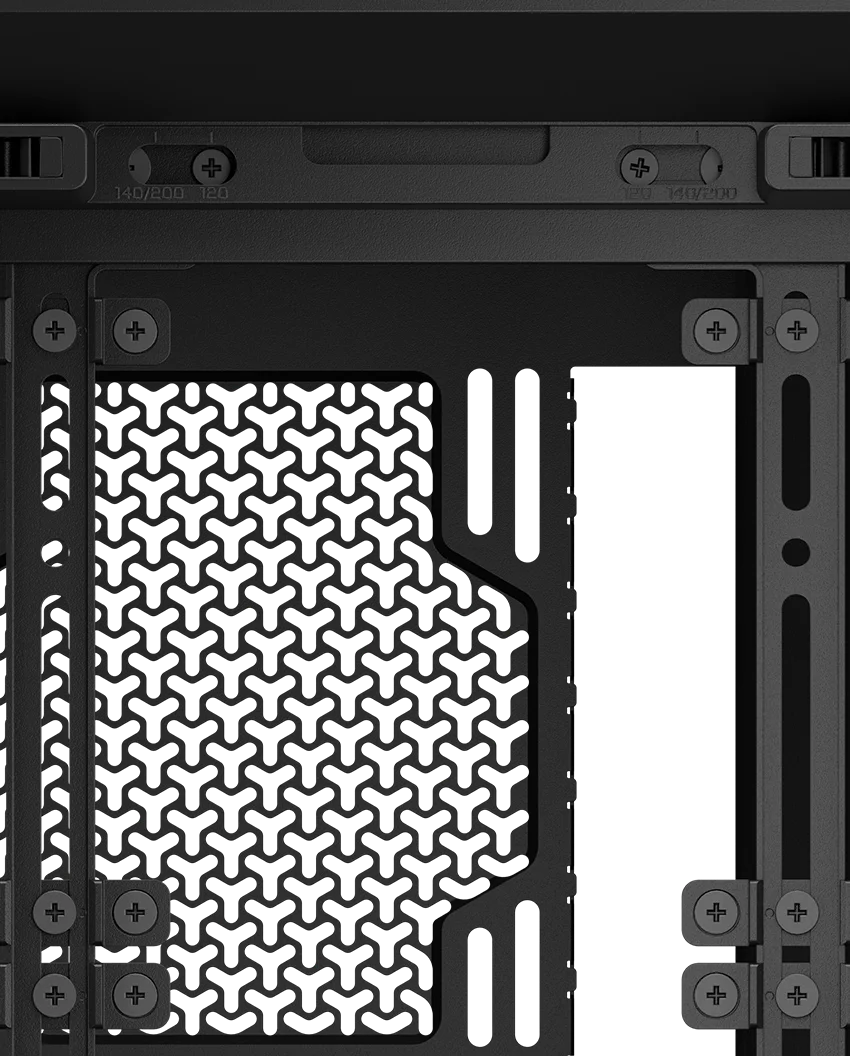
Attaching the fan is easy: Secure the inside edge of each bracket onto the rails and then gently snap the outer edge into place. Don’t forget to keep the countersunk hole for attaching the fan facing you, just as shown in the picture on the left.
Key Benefits of InfiniRail
- Can improve airflow by letting you position the fans exactly where you want them, boosting cooling performance inside the case.
- Using the InfiniRail Mounting System widens the case’s radiator compatibility without requiring an extra bracket for different radiator sizes, giving more flexibility for custom water-cooling setups.
- Easier to swap out fans of different sizes. You are no longer restricted to one specific fan configuration.
- In some CORSAIR cases, like the 9000D, the rails are modular, meaning you can remove them, rotate them 180°, and remount them for more space.
产品注册
JOIN OUR OFFICIAL CORSAIR COMMUNITIES
Join our official CORSAIR Communities! Whether you're new or old to PC Building, have questions about our products, or want to chat about the latest PC, tech, and gaming trends, our community is the place for you.